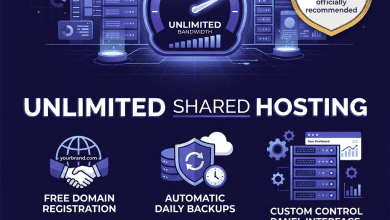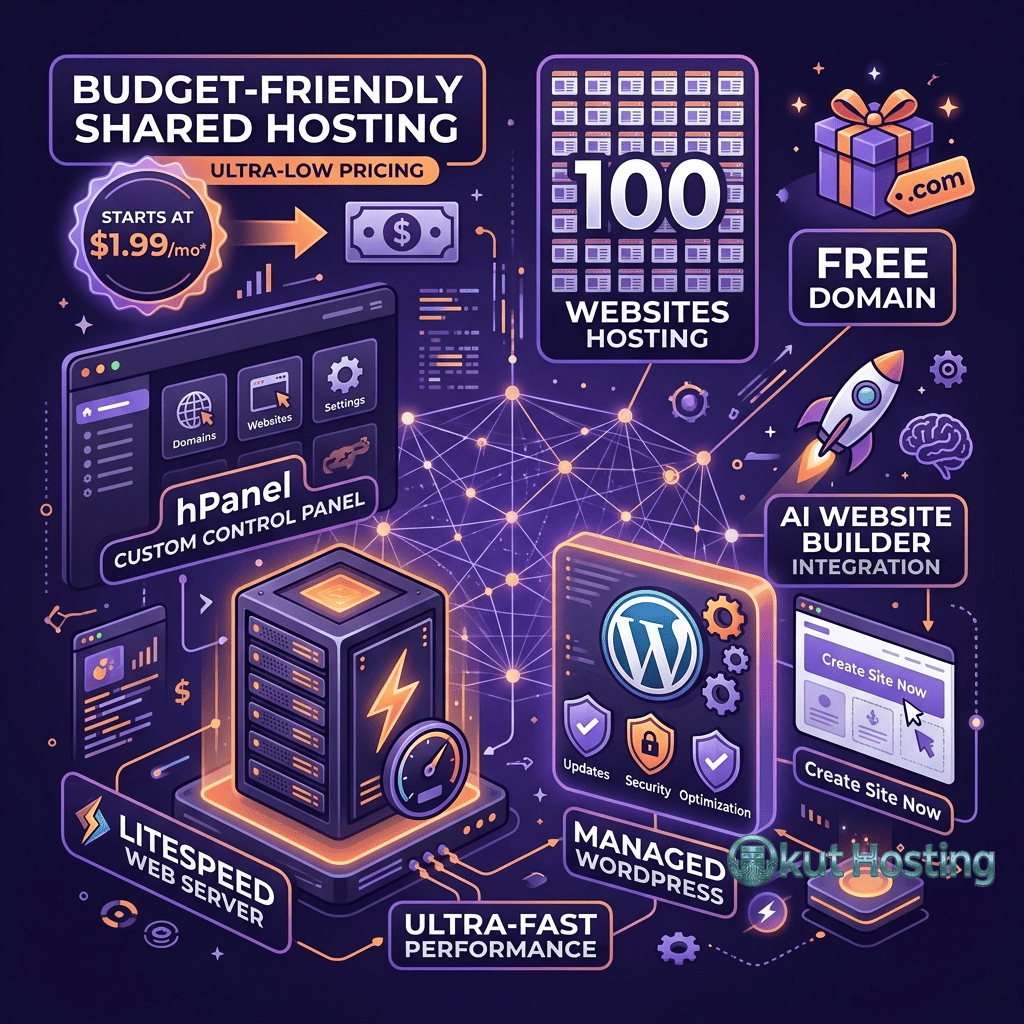
Hostinger has established itself as one of the most aggressively priced hosting providers in the shared hosting market, offering plans at price points that significantly undercut many competitors while maintaining a feature set that exceeds what the pricing might suggest. Founded in 2004 in Kaunas, Lithuania, Hostinger has grown to serve millions of customers globally by combining low pricing with a modern proprietary control panel, competitive performance for its price tier, and a global data center network that provides geographic coverage unusual for budget hosting providers.
The company’s approach to budget hosting differs from competitors who achieve low prices through minimal features and aging infrastructure. Hostinger has invested in developing its own control panel (hPanel), building a global data center presence, and implementing performance optimizations that position its shared hosting closer to mid-tier managed hosting than to the minimal shared hosting that its pricing might imply. This review examines how Hostinger’s shared hosting plans deliver on their value proposition, where the pricing compromises appear, and how the platform compares within the competitive budget hosting landscape.
Plan Structure and Pricing
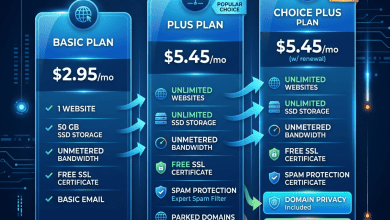
Hostinger offers shared hosting across three primary tiers: Single, Premium, and Business. The Single plan supports one website with limited SSD storage, email hosting, and the core hosting features. The Premium plan removes the single-site restriction, increases storage, provides a free domain for the first year, and adds weekly backups. The Business plan further increases storage and performance, includes daily backups, free CDN integration, and Hostinger’s enhanced server resources with more allocated CPU and RAM per account.
Hostinger’s promotional pricing is among the lowest in the hosting industry, with introductory rates that can be under two dollars per month for multi-year commitments. The deepest discounts apply to 48-month terms — four-year commitments that maximize savings but require significant upfront payment and long-term commitment. Shorter terms (12-month and 24-month) offer less aggressive discounting but provide more flexibility.
Renewal pricing represents a significant increase from promotional rates, following the standard hosting industry pattern. Users evaluating Hostinger should calculate the total cost across the initial term and subsequent renewal periods to understand the effective long-term price. Even at renewal pricing, Hostinger generally remains competitive with other budget shared hosting providers, though the gap between promotional and renewal rates can create sticker shock for customers who did not anticipate the increase.
Promotional pricing for the longer terms requires upfront payment for the full term, meaning a 48-month plan at promotional pricing requires paying for four years of hosting in a single transaction. This upfront cost commitment may be substantial despite the low per-month rate, and customers should consider whether they are confident they will use the hosting for the full commitment period before selecting the longest term for maximum savings.
hPanel Control Panel
Hostinger’s proprietary hPanel replaces the industry-standard cPanel with a custom-built control panel designed for modern hosting management. hPanel provides a clean, organized interface that groups hosting functions into logical categories — websites, domains, emails, files, databases, and security — with a visual design that prioritizes accessibility for less technical users.
The decision to develop a proprietary control panel rather than licensing cPanel represents both a cost-saving measure and a product differentiation strategy. cPanel licensing costs have increased significantly in recent years, and those costs are ultimately passed to customers. By developing hPanel, Hostinger avoids cPanel licensing fees while creating a management experience tailored to its specific hosting platform and customer base.
hPanel includes one-click installers for WordPress and other popular CMS platforms, file manager with code editor capabilities, email account management, database administration through phpMyAdmin, DNS zone editor, and SSH access configuration. The interface is responsive and works well on mobile devices, enabling hosting management from smartphones and tablets — a convenience that traditional cPanel implementations sometimes lack due to their desktop-oriented design heritage.
The trade-off of hPanel is that users familiar with cPanel will encounter a different interface that does not map directly to cPanel’s organization and terminology. Users migrating from cPanel-based hosts will need to relearn their hosting management workflows. Additionally, hPanel’s feature set, while comprehensive for most hosting tasks, may lack some specialized cPanel features that advanced users rely on — though these gaps affect a relatively small percentage of shared hosting users.
Global Data Center Network
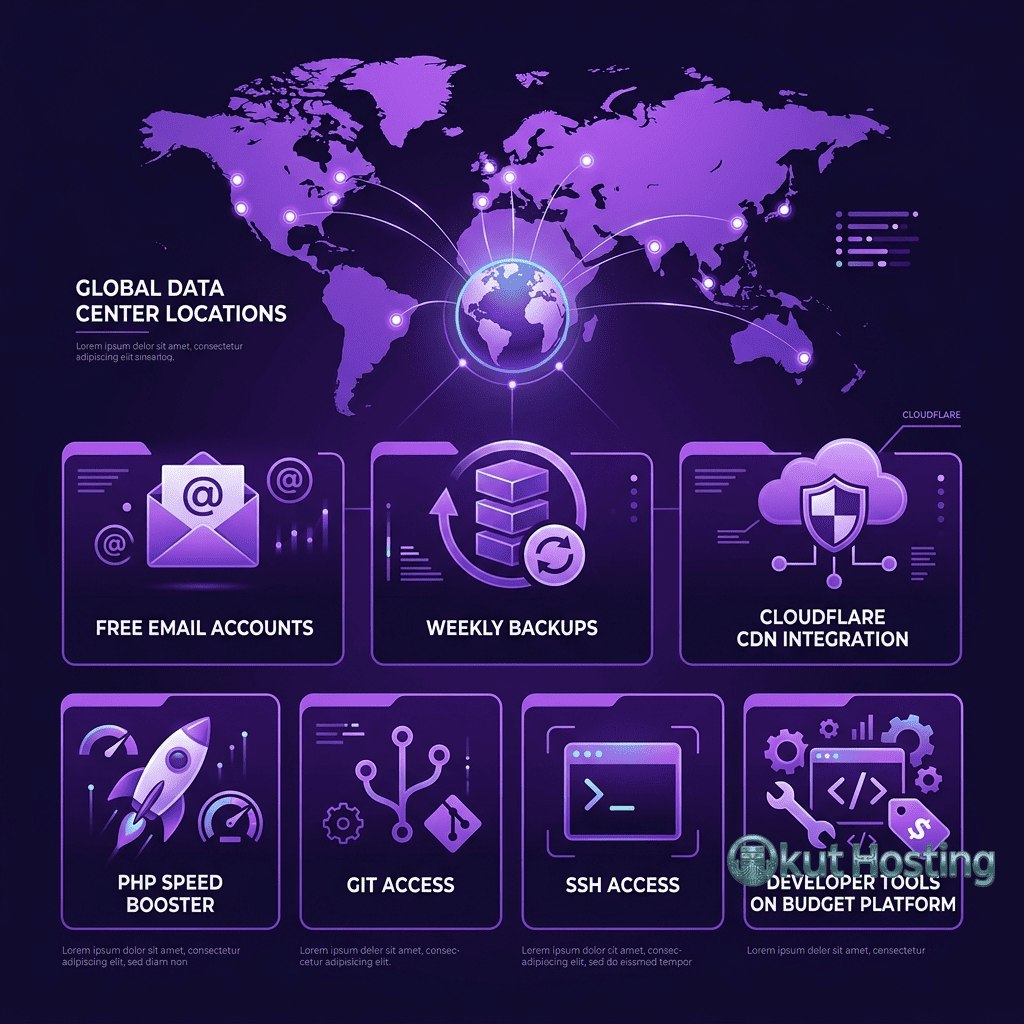
Hostinger operates data centers across multiple continents, with locations in the United States, Europe, Asia, and South America. This global presence is unusual for budget hosting providers, who often operate from a single geographic region. Users select their preferred data center location during account setup, positioning their website close to their target audience for optimal latency.
Data center locations include the United States (multiple locations), United Kingdom, Netherlands, Lithuania, Singapore, India, Indonesia, and Brazil. This geographic distribution enables hosting from locations close to major population centers across every major continent except Africa and Oceania, providing latency advantages that single-region hosting providers cannot match for internationally distributed audiences.
For websites targeting specific geographic audiences, data center selection is one of the most impactful hosting decisions. A website targeting Indian visitors will load significantly faster from Hostinger’s Indian data center than from a US-based server, regardless of other optimization measures. Hostinger’s data center options enable geographic optimization at the budget pricing tier — a combination that few competitors match.
Performance Features
Hostinger implements several performance optimizations across its shared hosting plans. LiteSpeed Web Server powers the hosting infrastructure, providing event-driven request processing that handles concurrent connections more efficiently than traditional Apache configurations. LiteSpeed’s integrated caching engine stores rendered pages in memory, serving cached content directly without PHP or database processing for cached requests.
The LiteSpeed Cache plugin for WordPress integrates with the server-level LiteSpeed cache, providing management controls for cache configuration, purging, and optimization features including CSS and JavaScript minification, image optimization, and database cleanup. This server-plugin integration provides caching performance comparable to what premium hosting platforms offer through their own caching implementations.
SSD storage on all plans provides faster disk I/O than traditional HDD hosting. PHP version management supports current stable PHP releases, enabling sites to run on the latest PHP version for maximum performance. Object caching through the LiteSpeed Cache plugin provides in-memory caching of database query results, reducing database load for WordPress sites with complex query patterns.
Cloudflare CDN integration on Business plans distributes cached static assets across Cloudflare’s global edge network. For sites serving geographically distributed audiences from a single data center location, CDN delivery reduces latency for visitors outside the data center’s region. CDN configuration is managed through hPanel with simplified setup compared to manual Cloudflare configuration.
WordPress Hosting Features
While Hostinger offers dedicated WordPress hosting plans, its standard shared hosting plans also provide full WordPress support. One-click WordPress installation through hPanel creates a configured WordPress instance within minutes. WordPress auto-updates for core, plugins, and themes can be configured through hPanel, reducing the manual maintenance effort for WordPress site management.
WordPress-specific features on shared hosting include a WordPress staging tool on Business plans, WordPress vulnerability scanner, and WordPress acceleration through LiteSpeed Cache integration. The staging tool enables testing changes before production deployment — a feature rarely available on budget shared hosting plans that is typically reserved for managed WordPress or premium shared hosting tiers.
WooCommerce support on shared hosting plans enables e-commerce functionality with online store capabilities. The Business plan’s enhanced resource allocation provides better performance headroom for WooCommerce workloads, which generate heavier database queries and more complex page rendering than standard content WordPress sites. Free SSL certificates through Let’s Encrypt provide the HTTPS encryption that WooCommerce requires for secure transaction processing.
Email and Domain Services
Email hosting is included on Premium and Business plans, providing professional email addresses using the hosted domain name. Email accounts support IMAP, POP3, and SMTP protocols with webmail access through hPanel. The email infrastructure includes spam filtering, email forwarding, autoresponders, and catch-all email configuration.
Free domain registration for the first year is included on Premium and Business plans, with domain management tools integrated into hPanel. Domain transfer, DNS management, subdomain configuration, and domain privacy (WHOIS protection) are available through the domain management interface. After the first year, domain renewal pricing applies at standard rates.
Website Builder
Hostinger includes its own website builder tool alongside CMS hosting capabilities. The Hostinger Website Builder uses an AI-powered drag-and-drop interface with responsive templates designed for business websites, portfolios, online stores, and personal sites. The builder generates clean, optimized code and includes features like SEO tools, social media integration, and analytics. For users who prefer visual website construction over CMS platforms like WordPress, the included website builder provides a no-code alternative that produces professional-looking websites.
The website builder is included at no additional cost on applicable plans, providing an alternative path to website creation that does not require WordPress installation, plugin management, or theme configuration. For simple business websites, portfolios, and informational sites, the builder can produce functional, attractive websites more quickly than configuring a full CMS installation.
Security Implementation
Hostinger implements security measures across its shared hosting infrastructure including free SSL certificates, DDoS protection, server-level firewalls, and automated malware scanning. The security infrastructure includes Cloudflare-based protection on applicable plans and server-level hardening managed by Hostinger’s operations team.
Backup frequency varies by plan tier — the Single plan does not include automated backups, the Premium plan includes weekly backups, and the Business plan includes daily backups with extended retention. The absence of automated backups on the Single plan is a meaningful limitation that requires users on the entry-level plan to implement their own backup solution through WordPress plugins or manual backup procedures.
Two-factor authentication is supported for hPanel access, and SSH access is available on all plans for secure server communication. File access controls, directory permissions, and hotlink protection provide additional security layers that users can configure through hPanel’s security management tools.
Developer Tools
Hostinger provides developer-oriented tools on its shared hosting plans that are sometimes absent from competing budget hosts. SSH access enables command-line server interaction for WP-CLI operations, file management, and scripting. Git integration supports version-controlled deployment workflows for developers managing code through repositories. Multiple PHP version support allows switching between PHP versions through hPanel to test compatibility or access the latest performance improvements.
Cron job management through hPanel enables scheduling automated tasks for backup routines, database maintenance scripts, and other recurring operations. The cron job interface provides both simple scheduling controls for common intervals and advanced configuration for custom schedules. phpMyAdmin access provides full database management capabilities for direct SQL query execution, table management, and database import and export operations.
Migration and Onboarding
Hostinger provides free website migration assistance for new customers, with the migration team handling the transfer of files, database, and configuration from the previous hosting provider. The migration service supports WordPress and other CMS platforms, with the team handling URL search-and-replace operations, DNS configuration, and SSL certificate provisioning on the new Hostinger account. The migration timeline typically ranges from a few hours to a few business days depending on site complexity.
The onboarding experience for new accounts includes guided setup workflows that walk users through domain connection, WordPress installation, email configuration, and basic hosting management. The guided onboarding is designed for users who may be setting up their first hosting account, providing step-by-step instructions rather than assuming familiarity with hosting concepts. Experienced users can skip the guided setup and access hPanel directly for immediate hosting management.
Uptime and Reliability
Hostinger commits to a 99.9% uptime guarantee, providing service credits when the platform falls below the guaranteed availability threshold. The uptime commitment covers server-side availability and does not extend to scheduled maintenance windows. Independent uptime monitoring services provide third-party verification of actual availability that can be compared against the guaranteed threshold.
Customer Support
Hostinger provides 24/7 customer support through live chat and email ticketing. Phone support is not available, which may be a limitation for users who prefer voice-based support interactions. The live chat support team handles hosting configuration, WordPress troubleshooting, domain management, and general hosting questions.
The support knowledge base provides extensive self-service documentation covering hosting setup, WordPress configuration, email management, domain management, and troubleshooting guides. Video tutorials supplement written documentation for common hosting tasks. The documentation quality reflects Hostinger’s investment in self-service support resources that reduce direct support contact volume.
Money-Back Guarantee
Hostinger offers a 30-day money-back guarantee on hosting plans, providing a full refund for customers who cancel within the first 30 days. Domain registration fees are non-refundable, and the guarantee applies to the hosting plan cost only. This 30-day evaluation period provides time to assess the hosting performance, hPanel usability, and overall hosting experience before making a long-term commitment. For users considering the 48-month promotional pricing, the 30-day guarantee provides a safety net that reduces the risk of the long-term commitment, though the refund processing timeline may vary.
Limitations
- No phone support: Live chat and email are the only direct support channels, which may be insufficient for users who prefer phone-based support.
- Promotional pricing structure: Very low promotional pricing creates expectations that renewal pricing may not meet. The gap between promotional and renewal rates is among the largest in the industry.
- No backups on Single plan: The entry-level plan lacks automated backups, placing data protection responsibility entirely on the user.
- hPanel learning curve: Users migrating from cPanel-based hosts will need to adapt to hPanel’s different interface and workflow organization.
- Resource limits on entry plans: The Single plan’s limited storage and single-site restriction may require upgrading sooner than expected for growing sites or users managing multiple web properties.
Summary
Hostinger delivers an impressive shared hosting product for its price point, combining aggressive pricing with a modern control panel, global data center coverage, LiteSpeed-powered performance, and a feature set that exceeds typical budget hosting expectations. The platform provides legitimate value for budget-conscious users, small businesses, students, and developers who need reliable hosting without premium pricing — particularly those targeting audiences in regions where Hostinger’s extensive data center network provides geographic proximity advantages that competitors operating from a single region simply cannot offer at any price point.
Budget shared hosting providers including Hostinger, Bluehost, HostGator, and iPage compete on different combinations of pricing, features, and support. Hostinger’s differentiation centers on its combination of very low pricing, modern interface design, and global infrastructure coverage. Evaluating Hostinger against alternatives requires weighing these strengths against the limitations that budget pricing inevitably introduces — particularly the promotional-to-renewal price increase and the support channel restrictions that users accustomed to premium hosting services may find limiting when they encounter complex technical issues requiring in-depth troubleshooting assistance.
Features, pricing, and availability discussed in this review reflect information available at the time of writing. Hosting services evolve continuously, and details may have changed since publication. Please verify current information directly on the official Hostinger website. Okut Hosting is an independent review platform with no affiliate relationships with any hosting company mentioned in this article.
For related reviews, see our Bluehost vs HostGator comparison, our A2 Hosting speed features review, and our guide to shared hosting limitations.