Amazon Web Services (AWS) Lightsail provides a simplified cloud hosting experience designed to make Amazon’s cloud infrastructure accessible to users who find the full AWS console overwhelming. Launched in 2016, Lightsail offers virtual private servers, managed databases, object storage, load balancers, and CDN distribution with fixed monthly pricing — a stark departure from the usage-based, pay-per-second billing model that characterizes most AWS services. Lightsail is Amazon’s answer to independent cloud providers like DigitalOcean, Linode, and Vultr, providing a straightforward cloud hosting experience backed by AWS’s massive global infrastructure.
This review examines AWS Lightsail in detail, covering the service’s features, pricing structure, performance characteristics, managed services, and the unique advantages that come from being part of the Amazon Web Services ecosystem. The analysis evaluates Lightsail’s position as both a standalone hosting platform and as an entry point into the broader AWS cloud ecosystem.
Core Concept and Market Position
Lightsail exists to serve users who need reliable cloud hosting without the complexity of navigating AWS’s 200+ services. The full AWS console — with its intricate networking configurations, IAM permission systems, and service-specific pricing models — presents a steep learning curve that can overwhelm users who simply need a virtual server. Lightsail addresses this by providing a separate, simplified console focused on the core services most cloud hosting users need: compute instances, managed databases, storage, networking, and content delivery.
The strategic positioning of Lightsail within AWS serves a dual purpose: it provides an accessible hosting platform for users who would otherwise choose competitors like DigitalOcean, and it creates an onboarding path that can lead users into the broader AWS ecosystem as their needs grow. This dual purpose influences Lightsail’s feature set, which balances simplicity with integration capabilities that connect to AWS’s full service portfolio.
Instance Plans and Pricing
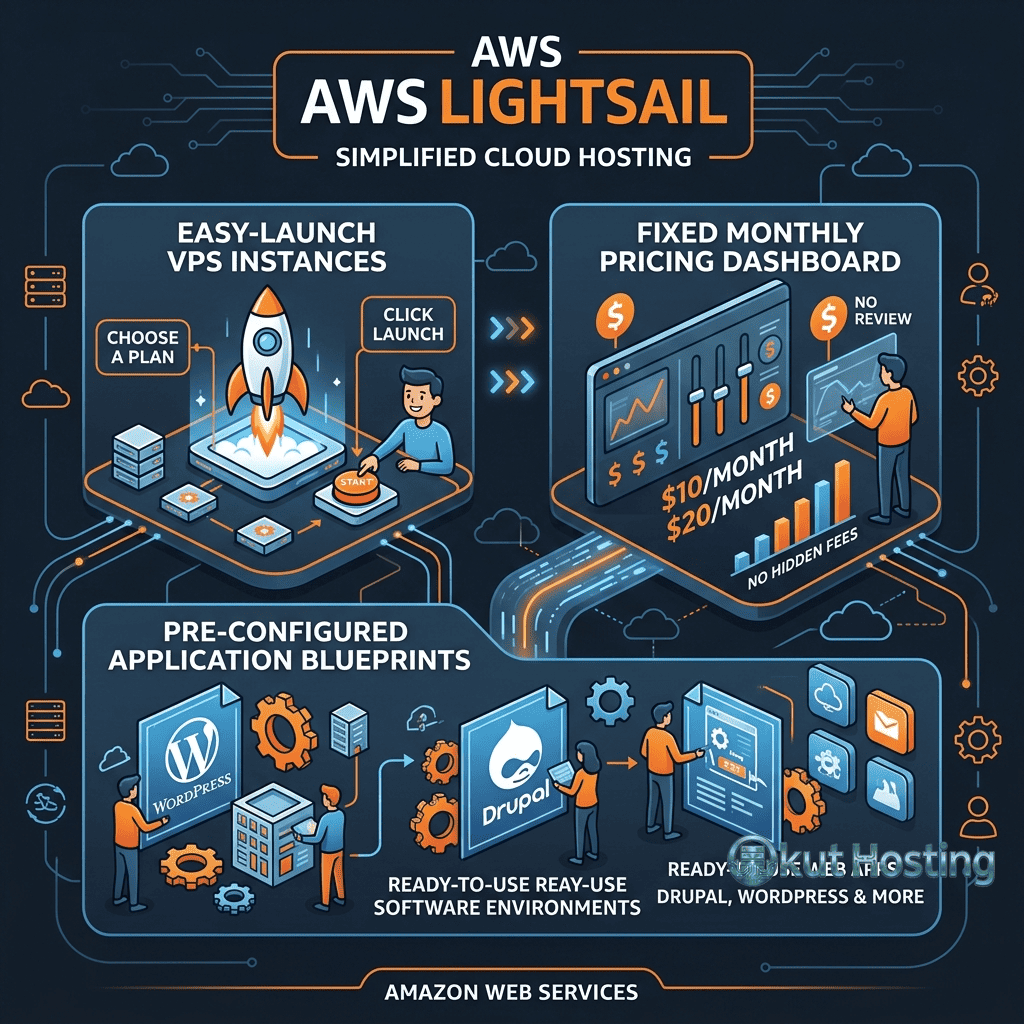
Lightsail instances are available in fixed monthly plans that include compute resources (vCPU, memory), SSD storage, and data transfer allowances. Plans scale from small configurations suitable for simple websites to larger instances capable of running substantial applications. The fixed monthly pricing provides cost predictability that eliminates the billing uncertainty associated with usage-based AWS pricing.
Linux/Unix instances and Windows instances are available at different price points, with Windows instances costing more due to Windows Server licensing. Each plan includes a generous data transfer allowance — Lightsail’s transfer allowances are often larger than comparable plans from independent cloud providers, providing additional value for bandwidth-intensive workloads.
The first three months of the smallest Lightsail instance are included in the AWS Free Tier, providing a cost-free evaluation period for new AWS users. This free tier enables testing the Lightsail platform, deploying test applications, and evaluating the management experience without financial commitment.
WordPress and Application Blueprints
Lightsail provides pre-configured application blueprints that deploy complete application stacks with one click. WordPress is the most popular blueprint, deploying a Bitnami-packaged WordPress installation with Apache, MySQL, and PHP pre-configured and optimized. Additional blueprints include LAMP, LEMP, Node.js, Django, GitLab, Drupal, Joomla, Magento, Redmine, and other applications.
The Bitnami-packaged WordPress installation provides a production-ready deployment with SSL certificate support, built-in caching, and performance optimization. For users migrating from shared hosting to cloud hosting specifically for WordPress, Lightsail’s WordPress blueprint provides the simplest migration path within the AWS ecosystem — deploying a functional WordPress server requires only selecting the blueprint and the instance size.
Operating system-only blueprints are available for users who prefer manual application installation and configuration. Amazon Linux, Ubuntu, Debian, CentOS, FreeBSD, and Windows Server images provide clean operating system installations for custom application deployments.
Container Service
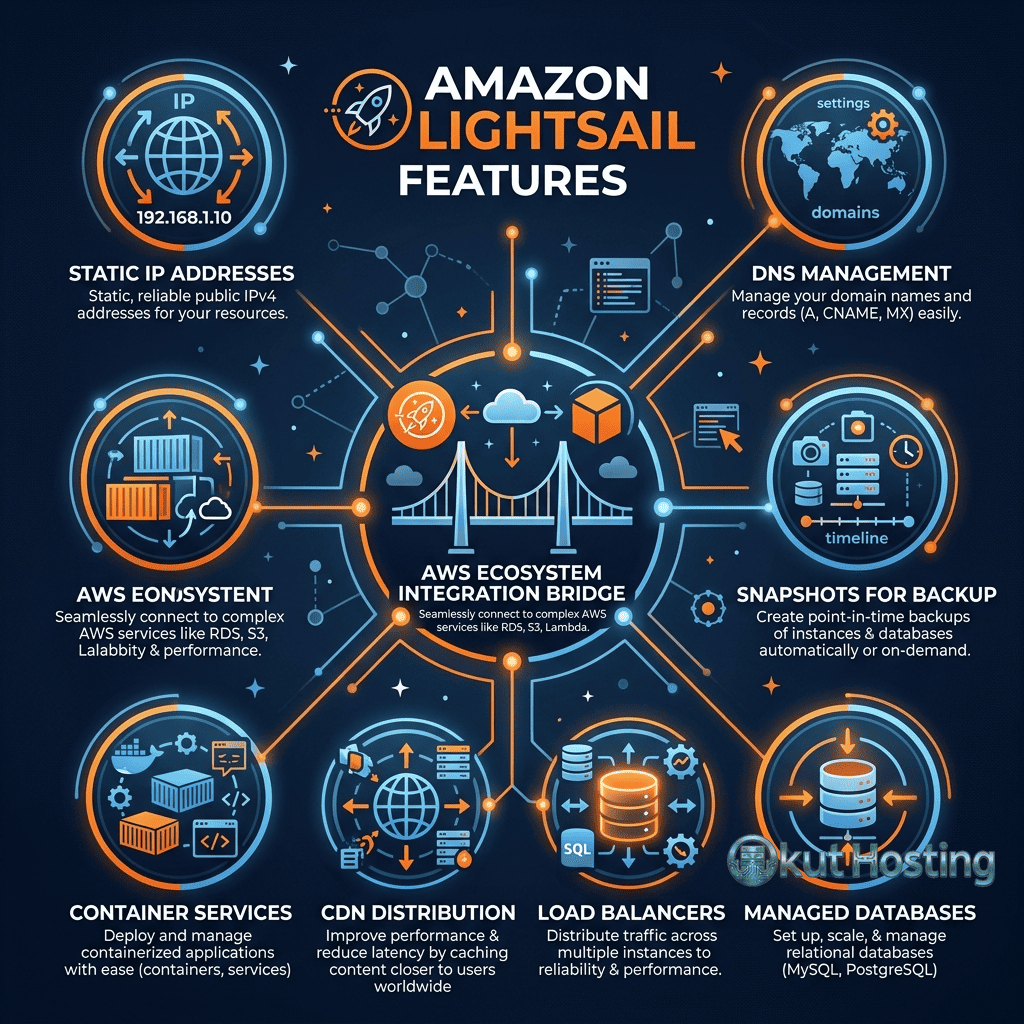
Lightsail Container Service provides managed container hosting for deploying Docker containers without managing the underlying infrastructure. The container service handles container orchestration, load balancing, TLS certificate management, and scaling. Users specify the container image, power level (micro, small, medium, large, xlarge), and number of nodes, and Lightsail handles the deployment, networking, and management. This container service provides an accessible path to containerized deployments for users who want container benefits without the complexity of managing Kubernetes clusters.
The container service supports custom Docker images pushed to the Lightsail container image registry or pulled from public container registries. HTTPS endpoints with automatic TLS certificate management provide secure access to containerized applications. For microservice architectures and containerized applications that do not require the full complexity of Kubernetes, Lightsail Container Service provides a streamlined alternative.
WordPress Performance Optimization
WordPress on Lightsail benefits from the SSD storage performance and dedicated compute resources that cloud instances provide over shared hosting environments. Optimizing WordPress on Lightsail involves configuring server-level caching through the Bitnami stack’s built-in Varnish or page caching, enabling OPcache for PHP bytecode caching, optimizing MySQL configurations for the available memory, and implementing CDN distribution through the Lightsail CDN service for static content acceleration.
The combination of Lightsail compute instances with Lightsail CDN distributions provides a comprehensive WordPress hosting architecture: the Lightsail instance handles dynamic content generation through PHP and MySQL, while the CDN distribution serves cached static content (images, CSS, JavaScript) from CloudFront edge locations worldwide. This architecture delivers significantly better performance than shared hosting for WordPress sites with international audiences.
Managed Databases
Lightsail Managed Databases provide fully managed MySQL and PostgreSQL database instances with automated backups, maintenance, and monitoring. Managed databases handle database engine patches, automated daily backups with configurable retention, and monitoring through the Lightsail console. High availability configurations provide multi-AZ deployments with automatic failover for production database workloads that require database resilience.
The managed database service simplifies database operations for users who do not want to manage database server installation, configuration, and maintenance on their own instances. Database instances are accessible from Lightsail instances and from the broader internet (when configured), enabling flexible database connectivity options.
Object Storage and CDN
Lightsail Object Storage provides S3-compatible storage for unstructured data including media files, backups, and static assets. The object storage service integrates with Amazon S3 — objects stored in Lightsail storage buckets are accessible through S3 APIs, enabling compatibility with tools and applications designed for S3. The pricing includes a fixed monthly rate with storage and transfer allowances.
Lightsail CDN (Content Delivery Network) distributions accelerate content delivery by caching content at Amazon CloudFront edge locations worldwide. CloudFront’s global edge network provides one of the largest CDN infrastructures available, with edge locations on every inhabited continent. Lightsail CDN distributions provide CloudFront performance with simplified configuration through the Lightsail console, bypassing the more complex CloudFront configuration process available through the full AWS console.
Networking Features
Lightsail provides static IP addresses for persistent instance addressing, DNS management for domain configuration, load balancers for distributing traffic across multiple instances, and VPC peering for connecting Lightsail instances to resources in the full AWS VPC network. The networking features cover the core requirements for most web hosting and application deployments.
VPC peering is a particularly important feature because it enables Lightsail instances to communicate with AWS resources in the standard AWS VPC — including RDS databases, ElastiCache clusters, and other AWS services that Lightsail’s simplified service portfolio does not directly provide. This VPC peering capability makes Lightsail instances first-class citizens within the AWS network rather than isolated endpoints.
DNS Zone Management
Lightsail DNS zones provide domain name management with support for A, AAAA, CNAME, MX, NS, SRV, and TXT record types. DNS zones are managed through the Lightsail console with a simplified interface that abstracts the complexity of Amazon Route 53. Up to three DNS zones are included at no additional cost, providing basic domain management for most hosting deployments without requiring a separate DNS service.
SSH and Browser-Based Terminal
Lightsail provides browser-based SSH access through the web console, enabling server management without requiring a local SSH client. The browser terminal provides immediate command-line access to Linux instances for administration, troubleshooting, and configuration. Standard SSH access using downloaded key pairs is also supported for users who prefer local terminal clients. Windows instances provide browser-based RDP access for remote desktop management through the Lightsail console.
AWS Ecosystem Integration
Lightsail’s position within the AWS ecosystem provides unique advantages that no independent cloud provider can match. Lightsail instances can access AWS services through VPC peering, including Amazon RDS, Amazon S3, Amazon SQS, Amazon SNS, AWS Lambda, and hundreds of other AWS services. This integration enables building applications that combine Lightsail’s simplicity for compute with specialized AWS services for specific functionality.
The upgrade path from Lightsail to full AWS is a key strategic advantage. When applications outgrow Lightsail’s simplified infrastructure, Lightsail instances can be exported as Amazon EC2 AMIs, enabling migration to EC2 with its full range of instance types, auto-scaling capabilities, and advanced networking features. This export capability ensures that Lightsail is not a dead-end — workloads can scale into the full AWS ecosystem when growth demands it.
IAM (Identity and Access Management) integration provides granular access control for Lightsail resources, leveraging the same authentication and authorization framework used across all AWS services. Organizations already using AWS IAM can extend their existing access policies to cover Lightsail resources.
Monitoring and Alerting
Lightsail provides built-in monitoring with metrics for CPU utilization, network traffic, disk I/O, and status check results. Automated alerts can trigger email or SMS notifications when metrics exceed configurable thresholds. The monitoring and alerting capabilities are simpler than Amazon CloudWatch but adequate for basic infrastructure monitoring.
For comprehensive monitoring requirements, Lightsail metrics can be published to Amazon CloudWatch, enabling integration with CloudWatch dashboards, alarms, and automated actions. This CloudWatch integration extends Lightsail’s monitoring capabilities to match the full observability features available to standard AWS services.
Snapshots and Backups
Lightsail snapshots provide point-in-time images of instances and managed database instances. Manual snapshots enable creating recovery points before significant changes, while automatic snapshots provide scheduled daily backup capability. Snapshots can be used to create new instances with identical configurations, enabling environment replication and disaster recovery.
Automatic snapshots capture daily instance images with configurable retention periods. The automatic snapshot feature provides hands-off backup protection for instances and databases, ensuring that recovery points are available without requiring manual snapshot creation. Snapshot storage is priced per gigabyte per month.
Security
Lightsail implements security through instance firewalls, SSL certificate management, and AWS infrastructure security. Instance firewalls provide port-level access control configurable through the Lightsail console. Free SSL certificates through Let’s Encrypt integration are available for Lightsail instances running supported applications. The underlying AWS infrastructure provides physical security, network security, and compliance certifications (SOC, PCI, HIPAA, ISO) that apply to all AWS services including Lightsail.
Use Cases and Ideal Users
Lightsail excels for several specific use cases: WordPress hosting with CDN distribution for content-driven websites, small to medium web application hosting with predictable traffic patterns, development and testing environments that benefit from isolated cloud instances, SaaS prototype and MVP hosting during early product development, and educational environments where students learn cloud computing concepts without the complexity of the full AWS console. The combination of fixed pricing, simplified management, and AWS ecosystem access makes Lightsail particularly appealing for startups and small businesses that want to start simply but may need to scale into AWS’s full capabilities as their business grows.
For agencies and freelancers managing multiple client websites, Lightsail provides cost-effective cloud hosting for client projects with the reliability of AWS infrastructure. Each client project can run on separate Lightsail instances with independent backups, monitoring, and management through the unified Lightsail console. The snapshot capability enables creating templates from configured instances for rapid deployment of similar client projects.
Limitations
- Instance scaling: Lightsail instances cannot be auto-scaled; scaling requires manual instance resizing or deploying additional instances behind a load balancer.
- Service breadth: Lightsail’s simplified service portfolio does not include many AWS services that are available through the full console.
- Pricing at scale: For larger workloads, standard EC2 instances may provide better performance-per-dollar, especially with Reserved Instance or Savings Plan pricing.
- Geographic limitations: Lightsail is available in AWS regions but not all availability zones, limiting deployment flexibility within specific regions.
Comparison with Independent Cloud Providers
Lightsail competes directly with DigitalOcean, Linode, and Vultr on pricing and simplicity while offering the unique advantage of AWS ecosystem integration. Independent providers generally offer more straightforward pricing without the AWS account complexity, while Lightsail provides access to AWS services that independent providers cannot match. For users who anticipate needing AWS services beyond basic cloud hosting, Lightsail provides a natural entry point. For users who need only cloud compute, storage, and networking, independent providers may offer simpler onboarding and equivalent functionality.
Cost Analysis at Scale
At smaller instance sizes, Lightsail pricing is competitive with independent cloud providers and significantly simpler than standard EC2 pricing. However, at larger instance sizes, the cost advantage may shift toward EC2 with Reserved Instance or Savings Plan pricing, which can provide substantial discounts for committed usage. Organizations planning large-scale deployments should compare Lightsail pricing against EC2 Reserved Instance pricing to determine the most cost-effective option for their workload scale and commitment horizon.
Developer Tools and API
Lightsail provides a comprehensive API, CLI support through the AWS CLI, and integration with AWS CloudFormation for Infrastructure as Code deployments. The API enables programmatic resource management including instance creation, snapshot management, and DNS configuration. AWS SDK support provides Lightsail API access from applications written in Python, JavaScript, Java, Go, and other supported languages. Terraform provider support enables managing Lightsail resources alongside other AWS and non-AWS infrastructure through a unified IaC workflow.
Scaling Strategy
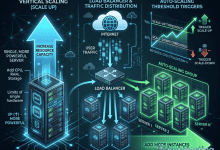
Lightsail’s scaling approach involves vertical scaling (resizing instances to larger plans), horizontal scaling (deploying multiple instances behind load balancers), and eventual migration to EC2 for workloads that outgrow Lightsail’s instance sizes. The load balancer service supports distributing traffic across multiple Lightsail instances for horizontal scaling within the platform. For workloads that need auto-scaling, the recommended path is migrating to EC2 Auto Scaling Groups, which Lightsail’s EC2 export capability supports.
Summary
AWS Lightsail provides simplified cloud hosting that combines the reliability and global infrastructure of Amazon Web Services with the accessibility and pricing transparency that independent cloud providers have popularized. The platform delivers genuine value for WordPress hosting, small to medium applications, and development environments that benefit from fixed monthly pricing and streamlined management. The AWS ecosystem integration — including VPC peering, service access, and EC2 export — provides a unique advantage that no independent cloud provider can replicate, making Lightsail the ideal choice for users who want cloud hosting simplicity now with the ability to grow into the full AWS ecosystem later.
For users evaluating cloud hosting options, Lightsail deserves consideration alongside DigitalOcean, Linode, and Vultr — particularly for teams that already use or plan to use AWS services. The platform’s combination of simplicity, fixed pricing, and AWS integration creates a hosting value proposition that is distinct from both the full AWS experience and the independent cloud provider experience.
Features, pricing, and availability discussed in this review reflect information available at the time of writing. Please verify current details on the official AWS Lightsail website. Okut Hosting is an independent review platform with no affiliate relationships with any hosting company mentioned in this article.
For related reviews, see our Google Cloud Compute review, our DigitalOcean vs Linode comparison, and our guide to managed vs unmanaged VPS.