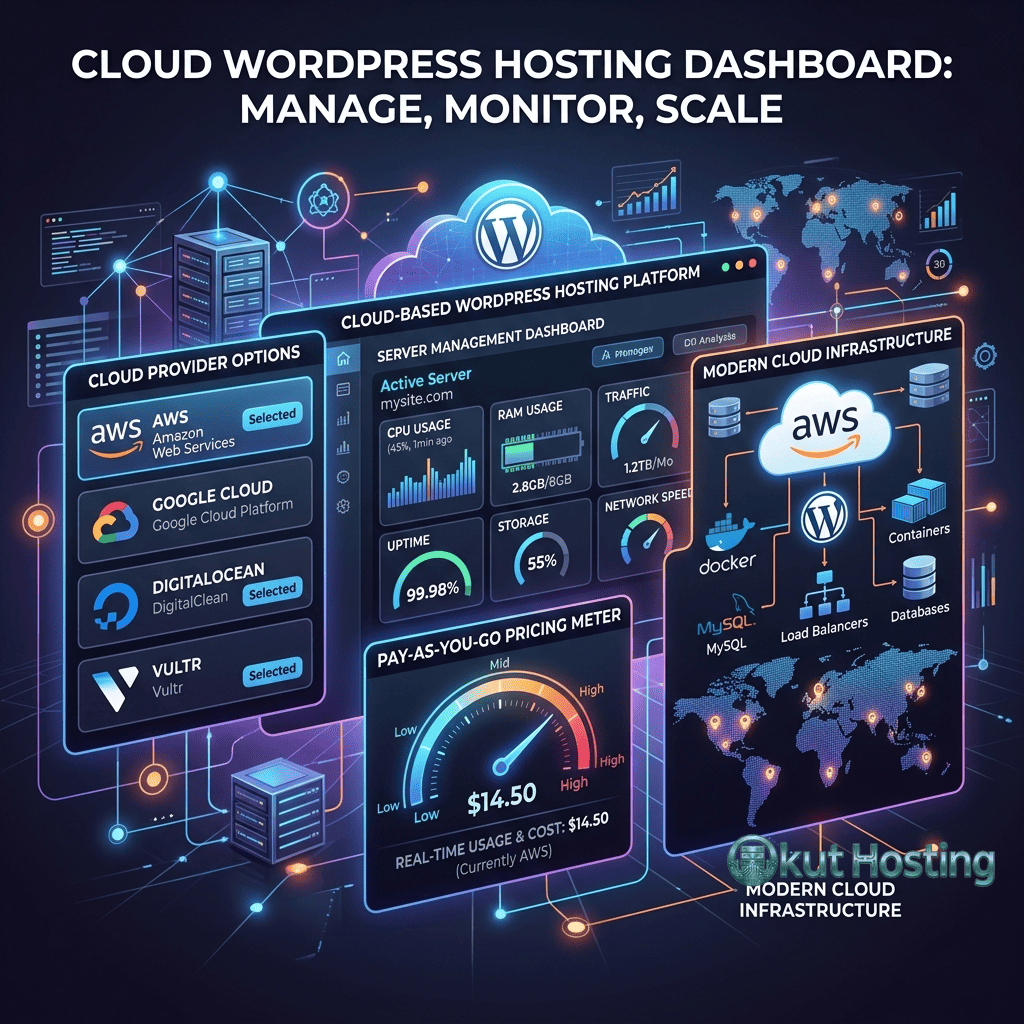
Cloudways takes a fundamentally different approach to WordPress hosting compared to traditional managed platforms. Rather than operating its own server infrastructure, Cloudways functions as a managed layer that sits on top of multiple Infrastructure-as-a-Service providers — allowing users to deploy WordPress on DigitalOcean, Linode (now Akamai), Vultr, Amazon Web Services, or Google Cloud Platform through a unified management interface. This model gives users the raw performance and scalability of cloud VPS servers without requiring the systems administration expertise typically needed to manage those servers directly.
The Cloudways approach appeals to a specific segment of WordPress users: those who need more performance than shared hosting provides but who do not want to manage server infrastructure manually. Traditional managed WordPress platforms like WP Engine and Kinsta abstract away the server entirely, providing a polished but opaque hosting experience. Cloudways occupies a middle ground where users select their own cloud provider and server specifications while Cloudways handles server provisioning, security patching, stack optimization, and maintenance tasks. This combination of choice and management creates a hosting experience that warrants detailed examination.
Multi-Cloud Architecture
The defining characteristic of Cloudways is its multi-cloud model. When creating a new server, users choose from five cloud infrastructure providers, each with different performance profiles, pricing structures, and geographic coverage. This choice has meaningful implications for hosting cost, server performance, and data center location options.
DigitalOcean servers on Cloudways provide a balance of performance and cost that makes them popular for small to medium WordPress sites. DigitalOcean’s SSD-based droplets deliver consistent performance at predictable pricing, with data center locations spanning North America, Europe, Asia, and Australia. For WordPress sites that do not require enterprise-grade infrastructure, DigitalOcean through Cloudways represents one of the most cost-effective managed WordPress hosting configurations available.
Vultr High Frequency servers offer enhanced single-core performance through higher clock speed processors, which benefits WordPress workloads that are largely single-threaded during PHP execution. The performance improvement over standard cloud instances can be noticeable for WordPress sites with significant dynamic content generation — WooCommerce stores, membership sites, and sites running complex theme logic see measurable improvements in page generation times on higher-frequency processors.
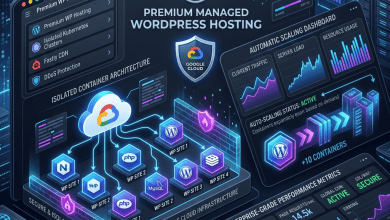
AWS and Google Cloud options on Cloudways provide access to the most extensive global infrastructure networks available. AWS offers data center locations across virtually every major geographic region, while Google Cloud provides access to its premium-tier network that routes traffic over Google’s private backbone. These options carry higher pricing compared to DigitalOcean and Vultr but offer enterprise-grade reliability, extensive geographic coverage, and access to the broader ecosystem of cloud services offered by each platform.
Linode (now part of Akamai) rounds out the infrastructure options with competitive pricing and solid performance across its global data center network. The integration of Linode into Akamai’s infrastructure has expanded its capabilities and network reach, providing an interesting option for sites that benefit from Akamai’s extensive CDN and edge computing network.
Server Stack and WordPress Optimization
Regardless of the underlying cloud provider selected, Cloudways deploys a consistent optimized server stack for WordPress hosting. The stack includes Nginx as the primary web server, Apache as a secondary handler for compatibility with certain WordPress configurations that rely on .htaccess rules, PHP-FPM for efficient PHP processing, and MySQL or MariaDB for database operations.
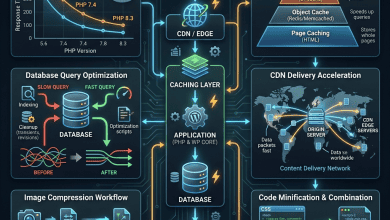
Cloudways implements multiple caching layers that work together to optimize WordPress performance. At the server level, Varnish Cache acts as a reverse proxy, storing full-page HTML responses in memory and serving them to subsequent visitors without involving PHP or the database. Varnish configuration on Cloudways is pre-optimized for WordPress, with cache invalidation rules that automatically purge cached content when posts are published, updated, or when WordPress settings change.
Redis object caching is available on all Cloudways servers and handles the caching of database query results and WordPress object cache entries. When WordPress generates a page, it makes dozens of database queries — many of which return the same data on every page load. Redis stores these query results in memory, reducing database load and accelerating page generation. For sites with complex WordPress configurations, the database load reduction from Redis caching can be substantial.
Memcached is also available as an alternative object caching backend for sites that prefer it over Redis or for specific plugin compatibility requirements. The flexibility to choose between Redis and Memcached at the server level distinguishes Cloudways from managed platforms that make these decisions on behalf of users.
PHP version management on Cloudways allows users to select and switch between supported PHP versions per application. This granularity is useful for agencies managing multiple WordPress sites with different PHP compatibility requirements on the same server. Upgrading PHP versions can deliver measurable performance improvements — PHP 8.x processes WordPress requests significantly faster than PHP 7.x — and Cloudways makes version switching a non-disruptive process that takes effect within minutes.
Application Management
Cloudways organizes hosting around the concepts of servers and applications. A single server can host multiple WordPress applications, each with its own domain, database, SSL certificate, and configuration. This multi-application model allows users to consolidate multiple WordPress sites on a single server, sharing the server’s resources across all applications. The cost efficiency of this model increases with each additional application, since server costs remain fixed regardless of how many applications are deployed.
Each WordPress application on Cloudways can be managed independently through the platform’s dashboard. Application-level settings include domain management, SSL certificate provisioning through Let’s Encrypt, database access credentials, file manager access, and application-specific caching configuration. Staging environments can be created per application, providing a sandboxed copy for testing changes before deploying to production.
The Cloudways dashboard provides server-level monitoring that tracks CPU usage, memory consumption, disk I/O, and bandwidth utilization in real time. These metrics help identify when a server is approaching its resource limits and may need to be scaled up. Unlike traditional shared hosting where resource limits are enforced silently, Cloudways gives users visibility into their actual resource consumption and the ability to respond proactively.
Scaling and Resource Management
Vertical scaling on Cloudways involves upgrading the server to a larger instance with more CPU cores, memory, and storage. This process can be initiated through the dashboard and typically completes within minutes, though it requires a brief period of downtime as the server instance is migrated to larger hardware. The ability to scale resources on demand means that users can start with smaller, less expensive servers and upgrade as their sites grow, avoiding the need to over-provision resources from the beginning.
Horizontal scaling — distributing traffic across multiple servers — is not handled natively by the Cloudways platform. Sites that need horizontal scaling typically implement external load balancing solutions or use Cloudflare’s load balancing features to distribute traffic across multiple Cloudways servers. For most WordPress sites, vertical scaling provides sufficient capacity, but high-traffic sites with specific availability requirements may need to architect multi-server solutions independently.
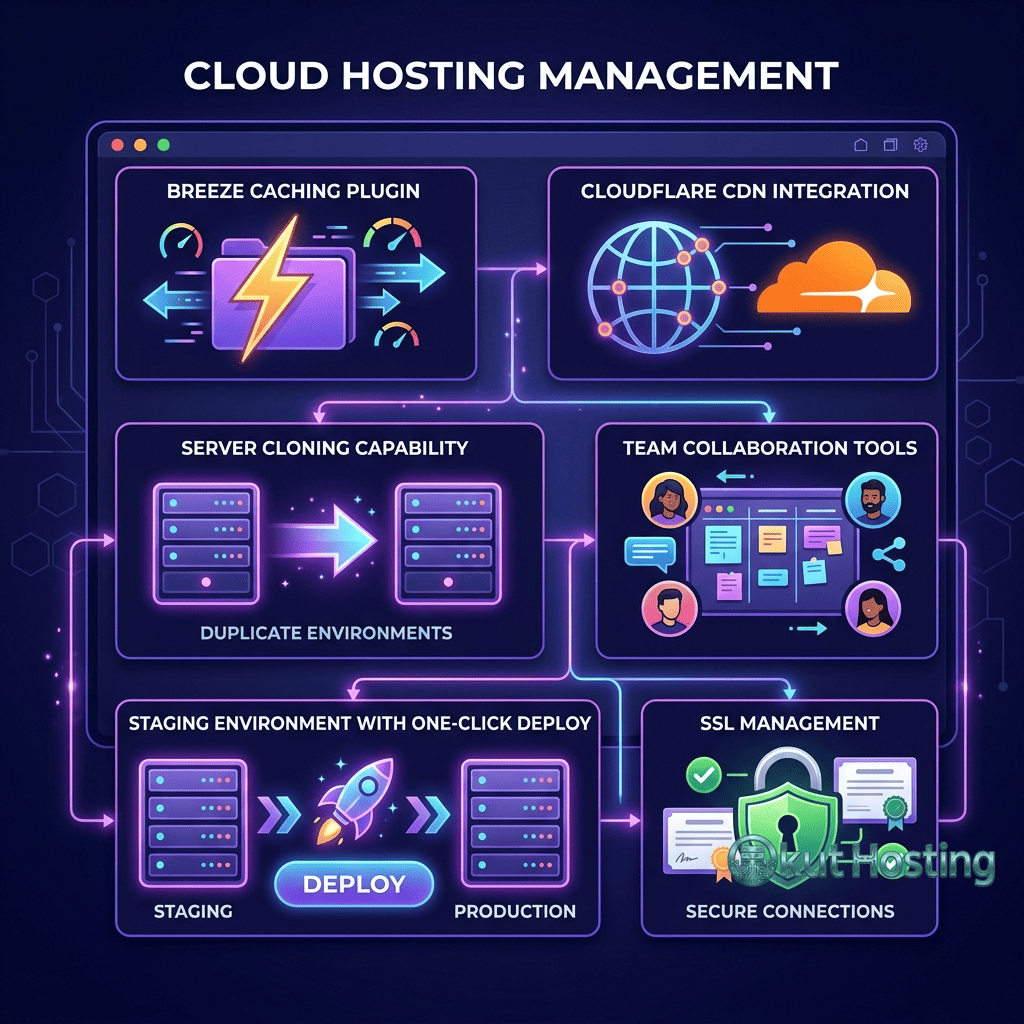
Server cloning allows users to create exact copies of existing servers, including all applications, configurations, and data. This feature is useful for creating staging environments at the server level, testing infrastructure changes before applying them to production servers, or quickly deploying preconfigured server templates for new client sites. Cloned servers operate independently of the original, with their own IP addresses and billing.
Security Features
Cloudways implements security measures at both the server and application levels. At the server level, operating system patches and security updates are applied automatically by Cloudways, keeping the underlying Linux environment current without requiring manual intervention. Dedicated firewalls filter incoming traffic, and IP whitelisting capabilities allow administrators to restrict SSH and database access to specific IP addresses.
Application-level security includes Cloudways Bot Protection, which uses behavioral analysis to distinguish between legitimate visitors and malicious bot traffic. This system operates similarly to web application firewalls, analyzing request patterns and blocking automated traffic that matches known attack signatures. Two-factor authentication is available for the Cloudways dashboard, adding an additional layer of protection against unauthorized account access.
SSL certificate management is handled through automated Let’s Encrypt integration. Users can provision free SSL certificates for each application with a few clicks, and certificate renewal happens automatically before expiration. For organizations requiring Extended Validation or Organization Validation certificates, Cloudways supports custom SSL certificate installation.
Automated backups run on configurable schedules, with retention periods that can be adjusted through the dashboard. Backup frequency options range from hourly to weekly, and each backup captures the complete application environment including files and database. On-demand backup creation is also available for creating manual restore points before significant changes. Backup storage uses the underlying cloud provider’s storage infrastructure, and download options allow keeping offline backup copies for additional safety.
Pricing Model
Cloudways uses a pay-as-you-go pricing model based on the server specifications selected, billed hourly with monthly summaries. There are no long-term contracts, setup fees, or lock-in periods — servers can be launched and destroyed as needed with billing calculated to the hour. This model contrasts sharply with traditional hosting providers that require annual or multi-year commitments for the best pricing.
Server pricing varies by cloud provider and instance size. The most affordable entry point is a DigitalOcean server with 1GB RAM, which provides a capable environment for hosting one or two small WordPress sites. Pricing scales upward with larger server specifications, with the highest-tier options providing dedicated CPU cores, substantial memory allocations, and generous storage.
An important distinction in Cloudways’ pricing model is that server costs cover multiple applications. A single Cloudways server can host numerous WordPress installations, with the total cost remaining the same regardless of application count. This makes Cloudways particularly cost-effective for agencies and freelancers managing multiple client sites, as consolidating sites onto shared servers reduces the per-site hosting cost significantly.
Cloudways charges additional fees for certain premium features and add-on services. Email hosting is not included and requires third-party email services. Cloudflare Enterprise CDN integration is available as a paid add-on that provides enhanced performance and security features beyond what free Cloudflare plans offer. Premium support upgrades provide faster response times and dedicated assistance for organizations requiring higher support service levels.
Pricing structures and available cloud providers may change. Please verify current pricing and features on the official Cloudways website before making hosting decisions.
Migration and Onboarding
Cloudways provides a free WordPress migration plugin that automates the process of transferring existing WordPress sites to the Cloudways platform. The plugin handles file transfer, database migration, and search-replace operations for updating URLs in the database. For straightforward WordPress installations, the migration plugin completes the transfer process with minimal manual intervention.
Sites with complex configurations — multisite networks, custom server-level configurations, or non-standard WordPress setups — may require additional manual steps during migration. Cloudways offers free expert migration assistance for the first site on new accounts, with additional professional migration services available for a fee. The migration team handles complex transfers including database optimization, file structure adjustments, and post-migration testing.
Developer and Agency Features
Cloudways provides several features oriented toward developers and agencies managing multiple sites. SSH and SFTP access allows direct server interaction for deployment, debugging, and configuration tasks. Git integration supports deployment workflows where code changes pushed to a repository are automatically deployed to the server, enabling continuous deployment pipelines for WordPress theme and plugin development.
The Cloudways API provides programmatic access to server and application management functions, enabling automation of provisioning, configuration, and monitoring tasks. Agencies can integrate Cloudways management into their existing tooling and workflows through API-driven automation. Team management features allow assigning role-based access to team members, controlling who can manage servers, applications, and billing within an organization.
White-label capabilities on specific plans allow agencies to present Cloudways-hosted sites under their own branding, without Cloudways branding visible to end clients. This feature supports agency business models where hosting is bundled as part of website management services offered to clients.
Limitations and Considerations
- Learning curve: Cloudways’ server-management orientation introduces concepts like server sizing, PHP worker configuration, and caching layer selection that may be unfamiliar to users accustomed to traditional shared hosting.
- No email hosting: Email hosting is not included and must be provisioned through external services such as Google Workspace, Microsoft 365, or other dedicated email providers.
- Manual scaling: Server scaling requires manual intervention — Cloudways does not auto-scale servers in response to traffic spikes. Sites expecting viral traffic or unpredictable demand spikes need monitoring and manual scaling response.
- Limited domain registration: Cloudways does not offer domain registration services. Domains must be registered and managed through separate domain registrars.
- Variable performance by provider: Performance characteristics differ meaningfully between the five cloud provider options, and selecting the appropriate provider requires understanding each provider’s strengths and limitations.
WordPress-Specific Capabilities
While Cloudways supports multiple PHP applications beyond WordPress, the platform has invested in WordPress-specific capabilities that enhance the WordPress hosting experience. The Cloudways WordPress Migrator plugin, Breeze caching plugin, and WordPress-specific server optimizations reflect the platform’s recognition that WordPress represents a significant portion of its user base.
Breeze is Cloudways’ free WordPress caching plugin, designed to work seamlessly with the server-level caching stack. Breeze handles WordPress-specific caching tasks including page caching, minification of CSS and JavaScript files, Gzip compression, and browser caching header configuration. Because Breeze is designed for Cloudways’ server environment, it avoids the compatibility conflicts that can arise when general-purpose caching plugins interact unpredictably with server-level caching systems. The plugin integrates with Varnish Cache to manage cache purging when WordPress content changes, ensuring that visitors always see current content.
WooCommerce hosting on Cloudways benefits from the platform’s flexible resource allocation. Because users control their server specifications, WooCommerce stores experiencing growth can scale server resources to meet increasing demand. Redis object caching is particularly beneficial for WooCommerce, as it reduces the database query overhead generated by product catalogs, shopping carts, and order processing. Cloudways’ server monitoring tools help identify when WooCommerce-related traffic is approaching server capacity limits, enabling proactive scaling before performance degrades.
WordPress multisite network hosting is supported on Cloudways, with server-level configurations that enable subdomain or subdirectory multisite installations. Each site within a multisite network shares the server resources of the parent application, making Cloudways’ scalable server model well-suited for multisite deployments that need room to grow. The platform’s SSH access and WP-CLI support facilitate efficient multisite management for administrators comfortable with command-line operations.
Summary
Cloudways addresses a genuine gap in the WordPress hosting market — the space between managed platforms that abstract away all infrastructure decisions and unmanaged VPS hosting that requires full systems administration expertise. By providing a managed layer over multiple cloud providers, Cloudways offers flexibility in infrastructure selection, transparent resource allocation, and cost-efficient multi-site hosting.
Cloud-based WordPress hosting providers like Cloudways, Kinsta, WP Engine, and Flywheel each serve different hosting philosophies. Cloudways appeals to users who want visibility into and control over their hosting infrastructure while offloading server management tasks. The platform’s multi-cloud model, pay-as-you-go pricing, and multi-application hosting structure make it worth evaluating alongside traditional managed WordPress platforms, particularly for agencies, developers, and growing businesses that need scalable hosting without the complexity of direct server administration.
The platform’s ability to host multiple WordPress applications on a single server, combined with competitive pricing from providers like DigitalOcean and Vultr, creates a cost structure that can be significantly more affordable than per-site managed hosting plans for users managing multiple websites. However, this cost advantage comes with trade-offs in convenience — users need to make more infrastructure decisions and manage their server resources more actively compared to fully managed alternatives.
Features, pricing, and cloud provider availability discussed in this review reflect information available at the time of writing. Hosting services and cloud platforms evolve continuously, and details may have changed since publication. Please verify current information directly on the official Cloudways website. Okut Hosting is an independent review platform with no affiliate relationships with any hosting company mentioned in this article.
For further reading, explore our Kinsta vs WP Engine comparison, our overview of SiteGround’s WordPress features, and our guide to WordPress hosting performance factors.