Managed WordPress hosting has evolved from a niche offering into one of the most competitive segments of the hosting industry. Unlike shared hosting environments where WordPress installations share resources with hundreds of other accounts, managed WordPress platforms dedicate their infrastructure and expertise specifically to running WordPress sites at optimal performance levels. Two platforms that consistently surface in conversations about premium managed WordPress hosting are Kinsta and WP Engine, both of which have carved out substantial market positions through different technical approaches and service philosophies.
Understanding the differences between these two platforms requires looking beyond marketing materials and examining the actual infrastructure decisions, feature implementations, and pricing structures that affect day-to-day WordPress operations. Both platforms target site owners who want their hosting provider to handle server-level optimization, security hardening, and WordPress-specific performance tuning — but they achieve these goals through distinctly different technical foundations. This comparison examines both platforms across the dimensions that matter most when selecting a managed WordPress host: infrastructure, features, performance capabilities, pricing, and practical use cases.
Infrastructure and Technology Stack
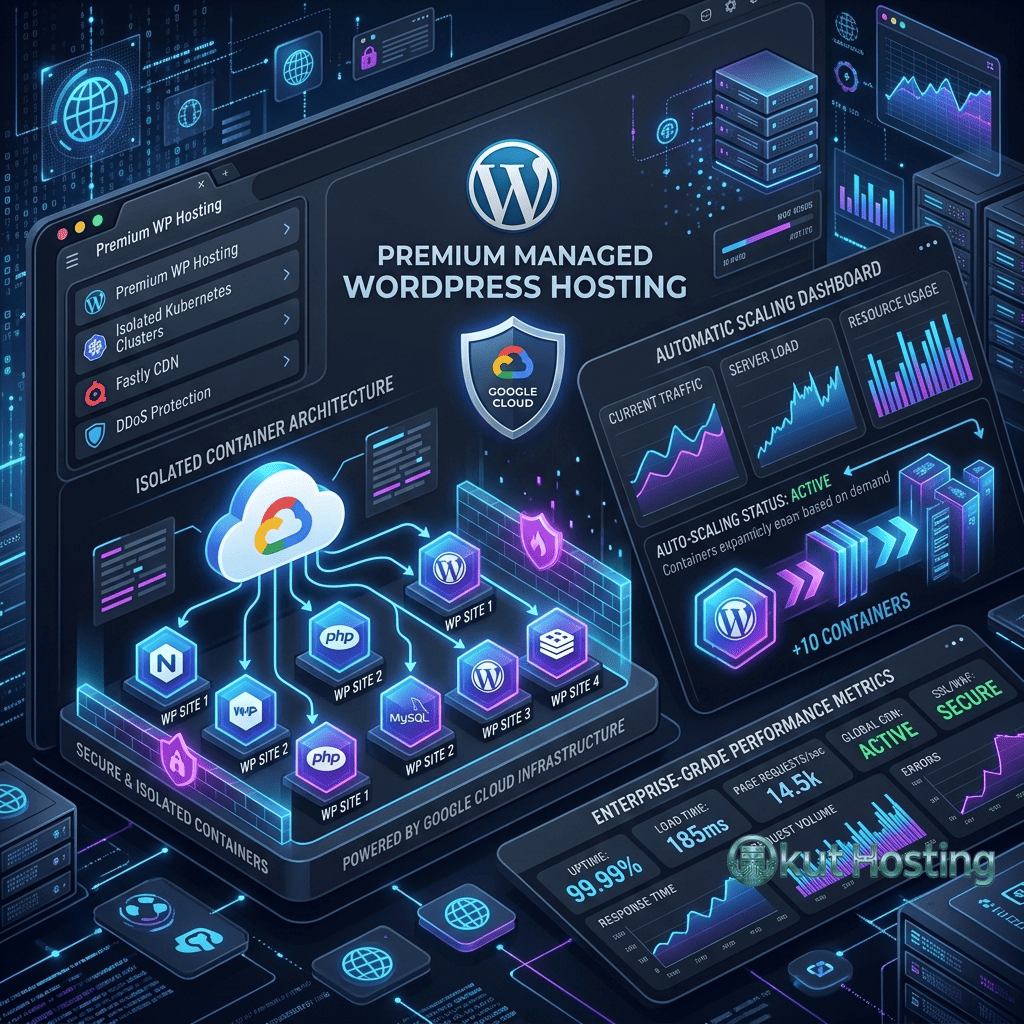
The most fundamental difference between Kinsta and WP Engine lies in their underlying infrastructure. Kinsta operates exclusively on Google Cloud Platform, leveraging Google’s premium tier network and Compute-Optimized virtual machines across 37 data center locations spanning North America, Europe, Asia-Pacific, and South America. This Google Cloud foundation means that Kinsta sites benefit from Google’s global fiber network, which routes traffic over Google’s own network backbone rather than through the public internet wherever possible.
WP Engine takes a multi-cloud approach, running its infrastructure primarily on Google Cloud Platform and Amazon Web Services. This hybrid strategy gives WP Engine flexibility in how it provisions resources and manages traffic across different geographic regions. WP Engine’s data center network spans over 20 locations globally, with concentrations in North America, Europe, and the Asia-Pacific region. The company has invested significantly in its proprietary technology layer that sits between the cloud infrastructure and the WordPress installation, creating an abstraction that handles caching, security, and performance optimization.
Both platforms use containerized architectures that isolate individual WordPress installations from one another. This containerization means that resource usage spikes on one site do not affect neighboring sites — a significant advantage over traditional shared hosting where noisy-neighbor problems can degrade performance unpredictably. Container-based hosting also enables faster scaling, as new resources can be provisioned by spinning up additional containers rather than migrating to larger physical servers.
Kinsta employs LXD containers managed by the Linux kernel, providing lightweight isolation that delivers near-native performance without the overhead of full virtual machines. Each container runs its own Linux environment with dedicated PHP workers, ensuring consistent processing capacity regardless of what other sites on the same physical hardware are doing. WP Engine uses a similar container-based approach but wraps it in their proprietary EverCache technology, which integrates multiple caching layers directly into the container environment to reduce the number of PHP processes required to serve pages.
Performance and Caching Architecture
Performance optimization represents one of the areas where managed WordPress hosting platforms differentiate themselves most significantly from general-purpose hosting. Both Kinsta and WP Engine implement server-level caching that eliminates the need for WordPress caching plugins — a common source of configuration headaches and compatibility issues on shared hosting environments.
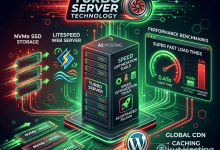
Kinsta’s caching system operates at the Nginx level, storing full-page caches of WordPress content and serving them directly without invoking PHP or MySQL processes. This approach delivers sub-second time-to-first-byte for cached content. Kinsta also integrates edge caching through its partnership with Cloudflare, pushing cached content to over 260 points of presence worldwide. When a visitor requests a page that exists in the edge cache, the response comes from the nearest Cloudflare edge location rather than traveling to the origin server, reducing latency to double-digit millisecond ranges for most geographic locations.
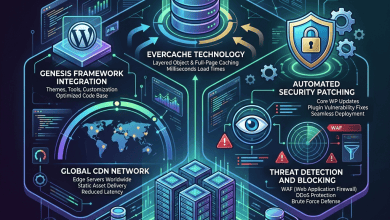
WP Engine’s EverCache technology takes a multi-layered approach, combining page caching, object caching, and CDN caching into a unified system. EverCache stores full-page HTML at the server level and uses Varnish-based caching for dynamic content. WP Engine includes its own global CDN powered by Cloudflare Enterprise, providing edge caching and performance optimization features including image optimization, script compression, and protocol optimization. The EverCache system is designed to handle traffic spikes gracefully by serving cached content during periods of high demand while queuing dynamic requests to prevent server overload.
PHP worker allocation differs between the platforms and has a direct impact on how sites handle concurrent dynamic requests. Kinsta allocates between 2 and 16 PHP workers depending on the plan tier, with each worker capable of processing one PHP request at a time. Sites that serve mostly cached content need fewer workers, while sites with significant dynamic content — WooCommerce stores, membership sites, or sites with personalized content — consume workers more rapidly. WP Engine does not publish specific PHP worker numbers but manages worker allocation dynamically based on traffic patterns and plan tier.
Developer Tools and Workflow Features
Development workflow support has become a key differentiator among managed WordPress hosts, as many WordPress professionals manage multiple sites through development-staging-production pipelines. Both platforms provide staging environments, but the implementation details and additional developer features vary considerably.
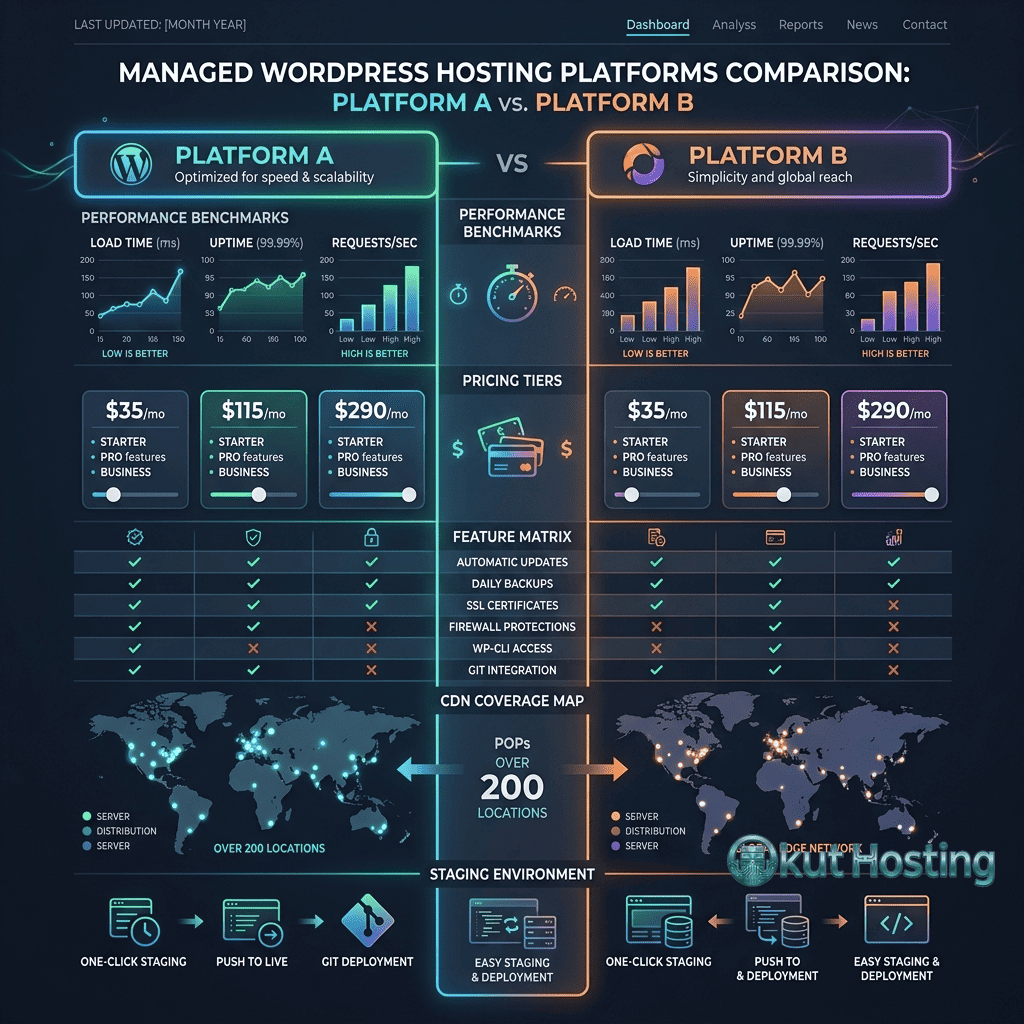
Kinsta provides each WordPress installation with a staging environment that can be created with a single click from the MyKinsta dashboard. The staging environment is a complete copy of the production site — database, files, and configuration — running on the same infrastructure but accessible only through a temporary URL. Developers can push changes from staging to production or pull production data into staging for testing. Kinsta also supports SSH access, Git deployment through SSH, and WP-CLI access, providing the command-line tools that experienced WordPress developers rely on for efficient site management.
WP Engine extends its staging capabilities with a three-environment model on higher-tier plans: Development, Staging, and Production. This three-environment approach supports workflows where developers build on the development environment, test on staging, and deploy to production only after thorough review. WP Engine’s Local development tool provides a free desktop application for developing WordPress sites locally before deploying to WP Engine servers, creating a seamless local-to-cloud development pipeline. Git push deployment is available for automating code deployments, and WP Engine’s API enables programmatic management of sites, environments, and configurations.
Both platforms maintain lists of disallowed WordPress plugins — plugins that conflict with the managed infrastructure or duplicate functionality already provided at the server level. Caching plugins are universally blocked since both platforms implement their own caching. Security plugins that implement web application firewalls may conflict with platform-level security measures. Backup plugins are typically unnecessary since both platforms provide automated backup systems. Understanding these restrictions before committing to a platform helps avoid surprises during site migration.
Security Implementation
Security represents another area where managed WordPress hosting provides substantial value over self-managed hosting configurations. Both Kinsta and WP Engine implement multiple layers of security that would require significant expertise and effort to replicate on a general-purpose VPS or shared hosting environment.
Kinsta’s security measures include Cloudflare-based DDoS protection, hardware firewalls, automated malware scanning, and support for two-factor authentication on the hosting dashboard. Kinsta monitors sites continuously for uptime and performance anomalies that might indicate security incidents. If malware is detected, Kinsta offers a malware removal guarantee on all plans — they will clean the infection at no additional charge. SSL certificates are provisioned automatically through Cloudflare, supporting both standard and wildcard certificates.
WP Engine provides its Global Edge Security service, which includes a web application firewall, DDoS mitigation, and automated threat detection. WP Engine’s security team monitors the WordPress ecosystem for vulnerabilities and deploys patches proactively when critical security issues are identified in WordPress core, popular plugins, or themes. Automated backups run daily with retention periods varying by plan tier, and point-in-time recovery options are available on higher-tier plans. WP Engine also supports managed SSL certificates and includes features like automatic PHP version management that reduces the attack surface created by running outdated PHP versions.
Both platforms restrict file system access in ways that enhance security. Direct file editing through the WordPress dashboard is typically disabled, preventing compromised admin accounts from injecting malicious code through the theme or plugin editors. File permissions are hardened at the server level, and both platforms implement rules that block common attack vectors such as XML-RPC brute force attempts, directory traversal attacks, and PHP execution in upload directories.
Backup and Recovery Systems
Both platforms provide automated daily backups that protect against data loss from failed updates, security incidents, or human error. Kinsta retains daily backups for 14 to 30 days depending on the plan tier, with additional system-generated backups created before environment push operations. Manual backup snapshots and hourly backup add-ons are also available. WP Engine provides daily backups with retention periods of 30 to 60 days on business plans, accessible through the dashboard for point-in-time restoration or offline download.
Dashboard and Site Management
The management interface is where site owners spend significant time, and the usability of the hosting dashboard directly impacts productivity. Kinsta’s MyKinsta dashboard and WP Engine’s User Portal represent different design philosophies for hosting management interfaces.
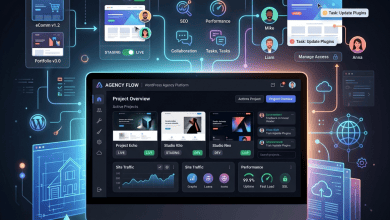
MyKinsta presents a clean, application-centric interface organized around individual WordPress sites. Each site has its own management view with sections for tools, domains, backups, redirects, CDN settings, analytics, and activity logs. The analytics section provides server-level metrics including bandwidth usage, visit counts, PHP worker usage, response times, and cache hit ratios — data that is not available through WordPress itself or through typical analytics platforms like Google Analytics. MyKinsta also includes a DNS management feature with Amazon Route 53 integration, enabling users to manage their domain’s DNS records without using a separate DNS provider.
WP Engine’s User Portal organizes management around sites and environments, with clear separation between development, staging, and production instances. The portal provides access to site details, environment management, backup controls, redirect rules, and performance reporting. WP Engine’s portal also integrates with its extension marketplace, where users can add functionality such as Smart Plugin Manager (automated plugin updates with visual regression testing), Page Performance monitoring, and Global Edge Security services. Enterprise customers access additional features including multisite network management and dedicated account management tools.
Pricing Structure and Plan Comparison
Pricing for managed WordPress hosting follows a fundamentally different model than shared hosting. Rather than paying a few dollars per month for unlimited everything, managed WordPress plans are structured around specific resource allocations: number of WordPress installations, monthly visit limits, storage space, and bandwidth. Understanding these pricing models requires examining what each plan tier includes and how overage charges work when sites exceed their allocated resources.
Kinsta’s pricing begins with its Starter plan, which supports a single WordPress installation with a monthly visit allocation, SSD storage, and a CDN bandwidth allowance. Plans scale upward through Business and Enterprise tiers, each increasing the number of supported sites, visit allocations, storage, and PHP worker counts. Kinsta prices its plans on a per-site model, meaning that organizations managing many WordPress sites can select plans that match their portfolio size. Annual billing provides a discount compared to monthly billing, following the standard industry practice for SaaS pricing.
WP Engine structures its pricing across Startup, Professional, Growth, and Scale tiers, plus custom Enterprise agreements. Each tier specifies the number of sites, monthly visits, storage, and bandwidth included. WP Engine’s pricing includes its CDN, SSL certificates, and page performance monitoring in all plans, while some advanced features like Smart Plugin Manager and Global Edge Security are available as paid add-ons. The Growth and Scale tiers include additional features such as GeoTarget for serving location-specific content and additional PHP performance headroom.
Direct pricing comparisons between the two platforms require matching equivalent resource allocations rather than comparing similarly named plan tiers. A “Starter” plan on one platform may include different visit limits, storage allocations, and feature sets than a similarly priced plan on the other. Both platforms publish their pricing on their websites, and because pricing structures change periodically, verifying current pricing directly with each provider before making decisions is essential.
Pricing and features are subject to change. Please verify current information on the official Kinsta and WP Engine websites before making purchasing decisions.
WooCommerce and E-Commerce Support
WordPress sites running WooCommerce present different hosting demands than standard content sites. WooCommerce generates significantly more dynamic content — product pages with variable pricing, shopping carts, checkout processes, and order management all require PHP processing that cannot be fully cached. Both platforms have developed WooCommerce-specific optimizations to address these challenges.
Kinsta provides WooCommerce-optimized server configurations that increase PHP memory limits, optimize database queries for WooCommerce’s table structure, and implement intelligent cache exclusion rules that bypass the page cache for cart, checkout, and account pages while still caching product and category pages. Kinsta’s PHP worker allocation becomes particularly important for WooCommerce sites, as each concurrent customer interaction on uncached pages consumes a PHP worker. Sites expecting high concurrent traffic during sales events may need plans with higher PHP worker counts to maintain responsive checkout experiences.
WP Engine offers a dedicated WooCommerce hosting product called WP Engine eCommerce, which bundles WooCommerce-specific performance optimizations, pre-configured cart and checkout page caching rules, and enhanced monitoring for e-commerce metrics like cart abandonment rates and checkout funnel performance. WP Engine’s EverCache system includes intelligent rules that distinguish between cacheable product pages and dynamic cart or checkout interactions, ensuring that performance optimization does not interfere with the shopping experience.
Support and Response Times
Support quality is difficult to compare objectively because experiences vary based on the complexity of issues, timing, and the individual support representative. However, the support structures offered by each platform differ in measurable ways.
Kinsta provides 24/7 support through a live chat system integrated into the MyKinsta dashboard. Support interactions are handled by WordPress-specialized engineers rather than first-tier support representatives working from scripts. Kinsta publishes its average response times, which typically fall under two minutes for initial live chat responses. Support can also be reached through a ticketing system for issues that require longer investigation or involve multiple interactions. Kinsta’s support team can assist with site migrations, performance analysis, and troubleshooting WordPress-specific issues beyond basic hosting questions.
WP Engine provides 24/7 support through chat and phone on all plans, with additional support channels and dedicated account management available on higher-tier and enterprise plans. WP Engine’s support organization is structured in tiers, with front-line support handling common issues and escalation paths to specialized teams for complex technical problems. Enterprise customers receive access to named support contacts and expedited response commitments defined in their service level agreements.
Migration Process
Both platforms simplify the migration process with dedicated tools. Kinsta includes free migrations performed by their team — they handle file copying, database transfer, configuration updates, and testing before DNS cutover. A free migration plugin is also available for self-service transfers. WP Engine provides its Automated Migration plugin for minimal-intervention transfers, plus manual assistance through support for complex configurations. Both platforms recommend thorough testing on temporary URLs before DNS cutover.
Limitations to Consider
- Plugin restrictions: Both platforms maintain lists of disallowed plugins that conflict with their managed infrastructure. Sites relying on restricted plugins will need alternative solutions before migrating.
- Multisite complexity: WordPress multisite network support varies between plans and requires specific configuration on both platforms. Not all plan tiers support multisite, and pricing may differ for multisite installations.
- Server-side access: Neither platform provides root server access. Users requiring custom server configurations, non-standard PHP extensions, or server-level software installations may find managed hosting restrictive compared to unmanaged VPS environments.
- Visit-based pricing: Both platforms use visit-based metrics for plan allocation. Sites with high traffic-to-revenue ratios may find that overage charges erode the cost advantage compared to unmanaged hosting with fixed pricing.
- Lock-in considerations: While WordPress itself is portable, platform-specific features like WP Engine’s Smart Plugin Manager or Kinsta’s edge caching configuration do not transfer to other hosts. Building workflows around platform-specific tools creates switching costs.
Best Use Cases
Kinsta tends to suit development teams and agencies that value a clean, developer-friendly management interface and direct Google Cloud Platform performance. Sites that need granular analytics, flexible staging workflows, and geographic flexibility across Google Cloud’s extensive data center network align well with Kinsta’s infrastructure model. The platform’s straightforward pricing and per-site scaling makes it predictable for agencies managing client site portfolios.
WP Engine tends to suit organizations that value an integrated platform ecosystem with extensive add-on capabilities. Sites that benefit from automated plugin management, three-environment development workflows, and the Local desktop development tool may find WP Engine’s broader toolset advantageous. WP Engine’s enterprise-tier offerings with dedicated account management and custom SLAs make it a viable option for organizations with compliance requirements or complex hosting needs.
Summary
Both Kinsta and WP Engine represent the premium tier of managed WordPress hosting, and both platforms deliver significant value compared to self-managing WordPress on shared hosting or unmanaged VPS environments. The choice between them depends less on which platform is objectively superior and more on which platform’s specific strengths align with the site owner’s priorities, technical requirements, and budget.
Managed WordPress hosting platforms such as Kinsta, WP Engine, Cloudways, and Flywheel each approach the challenge of WordPress optimization from different angles. Evaluating these options requires understanding your site’s specific needs — traffic volume, dynamic content requirements, geographic audience distribution, development workflow preferences, and growth trajectory — and matching those needs against each platform’s documented capabilities and pricing structure.
Features, pricing, and availability discussed in this review reflect information available at the time of writing. Software products and hosting services evolve continuously, and details may have changed since publication. Please verify current information directly on the official Kinsta and WP Engine websites. Okut Hosting is an independent review platform with no affiliate relationships with any hosting company mentioned in this article.
For related WordPress hosting reviews, see our coverage of SiteGround’s WordPress hosting features, Cloudways cloud-based managed hosting, and managed vs shared WordPress hosting comparison.