The WordPress hosting market divides broadly into two categories that represent fundamentally different approaches to hosting WordPress sites: shared hosting and managed WordPress hosting. Understanding the technical differences between these categories — and how those differences translate into practical impacts on performance, security, management effort, and cost — is essential for making informed hosting decisions. The right choice depends on the specific WordPress site’s requirements, the site owner’s technical capabilities, and the business value the site generates.
Shared hosting places multiple customer accounts on a single server, sharing CPU, memory, storage, and bandwidth among all accounts. Managed WordPress hosting provides dedicated or isolated resources with WordPress-specific optimizations, automated management tasks, and specialized support. The price difference between these categories is substantial — shared hosting can cost as little as a few dollars per month, while managed WordPress hosting typically starts at ten to fifty dollars per month and scales higher for premium platforms. This review examines whether the managed WordPress premium is justified for different site types and use cases.
Server Architecture Differences
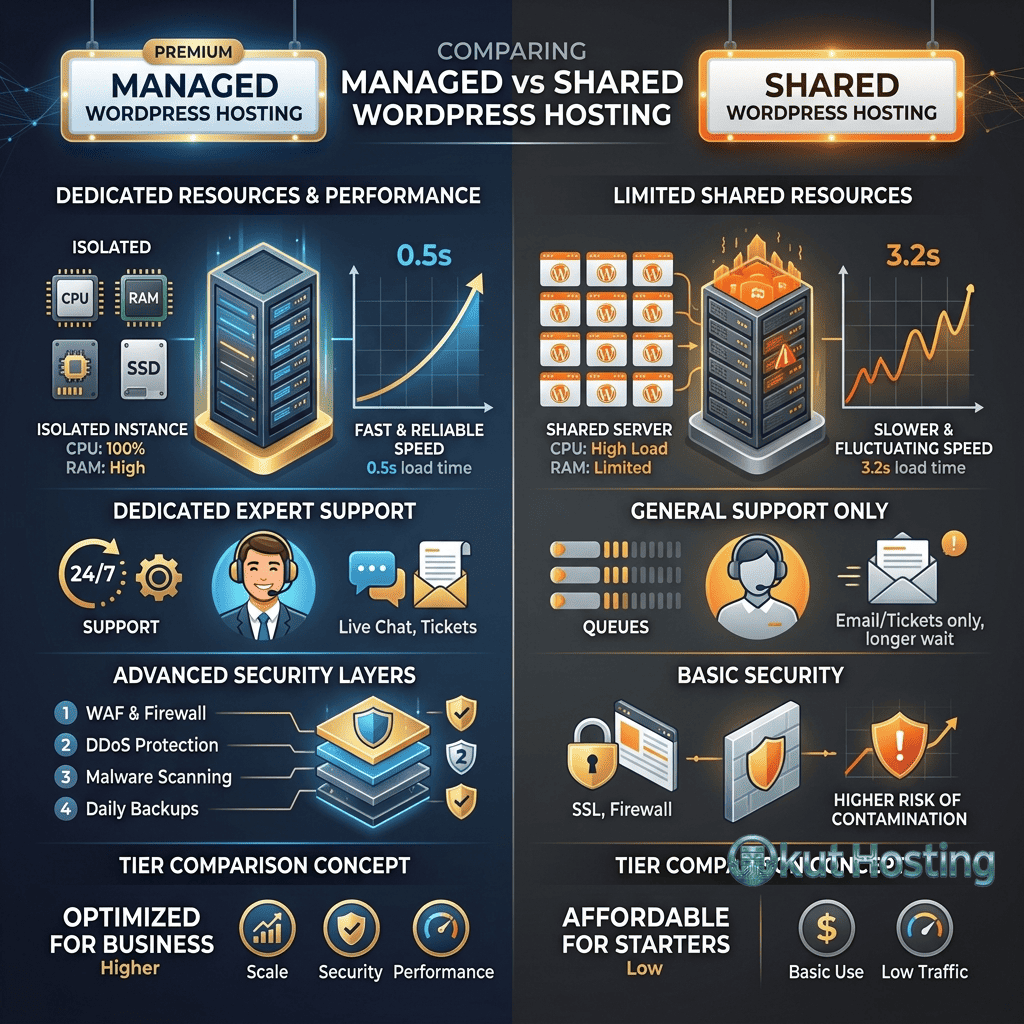
Shared hosting operates on a multi-tenant server architecture where dozens or hundreds of hosting accounts share the same physical server. Each account has access to a portion of the server’s resources, but the boundaries between accounts are often soft — one account’s traffic spike can affect performance for other accounts on the same server. This resource contention is the fundamental limitation of shared hosting and the primary motivation for upgrading to managed WordPress hosting.
Shared hosting servers typically run Apache or LiteSpeed web servers with cPanel or a proprietary control panel, supporting PHP, MySQL, email hosting, and other services for all accounts simultaneously. The server configuration is generalized to support diverse hosting needs — not just WordPress, but also static sites, custom PHP applications, email-heavy accounts, and other workloads. This generalization means the server is not optimized for any single application, including WordPress.
Managed WordPress hosting runs on infrastructure designed specifically for WordPress workloads. Servers use WordPress-optimized configurations with Nginx, LiteSpeed, or custom web server stacks tuned for WordPress’s request patterns. Resources are allocated through containers, virtual machines, or dedicated servers that provide isolation between customer accounts, eliminating the resource contention that degrades shared hosting performance. Server-level caching — Varnish, Nginx FastCGI cache, or LiteSpeed Cache — stores rendered WordPress pages in memory, serving cached content without PHP or database processing.
The infrastructure difference creates measurable performance gaps. Server response times on managed WordPress platforms typically range from 50-200 milliseconds for cached content, while shared hosting response times commonly range from 300-800 milliseconds. Under traffic load, the gap widens further — managed hosting maintains consistent response times through resource isolation, while shared hosting performance degrades as server-wide load increases.
Scalability Comparison
Shared hosting provides limited scalability options. When a WordPress site outgrows its shared hosting plan — due to traffic growth, increased database size, or higher resource demands — the upgrade path typically involves moving to a higher shared hosting tier, a VPS, or migrating to managed hosting. The scaling process on shared hosting is manual, requiring plan upgrades and potentially site migration. Traffic spikes that exceed the shared hosting plan’s capacity result in slow page loads, error pages, or temporary site unavailability.
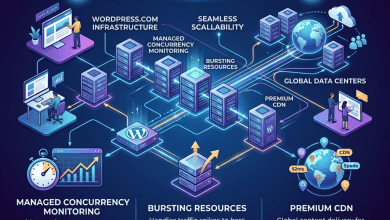
Managed WordPress hosting provides more granular scaling options. Some platforms offer auto-scaling that automatically allocates additional resources during traffic spikes, returning to baseline allocation when traffic normalizes. Others provide plan tiers with clearly defined resource allocations that can be upgraded without site migration. The scaling experience on managed hosting is smoother and more responsive to traffic variations, providing better handling of the unpredictable traffic patterns that marketing campaigns, social media virality, and seasonal events create.
Performance Comparison
WordPress performance is influenced by several factors that differ systematically between shared and managed hosting: PHP processing speed, database query performance, caching effectiveness, and CDN integration.
PHP processing on shared hosting competes for CPU time with other accounts on the same server. During peak usage periods, PHP execution times can increase as the server distributes processing capacity across all active accounts. Managed hosting provides isolated PHP workers with guaranteed processing capacity, maintaining consistent execution times regardless of overall server load.
Database performance on shared hosting is affected by MySQL server configuration that must accommodate diverse workloads, limited query caching, and shared database server resources. Managed WordPress hosting typically includes object caching through Redis or Memcached, which stores frequently accessed database query results in memory. This caching layer reduces database load by serving repetitive queries from memory rather than re-executing them against the database.
CDN (Content Delivery Network) integration on managed WordPress platforms distributes cached static content across global edge networks, reducing latency for visitors outside the origin server’s geographic region. While shared hosting accounts can use third-party CDN services, managed platforms typically include CDN integration with pre-configured caching rules optimized for WordPress, reducing the configuration effort required to enable effective CDN delivery.
Security Differences
Security implementation differs significantly between shared and managed WordPress hosting, with managed platforms providing multi-layer security that shared hosting cannot match economically.
Shared hosting security operates primarily at the server level — firewall rules, account isolation, and basic DDoS protection. WordPress-specific security — malware scanning, brute force protection, and vulnerability monitoring — is typically the customer’s responsibility, requiring installation and configuration of security plugins. If a neighboring account on the same shared server is compromised, there is a risk (though mitigated by account isolation mechanisms) that the compromise could affect other accounts.
Managed WordPress hosting implements security at multiple layers: network-level DDoS protection, server-level firewalls, web application firewalls (WAF) with WordPress-specific rulesets, automated malware scanning, brute force attack prevention, and proactive vulnerability monitoring. Many managed platforms apply WordPress security patches proactively, sometimes before official patch announcements, based on advance vulnerability intelligence. This defense-in-depth approach provides comprehensive protection without requiring customer-side security plugin management.
SSL certificate management illustrates the operational difference. Both shared and managed hosting include free SSL certificates through Let’s Encrypt. However, managed platforms handle certificate provisioning and renewal completely automatically, while shared hosting may require manual intervention for certificate renewal or configuration issues.
Management and Automation
The “managed” designation means that the hosting provider handles WordPress administration tasks that would otherwise fall on the site owner. These tasks include WordPress core updates, PHP version management, server-level caching configuration, automated backups, security monitoring, and performance optimization. The time savings from managed automation is significant — these tasks collectively represent hours of monthly administrative work that managed hosting eliminates.
WordPress core updates on managed platforms are applied automatically, with different platforms handling major and minor updates through various policies. Some platforms apply all updates automatically, others apply security and maintenance updates automatically while holding major version updates for manual approval, and some provide visual regression testing to verify that updates do not break the site’s appearance before applying them to production.
Automated backups on managed platforms capture daily or real-time snapshots of the complete WordPress installation, stored on separate infrastructure with one-click restoration capabilities. Shared hosting backup policies vary widely — some shared hosts provide automated backups, others offer backup tools that customers must configure, and some provide no automated backup capability at all, placing the backup responsibility entirely on the customer.
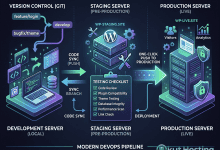
Staging environments — testing copies of production sites — are standard features on managed WordPress platforms but rarely available on shared hosting. The ability to test changes before deploying them to production is one of the most practically valuable managed hosting features, preventing the update-and-pray approach that shared hosting requires.
Support Quality
Support capabilities differ fundamentally between shared and managed WordPress hosting. Shared hosting support teams handle issues across all hosting types — WordPress, custom PHP applications, email, databases, and server configuration — meaning that WordPress-specific expertise may not be available for complex WordPress issues. Support teams are generalists who can address common hosting questions but may not have deep WordPress knowledge for plugin conflicts, theme issues, or performance optimization.
Managed WordPress support teams specialize exclusively in WordPress hosting. Support representatives understand WordPress architecture, common plugin conflicts, theme troubleshooting, and performance optimization techniques specific to WordPress. Some managed platforms provide support that extends beyond hosting issues to help with WordPress configuration, plugin selection, and performance optimization advice. Premium managed platforms offer priority support with faster response times and access to senior WordPress engineers.
Feature Comparison
Feature availability differs systematically between shared and managed WordPress hosting categories:
- Staging environments: Standard on managed, rarely available on shared
- Server-level caching: Included on managed, customer-configured via plugins on shared
- CDN integration: Built-in on managed, third-party configuration required on shared
- Automated backups: Daily or real-time on managed, inconsistent on shared
- Git deployment: Available on some managed platforms, generally unavailable on shared
- SSH access: Standard on managed, sometimes available on shared
- Email hosting: Often excluded on managed, included on shared
- Multiple sites: Plan-dependent on managed, often unlimited on shared
- Plugin restrictions: Present on managed (caching/security plugins), absent on shared
Pricing Analysis
The pricing gap between shared and managed WordPress hosting reflects the infrastructure, automation, and support differences outlined above. Shared hosting introductory pricing ranges from approximately two to ten dollars per month, with renewal pricing typically two to three times the introductory rate. Managed WordPress hosting pricing starts at approximately ten to thirty dollars per month for entry-level plans and scales to hundreds of dollars monthly for premium platforms with dedicated resources.
Evaluating the cost difference requires considering the total cost of ownership rather than just the hosting plan price. Shared hosting customers may need to purchase security plugins, backup solutions, CDN services, and staging tools separately — costs that are bundled into managed hosting plan pricing. The time cost of manually managing updates, backups, security monitoring, and performance optimization on shared hosting should also factor into the comparison, particularly for businesses where the site owner’s time has significant opportunity cost.
For businesses where the WordPress site generates revenue — through e-commerce, lead generation, or advertising — the reliability and performance advantages of managed hosting can translate into measurable revenue impact. Faster page loads improve conversion rates, reduced downtime protects revenue streams, and automated security reduces the risk of costly security incidents.
When to Choose Shared Hosting
Shared hosting is appropriate for WordPress sites that meet specific criteria: low traffic volumes, limited budget, basic functionality requirements, and site owners who can handle WordPress administration tasks manually. Personal blogs, hobby sites, small portfolio sites, and experimental projects can operate effectively on shared hosting without the premium features that managed hosting provides.
Sites with modest traffic — typically under ten thousand monthly visitors — generally perform adequately on shared hosting. Sites that do not process financial transactions or handle sensitive customer data have lower security requirements that shared hosting can satisfy. Site owners with WordPress technical knowledge can manage updates, backups, and security monitoring manually, reducing the value proposition of managed hosting’s automation features.
When to Choose Managed Hosting
Managed WordPress hosting provides the most value for sites that generate business revenue, serve significant traffic, or require consistent reliability. E-commerce sites, lead generation sites, high-traffic content sites, and business sites where downtime or performance issues have measurable financial impact benefit most from managed hosting’s performance, security, and automation advantages.
Organizations without dedicated technical staff benefit from managed hosting’s automation and specialized support. The managed services layer eliminates the need for WordPress administration expertise, enabling non-technical site owners to focus on content and business operations while the hosting provider handles infrastructure management. For agencies managing client sites, managed hosting reduces the per-site management burden while providing professional-grade hosting features that clients expect.
E-Commerce Hosting Considerations
WooCommerce stores represent a use case where managed hosting advantages are most clearly justified. E-commerce sites process financial transactions, manage customer data, and generate revenue that depends directly on site availability and performance. The cost of a security breach, extended downtime, or broken checkout flow on a WooCommerce store typically exceeds the annual cost difference between shared and managed hosting.
Managed hosting platforms provide WooCommerce-aware caching that correctly handles the distinction between cacheable product pages and dynamic transaction pages. Server configurations are tuned for the complex database queries that WooCommerce generates. Automated backups capture transaction data in real-time or daily, providing recovery points that protect order history and customer information. These WooCommerce-specific optimizations are implemented at the hosting platform level rather than requiring the store owner to configure them manually through WordPress plugins.
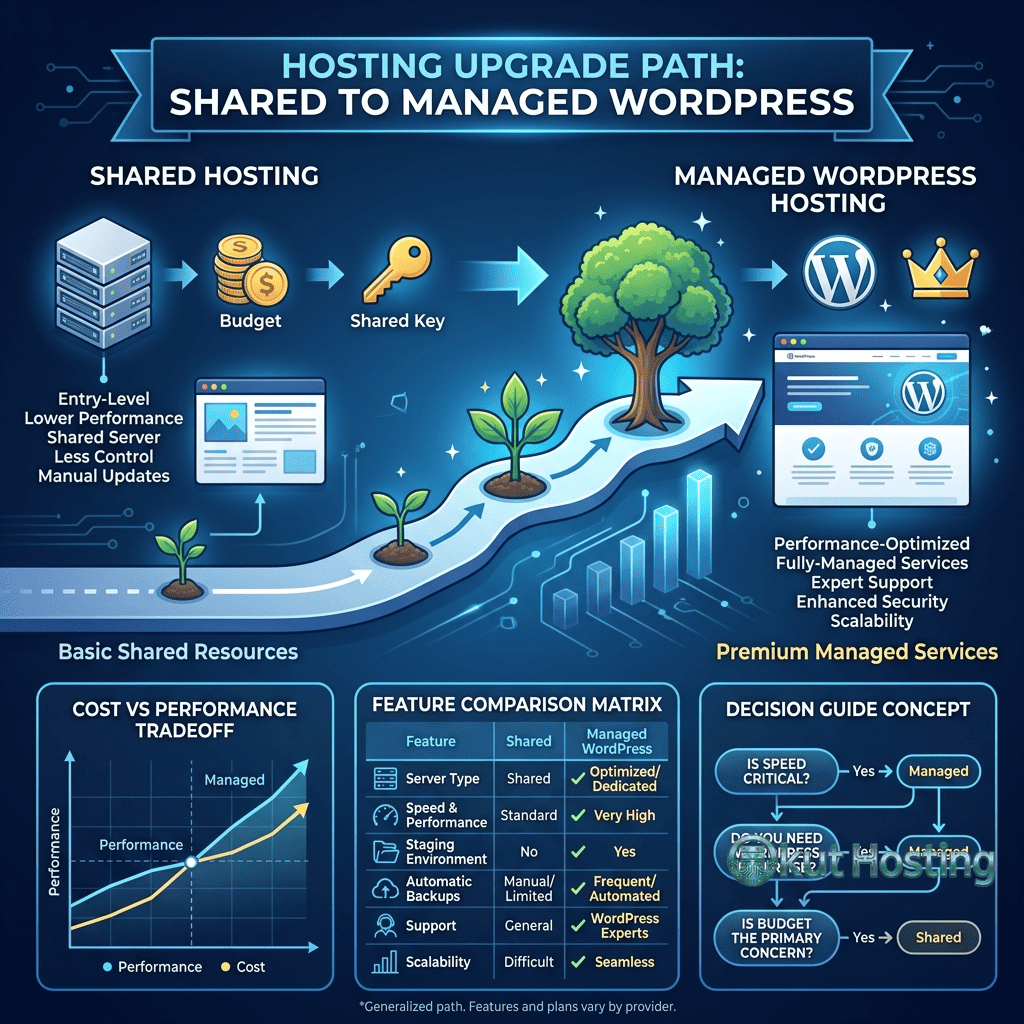
Upgrade Path: Shared to Managed
For WordPress sites that start on shared hosting and grow beyond its capabilities, the migration path to managed hosting involves planning, execution, and verification steps similar to any hosting migration. Most managed WordPress providers offer free migration services that handle the transfer from shared hosting environments, reducing the technical barrier to upgrading.
Signs that a WordPress site has outgrown shared hosting include consistently slow page load times, frequent 500 errors during traffic peaks, inadequate backup protection for valuable content or transaction data, increasing time spent on manual WordPress administration tasks, and security incidents that require more protection than shared hosting provides. When these symptoms appear, the cost-benefit analysis of managed hosting typically shifts in favor of the upgrade, particularly for sites that generate revenue or serve business-critical functions.
Summary
The managed versus shared WordPress hosting decision involves trade-offs between cost, performance, security, automation, and management effort. Shared hosting provides the most affordable entry point for WordPress hosting, suitable for low-traffic sites with limited budgets and technically capable site owners. Managed WordPress hosting provides superior performance, security, automation, and support at higher price points, delivering the most value for sites that generate business revenue or serve audiences that expect consistent reliability and fast page loads.
The hosting market’s evolution has created pricing overlap between premium shared hosting and entry-level managed WordPress hosting, blurring the traditional boundary between categories. Some shared hosting providers have adopted managed WordPress features — server-level caching, automated backups, staging environments — while maintaining lower pricing. Evaluating hosting options should focus on the specific features, performance characteristics, and support quality of individual plans rather than relying solely on category labels to predict the hosting experience.
The decision is ultimately about matching hosting capabilities to site requirements. A personal blog with minimal traffic does not need the enterprise-grade security and auto-scaling that premium managed hosting provides. A WooCommerce store processing thousands of monthly transactions should not operate on infrastructure where a neighbor’s traffic spike could affect checkout performance. Understanding where a specific WordPress site falls on this spectrum — and how its hosting needs may evolve as traffic grows — guides the shared versus managed hosting decision with clarity rather than marketing-driven anxiety about hosting inadequacy.
This comparison provides general guidance based on common hosting configurations. Specific plans and features vary by provider. Okut Hosting is an independent review platform that provides educational hosting content.
For related reviews, see our SiteGround WordPress hosting overview, our Hostinger budget WordPress plans, and our WordPress performance optimization guide.