Microsoft Azure Virtual Machines provide cloud compute infrastructure backed by Microsoft’s global data center network spanning over 60 regions worldwide — the largest geographic coverage among any cloud provider. As one of the three hyperscale cloud platforms alongside AWS and Google Cloud, Azure VMs serve organizations from small businesses to Fortune 500 enterprises, with particular strength in environments that leverage Microsoft’s enterprise software ecosystem including Windows Server, Active Directory, SQL Server, and Microsoft 365. Azure’s deep integration with Microsoft’s existing enterprise software portfolio makes it the natural cloud platform for organizations with established Microsoft technology investments.
This review examines Azure Virtual Machines’ configuration options, pricing models, operating system support, managed services, and enterprise integration capabilities. The analysis provides factual, neutral information to help organizations understand Azure VM options and evaluate the platform against alternative cloud compute solutions.
VM Series and Instance Types
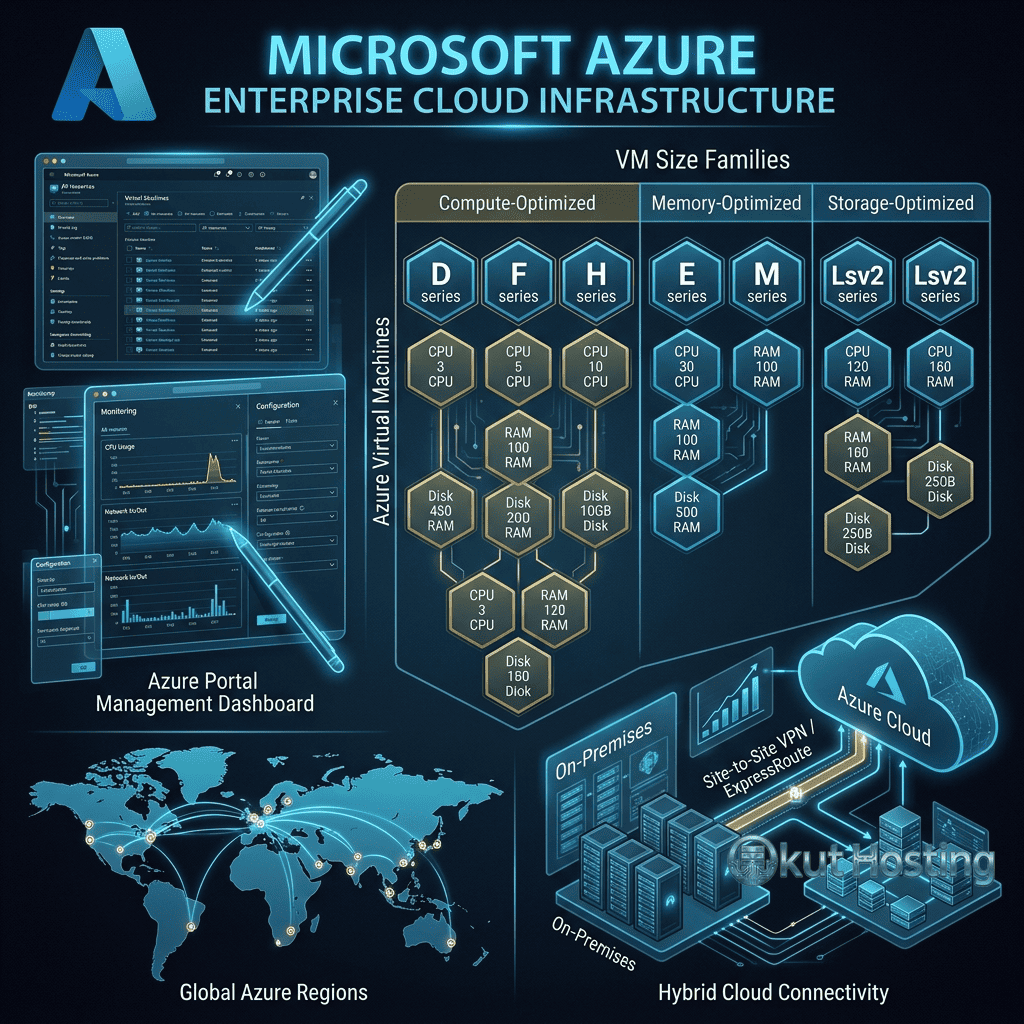
Azure organizes virtual machines into series optimized for different workload characteristics. The General Purpose series (B, Dv5, Dasv5, DCsv3) provides balanced CPU-to-memory configurations for most production workloads. The Compute Optimized series (Fsv2) delivers high CPU-to-memory ratios for compute-intensive workloads. The Memory Optimized series (Esv5, Easv5, Mv2) provides high memory-to-CPU ratios for databases and in-memory analytics. The Storage Optimized series (Lsv3) provides high disk throughput and I/O for data-intensive workloads. The GPU series (NCsv3, NDv2, NVv4) provides GPU-accelerated compute for machine learning, rendering, and visualization.
The B-series burstable VMs deserve special attention as a cost-effective option for workloads with variable CPU demands. B-series VMs accumulate CPU credits during low-usage periods and consume credits during burst periods, providing cost-efficient compute for workloads that do not require sustained high CPU performance — such as web servers, development environments, and small databases.
Confidential computing VMs (DCsv3, DCdsv3) provide hardware-based isolation using AMD SEV-SNP or Intel SGX technology, protecting data during processing. Confidential VMs encrypt data in use — not just at rest and in transit — providing the strongest available protection for sensitive workloads including financial processing, healthcare data analysis, and multi-party computation scenarios.
Windows and Linux Support
Azure provides first-class support for both Windows Server and Linux operating systems. Windows Server images include built-in licensing, with the Windows license cost included in the VM pricing. Linux images are available for all major distributions including Ubuntu, CentOS, Red Hat Enterprise Linux, SUSE, Debian, Oracle Linux, and Flatcar Container Linux. The comprehensive OS support enables deploying any standard server workload on Azure VMs.
Azure Hybrid Benefit enables organizations with existing Windows Server or SQL Server licenses (through Software Assurance or qualifying subscriptions) to use those licenses on Azure VMs, significantly reducing VM costs by eliminating the Windows Server license component from VM pricing. This benefit provides substantial cost savings for organizations migrating existing Windows workloads to Azure and can reduce VM costs by up to 40% compared to pay-as-you-go pricing.
Pricing Models
Azure VMs support multiple pricing models accommodating different commitment and flexibility requirements. Pay-as-you-go pricing provides per-second billing with no commitment, maximum flexibility, and the highest per-unit cost. Reserved VM Instances provide one-year or three-year commitments with significant discounts (up to 72% savings compared to pay-as-you-go). Azure Savings Plans provide flexible commitment pricing that applies across VM families and regions. Spot VMs provide up to 90% discounts for interruptible, fault-tolerant workloads.
The combination of Reserved Instances, Azure Hybrid Benefit, and right-sizing optimization can reduce Azure VM costs dramatically compared to pay-as-you-go pricing. Organizations that optimize across all available discount mechanisms can achieve total cost of ownership that competes with or undercuts independent cloud provider pricing for equivalent workloads, particularly for Windows-based deployments where Hybrid Benefit eliminates licensing costs.
Active Directory Integration
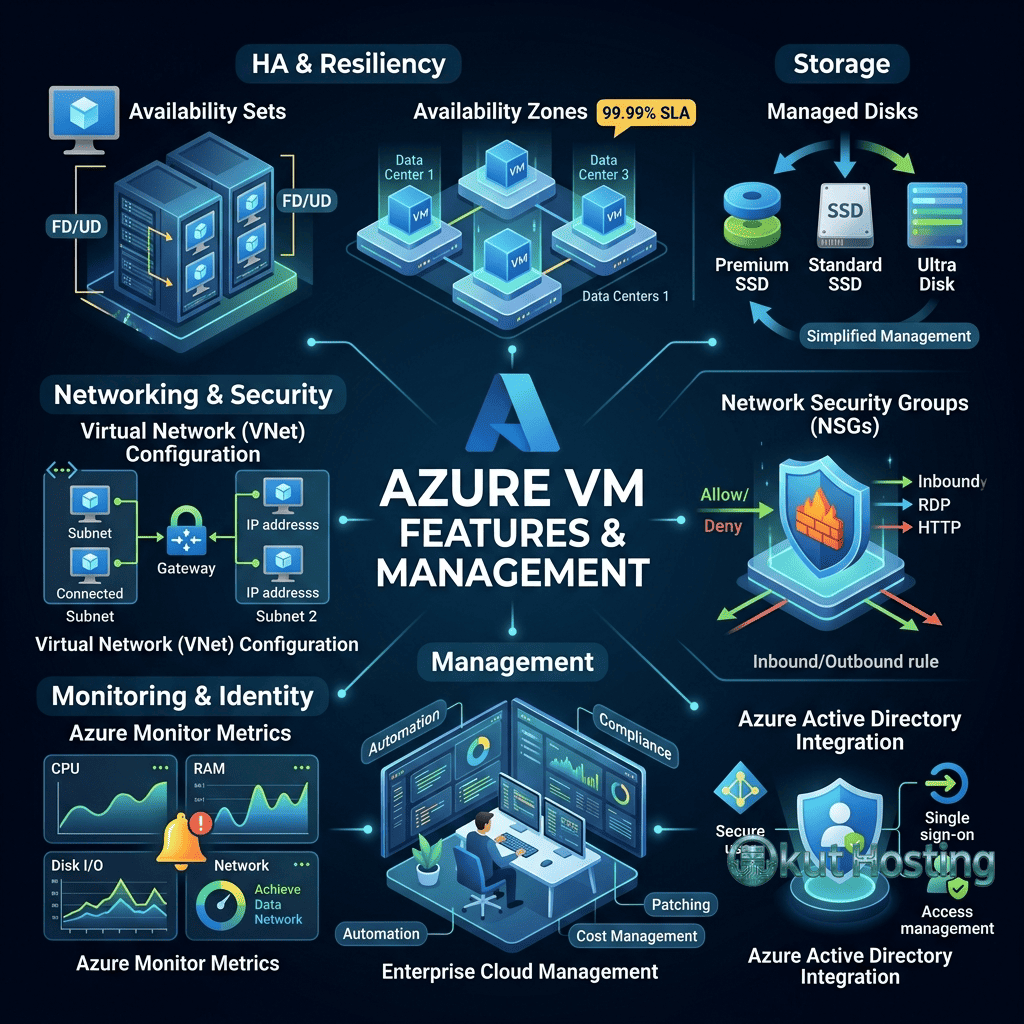
Azure Active Directory (Azure AD, now Microsoft Entra ID) integration provides identity and access management that extends existing on-premises Active Directory environments into the cloud. Azure AD Join enables joining Azure VMs to Azure AD for centralized identity management. Domain Services (Azure AD DS) provides managed domain controller functionality without deploying traditional Active Directory domain controllers on VMs. This Active Directory integration is a significant differentiator for enterprise environments where Active Directory is the established identity foundation.
For organizations with existing on-premises Active Directory deployments, Azure AD Connect synchronizes on-premises directory data with Azure AD, providing single sign-on and unified identity management across cloud and on-premises resources. This hybrid identity capability enables seamless user authentication across environments without maintaining separate credential systems.
Hybrid Cloud Capabilities
Azure Arc extends Azure management capabilities to on-premises servers, edge environments, and multi-cloud infrastructure. Azure Arc-enabled servers bring Azure management, security, and compliance tools to servers running anywhere — on-premises, in other clouds, or at the edge. Azure Stack HCI provides Azure-integrated hyperconverged infrastructure for on-premises deployments that need cloud capabilities with local data residency.
Azure’s hybrid cloud capabilities are arguably the strongest among the three hyperscale providers, reflecting Microsoft’s enterprise heritage and the reality that most large organizations operate hybrid environments combining cloud and on-premises infrastructure. The comprehensive hybrid toolset — including Azure Arc, Azure Stack, Azure Site Recovery, and Azure Migrate — provides complete lifecycle management for hybrid infrastructure architectures.
Networking
Azure Virtual Network (VNet) provides isolated network environments with subnet segmentation, network security groups (NSGs) for traffic filtering, and VPN Gateway for secure connectivity to on-premises networks. Azure Load Balancer provides Layer 4 load balancing, while Azure Application Gateway provides Layer 7 load balancing with web application firewall capabilities. Azure Front Door provides global load balancing with CDN acceleration and DDoS protection.
ExpressRoute provides dedicated private network connections between on-premises infrastructure and Azure data centers, bypassing the public internet for consistent, low-latency connectivity. ExpressRoute connections support bandwidths from 50 Mbps to 100 Gbps, accommodating enterprise network requirements for high-throughput, reliable cloud connectivity.
VM Scale Sets
Azure VM Scale Sets enable deploying and managing groups of identical VMs that automatically scale based on demand. Scale Sets support automatic scaling based on CPU utilization, memory usage, custom metrics, or scheduled scaling rules. The auto-scaling capability enables applications to handle traffic fluctuations without manual VM provisioning, automatically adding instances during demand spikes and removing instances during low-demand periods to optimize costs. Scale Sets integrate with Azure Load Balancer and Application Gateway for traffic distribution across the scaled VM group.
Spot VM integration with Scale Sets enables cost-effective scaling by using discounted Spot VMs for burst capacity while maintaining a baseline of standard VMs for guaranteed availability. This mixed-priority scaling approach provides significant cost savings for applications that can tolerate some VM interruptions in the scale-out capacity while maintaining core availability through standard-priority VMs.
Azure Marketplace
Azure Marketplace provides thousands of pre-configured VM images and solutions from Microsoft and third-party vendors. The marketplace includes operating system images, application stacks, development tools, security solutions, and enterprise applications. WordPress, LAMP/LEMP stacks, Docker, Jenkins, GitLab, and popular CMS platforms are available as marketplace images for rapid deployment. The marketplace simplifies deploying complex application environments by providing pre-configured, vendor-supported images that reduce setup time and configuration complexity.
WordPress on Azure
WordPress hosting on Azure VMs provides enterprise-grade performance and scalability for WordPress deployments of any size. Azure Marketplace provides WordPress images with pre-configured LAMP and LEMP stacks. Azure App Service also provides managed WordPress hosting with automatic scaling, staging slots, and continuous deployment integration. For high-traffic WordPress sites, Azure VM Scale Sets enable auto-scaling WordPress deployments behind Application Gateway with web application firewall protection.
Azure CDN integration accelerates WordPress content delivery globally, while Azure Database for MySQL provides managed database hosting that eliminates database server administration. This integrated architecture — VM compute, managed database, CDN distribution, and load balancing — provides enterprise WordPress hosting with the reliability, security, and global performance of Azure’s infrastructure.
Managed Database Services
Azure SQL Database provides fully managed SQL Server database hosting with built-in intelligence, automatic tuning, and high availability. Azure Database for MySQL, PostgreSQL, and MariaDB provides managed open-source database hosting. Azure Cosmos DB provides globally distributed, multi-model database service with guaranteed single-digit millisecond latency. Azure SQL Managed Instance provides near-complete SQL Server compatibility in a managed service, enabling lift-and-shift migration of existing SQL Server workloads.
Storage Options
Azure Managed Disks provide block storage for VMs in Standard HDD, Standard SSD, Premium SSD, and Ultra Disk tiers. Azure Blob Storage provides object storage for unstructured data with Hot, Cool, Cold, and Archive access tiers. Azure Files provides managed SMB and NFS file shares accessible from cloud and on-premises environments. Azure NetApp Files provides enterprise-grade NFS file storage for performance-sensitive workloads.
Security and Compliance
Microsoft Defender for Cloud provides unified security management and threat protection across Azure resources. Azure Firewall provides managed, cloud-based network security. Azure Key Vault provides secure key management and secrets storage. The security portfolio reflects Azure’s enterprise focus and the stringent security requirements of its government and financial services customer base.
Azure maintains the broadest compliance certification portfolio among cloud providers, including FedRAMP High, DoD IL5, HIPAA, PCI DSS, SOC 1/2/3, ISO 27001, and numerous country-specific certifications. Azure Government provides dedicated cloud regions for US government workloads with additional compliance controls. Azure China provides compliant cloud services through local operators for China-based workloads.
AI and Cognitive Services
Azure AI Services (formerly Cognitive Services) provides pre-built AI capabilities including computer vision, speech recognition, natural language processing, and decision-making APIs. Azure OpenAI Service provides access to GPT models, DALL-E, and other OpenAI models through Azure’s enterprise infrastructure with added security and compliance controls. Azure Machine Learning provides an end-to-end platform for building, training, and deploying machine learning models. The AI service portfolio positions Azure strongly for organizations integrating AI capabilities into existing applications and workflows.
Cost Management
Azure Cost Management and Billing provides comprehensive cost visibility, budgeting, and optimization recommendations. Cost analysis dashboards show spending breakdowns by resource, resource group, subscription, and tag. Budget alerts notify stakeholders when spending approaches or exceeds configured thresholds. Azure Advisor provides personalized cost optimization recommendations including right-sizing, Reserved Instance purchase suggestions, and unused resource identification. The cost management toolset helps organizations maintain control over cloud spending and identify optimization opportunities.
Support Options
Azure provides tiered support plans: Basic (free, self-service documentation and community support), Developer (paid, business hours email support), Standard (paid, 24/7 technical support), Professional Direct (paid, faster response times with advisory support), and Premier (enterprise-grade support with designated Technical Account Manager). The support tier structure accommodates organizations from individual developers to large enterprises with mission-critical workloads requiring the highest levels of support responsiveness.
DevOps and Developer Tools
Azure DevOps provides integrated CI/CD pipelines, source control, project management, and artifact management. GitHub Actions integration enables CI/CD workflows directly from GitHub repositories. Azure Resource Manager (ARM) templates and Bicep provide Infrastructure as Code capabilities for Azure resource deployment. Terraform support enables cross-cloud IaC management. Visual Studio and VS Code integration provides development tool connectivity for Azure resource management and deployment.
Monitoring and Management
Azure Monitor provides comprehensive metrics, logs, and alerting for Azure VMs and other resources. Application Insights provides application performance monitoring (APM) for web applications. Log Analytics provides centralized log collection and query capabilities using the Kusto Query Language (KQL). Azure Automation provides runbook-based task automation for VM management, patching, and configuration management.
Migration Services
Azure Migrate provides a unified migration hub for discovering, assessing, and migrating on-premises servers, databases, and applications to Azure. Server Migration enables replicating on-premises VMs to Azure with minimal downtime. Database Migration Service provides automated migration for SQL Server, MySQL, PostgreSQL, and MongoDB databases. These migration tools reduce the complexity and risk of cloud migration projects, particularly for organizations moving existing Windows Server workloads to Azure.
Kubernetes and Containers
Azure Kubernetes Service (AKS) provides managed Kubernetes clusters with integrated monitoring, security, and Azure service connectivity. Azure Container Instances provides serverless container hosting for individual containers without cluster management overhead. Azure Container Apps provides a managed application platform for microservices and event-driven applications built on Kubernetes and Dapr. The container service portfolio supports the full range of container deployment models from individual containers to complex Kubernetes orchestrations.
Backup and Disaster Recovery
Azure Backup provides centralized backup management for Azure VMs, on-premises servers, Azure SQL databases, and Azure file shares. Backup policies define retention schedules and backup frequency. Azure Site Recovery provides disaster recovery by replicating VMs to secondary Azure regions with automated failover capabilities. The combination of Backup and Site Recovery provides comprehensive data protection and business continuity for mission-critical workloads.
Azure Site Recovery’s orchestrated failover capabilities enable defining recovery plans that specify the order of VM recovery, pre-failover and post-failover scripts, and manual verification steps. This orchestrated approach ensures that complex, multi-tier applications recover in the correct sequence with all dependencies satisfied during disaster recovery events.
IoT and Edge Computing
Azure IoT Hub provides managed IoT device connectivity and management for Internet of Things applications. IoT Edge extends Azure capabilities to edge devices for local processing and AI inference. Azure Sphere provides secure microcontroller hardware and OS for IoT devices. The IoT service portfolio enables organizations to build connected device solutions that leverage Azure compute resources for data processing, analytics, and AI while processing time-sensitive data at the edge closest to the devices.
Free Tier and Getting Started
Azure provides free account with $200 credit for 30 days and 12 months of popular free services including B1s VMs, managed disks, blob storage, and database instances. Always Free services provide ongoing access to limited quantities of 55+ Azure services at no cost. The free tier enables evaluating Azure services, building proof-of-concept applications, and learning the platform without financial commitment.
Comparison with AWS and Google Cloud
Azure VM competes with AWS EC2 and Google Cloud Compute Engine as the three hyperscale compute platforms. Azure differentiates through Windows Server and Active Directory integration, the broadest compliance certification portfolio, Azure Hybrid Benefit licensing, the strongest hybrid cloud capabilities (Azure Arc, Azure Stack), and the deepest enterprise software ecosystem integration. AWS differentiates through the largest service portfolio and market share. Google Cloud differentiates through Kubernetes expertise, custom machine types, and AI/ML capabilities. For Windows-centric enterprise environments, Azure provides the most seamless cloud migration path and operational integration.
Summary
Microsoft Azure Virtual Machines provide enterprise-grade cloud compute with unique advantages for organizations embedded in the Microsoft technology ecosystem. Azure Hybrid Benefit, Active Directory integration, hybrid cloud capabilities through Azure Arc and Azure Stack, and the broadest compliance certification portfolio among cloud providers position Azure as the strongest platform for enterprise environments with existing Microsoft investments. While Azure’s pricing can be complex, the combination of Reserved Instances, Hybrid Benefit, and Savings Plans provides competitive total cost of ownership for optimized deployments.
For organizations evaluating Azure VMs, the platform deserves strong consideration if the deployment involves Windows Server workloads, Active Directory integration, hybrid cloud requirements, or needs the broadest geographic coverage across 60+ global regions. Independent cloud providers may offer simpler management and more transparent pricing for straightforward Linux-based workloads, but Azure’s enterprise integration capabilities provide unique value that no independent provider can match.
Features, pricing, and availability discussed in this review reflect information available at the time of writing. Please verify current details on the official Microsoft Azure website. Okut Hosting is an independent review platform with no affiliate relationships with any hosting company mentioned in this article.
For related reviews, see our Google Cloud Compute review, our AWS Lightsail review, and our guide to managed vs unmanaged VPS.