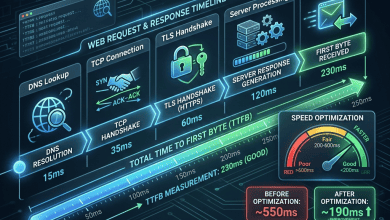
WordPress caching plugins are absolutely essential performance tools that dramatically reduce page load times by storing pre-generated versions of pages and serving them directly to visitors without executing PHP code or database queries for each request. Without caching, every WordPress page view requires PHP execution, multiple database queries, theme template processing, and plugin hook execution — a process that can take hundreds of milliseconds to several seconds depending on hosting infrastructure and site complexity. Effective caching plugins eliminate this processing overhead for the majority of page views, typically reducing Time to First Byte (TTFB) from 500ms+ to under 50ms for cached pages.
This guide compares the leading WordPress caching plugins, covering their caching mechanisms, features, configuration complexity, pricing, CDN integration, and performance characteristics. The analysis provides neutral evaluation to help WordPress site owners select the most appropriate caching solution for their specific requirements and technical expertise.
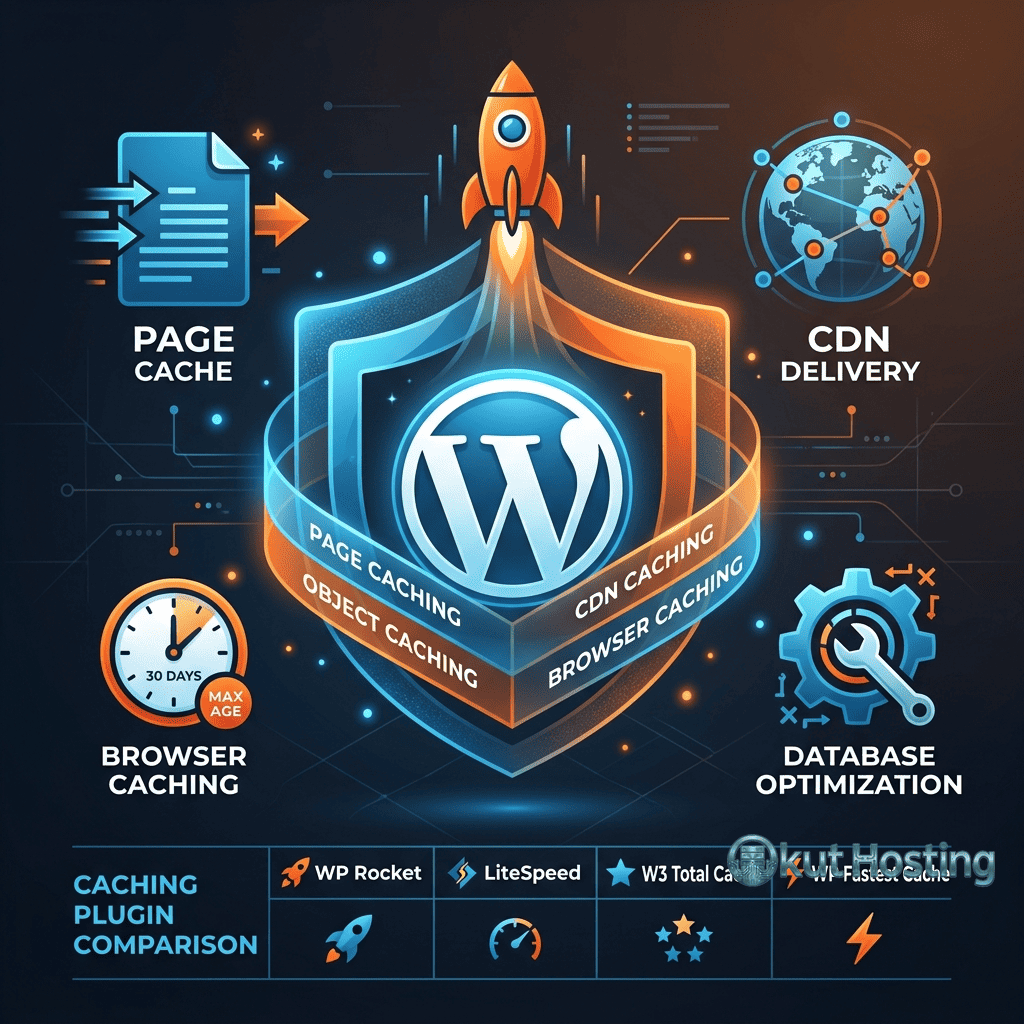
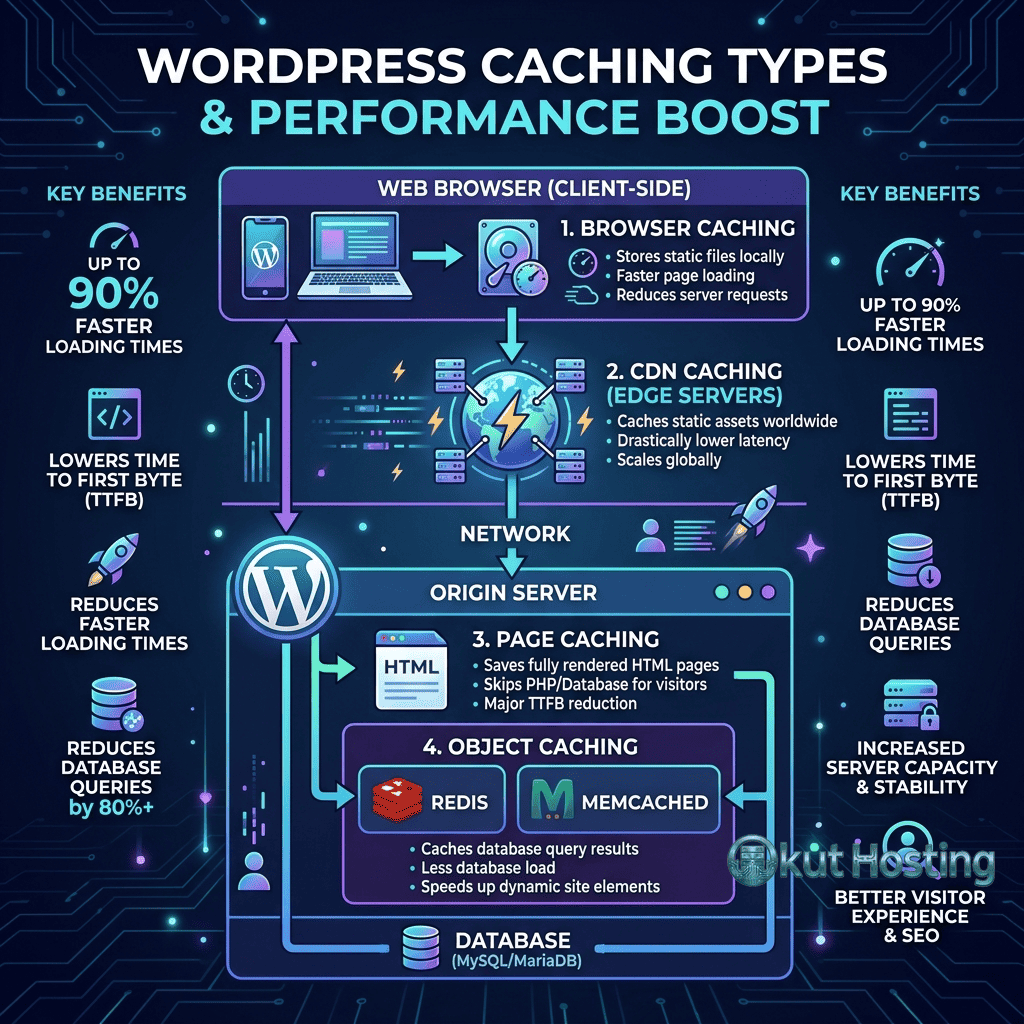
Types of WordPress Caching
Page Caching
Page caching stores complete HTML output of rendered pages, serving cached HTML directly to visitors without executing WordPress PHP code. page caching provides the single most significant performance improvement and is the primary function of WordPress caching plugins. Cached pages load in milliseconds compared to the hundreds of milliseconds or seconds required for dynamic page generation.
Object Caching
Object caching stores individual database query results in memory (Redis, Memcached) for reuse across multiple page requests. Object caching is particularly valuable for dynamic pages that cannot be page-cached (logged-in users, e-commerce cart pages) and for reducing database load on high-traffic sites. Object caching requires server-level support (Redis or Memcached installed on the hosting server).
Browser Caching
Caching plugins configure HTTP headers (Cache-Control, Expires) that instruct browsers to cache static assets locally. Browser caching reduces repeat-visit load times by eliminating re-downloads of CSS, JavaScript, images, and fonts that haven’t changed since the previous visit.
CDN Integration
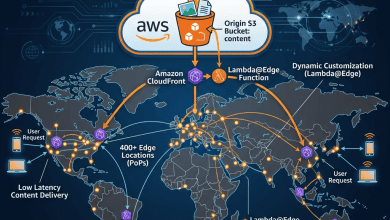
Most caching plugins provide CDN integration that rewrites static asset URLs to serve files from CDN edge servers. CDN integration reduces latency for static content delivery by serving files from geographically closer edge locations rather than the origin server.
WP Rocket
WP Rocket is the most popular premium WordPress caching plugin, known for its user-friendly interface and comprehensive performance optimization features. WP Rocket provides page caching, browser caching, GZIP/Brotli compression, database optimization, lazy loading, critical CSS generation, JavaScript defer/delay, CDN integration, and preloading. The plugin’s strength is its ease of configuration — most performance optimizations are enabled with single-click toggles rather than complex technical settings.
Key WP Rocket features include: automatic page caching upon activation with no configuration required; lazy loading for images, iframes, and videos; critical CSS generation that eliminates render-blocking CSS; JavaScript defer and delay options for reducing main thread blocking; database cleanup (transients, revisions, spam comments, drafts); preload cache that automatically generates cached versions of pages; CDN integration with major CDN providers; and WooCommerce-specific caching that properly handles cart and checkout exclusions.
WP Rocket pricing starts at $59/year for a single site, $119/year for three sites, and $299/year for unlimited sites. While WP Rocket is premium-only (no free version), its comprehensive feature set and excellent ease of use make it the most recommended caching plugin for non-technical WordPress users who want maximum performance improvement with minimal configuration effort.
W3 Total Cache
W3 Total Cache (W3TC) is one of the most feature-rich free WordPress caching plugins, providing extensive caching and optimization capabilities with granular configuration control. W3TC supports page caching, object caching, database caching, browser caching, CDN integration, minification, and fragment caching. The plugin’s strength is its comprehensive feature set and fine-grained configuration options that enable advanced users to optimize every aspect of WordPress performance.
Key W3 Total Cache features include: multiple page caching methods (disk, APC, Memcached, Redis); object caching with Redis and Memcached support; database query caching for frequently executed queries; browser caching with configurable headers per content type; CDN integration supporting both push and pull CDN configurations; HTML, CSS, and JavaScript minification; fragment caching for partial page caching of dynamic components; and reverse proxy integration (Varnish) for server-level caching.
W3 Total Cache is available in both free and Pro versions. The free version provides comprehensive caching capabilities. The Pro version adds advanced features including full-site CDN, lazy loading, and extended support. W3TC’s configuration complexity makes it better suited for technically proficient users who understand caching concepts and can troubleshoot configuration conflicts.
WP Super Cache
WP Super Cache, developed by Automattic (the company behind WordPress.com), is a straightforward page caching plugin focused on simplicity and reliability. The plugin generates static HTML files that are served directly by the web server, bypassing PHP and WordPress processing entirely. WP Super Cache provides three caching modes: Simple (recommended, using PHP to serve cached files), Expert (using mod_rewrite rules for fastest delivery), and WP-Cache (legacy mode).
Key WP Super Cache features include: simple page caching with minimal configuration; CDN integration for static asset delivery; cache preloading for generating cached versions of all pages; garbage collection for automatic cache cleanup; mobile device support with separate mobile cache; and page caching with scheduled cache regeneration. WP Super Cache is free, well-maintained by Automattic, and suitable for users who need basic page caching without the complexity of comprehensive optimization plugins.
LiteSpeed Cache
LiteSpeed Cache is a free, comprehensive caching and optimization plugin specifically designed for LiteSpeed web servers, though many features work on Apache and Nginx as well. On LiteSpeed servers, the plugin integrates with the server’s built-in LSCache engine for the most efficient page caching possible. LiteSpeed Cache provides page caching, object caching, image optimization (through QUIC.cloud), CDN integration, critical CSS generation, JavaScript optimization, and database optimization.
Key LiteSpeed Cache features include: server-level page caching through LSCache integration (LiteSpeed servers); edge-side includes (ESI) for caching dynamic page fragments; QUIC.cloud CDN with free tier bandwidth; automatic image optimization through QUIC.cloud; critical CSS generation; JavaScript defer and lazy loading; database optimization; and crawler-based cache preloading. LiteSpeed Cache is free with no premium tier, making it the most feature-rich free caching plugin available, especially for sites hosted on LiteSpeed servers.
WP Fastest Cache
WP Fastest Cache provides a middle ground between WP Super Cache’s simplicity and W3 Total Cache’s complexity. The plugin offers page caching, browser caching, GZIP compression, CSS/JavaScript minification and combination, and CDN integration. The free version provides core caching features, while the Premium version adds mobile caching, widget caching, image optimization, database cleanup, and lazy loading.
Cache Enabler
Cache Enabler by KeyCDN is a lightweight page caching plugin that focuses on simplicity and performance. The plugin generates static HTML files with optional WebP image support, serving cached pages directly without PHP processing. Cache Enabler’s minimal footprint and straightforward configuration make it suitable for users who want basic page caching without feature overhead. The plugin integrates naturally with KeyCDN but works with any hosting environment.
Comparison: Feature Matrix
Comparing key features across major caching plugins: Page caching is provided by all plugins. Object caching is provided by WP Rocket (through helper plugins), W3TC, LiteSpeed Cache, and some others. Critical CSS generation is provided by WP Rocket and LiteSpeed Cache. JavaScript optimization is provided by WP Rocket, W3TC, LiteSpeed Cache, and WP Fastest Cache Premium. Image optimization is provided by LiteSpeed Cache (QUIC.cloud), WP Rocket (lazy loading), and WP Fastest Cache Premium. Database optimization is provided by WP Rocket, LiteSpeed Cache, and WP Fastest Cache Premium. CDN integration is universal across all major caching plugins.
Choosing the Right Caching Plugin
Plugin selection depends on technical expertise, budget, hosting environment, and specific requirements. For non-technical users wanting maximum ease: WP Rocket provides the best balance of features and simplicity. For technically proficient users wanting free comprehensive caching: W3 Total Cache or LiteSpeed Cache provide the most features. For users on LiteSpeed servers: LiteSpeed Cache provides the best performance through server-level integration. For users wanting simple, reliable page caching: WP Super Cache provides straightforward caching from Automattic. For budget-conscious users: LiteSpeed Cache provides the most features in a completely free plugin.
Perfmatters Plugin
Perfmatters is a lightweight WordPress performance optimization plugin that focuses on reducing bloat and optimizing resource loading rather than caching. Perfmatters complements caching plugins by providing: script manager for disabling plugins on specific pages; DNS prefetching and preconnect configuration; lazy loading for images, iframes, and videos; defer and delay JavaScript loading; Google Analytics and tracking code local hosting; heartbeat control for reducing admin AJAX requests; and WooCommerce-specific optimizations. Perfmatters works alongside any caching plugin, providing optimization features that many caching plugins do not include.
Autoptimize
Autoptimize is a free WordPress optimization plugin that focuses on CSS, JavaScript, and HTML optimization. Key features include: CSS minification and inlining; JavaScript minification and deferring; HTML minification; image lazy loading and WebP conversion; Google Fonts optimization; and critical CSS integration. Autoptimize works alongside caching plugins, handling asset optimization while the caching plugin handles page caching. This combination approach enables using WP Super Cache for page caching with Autoptimize for asset optimization, providing comprehensive performance improvement from two focused free plugins.
Redis and Memcached Object Caching
Object caching through Redis or Memcached provides persistent, in-memory caching of database query results and computed values. WordPress object caching plugins (Redis Object Cache, Memcached Object Cache) integrate these memory stores with WordPress’s built-in object cache API. Benefits include: dramatically reduced database query volume; faster page generation for dynamic (uncacheable) pages; reduced database server load enabling better performance under high traffic; and persistent cache that survives individual PHP request lifecycles. Object caching requires Redis or Memcached installed on the hosting server, which is available on VPS, cloud, and managed WordPress hosting but typically not on basic shared hosting.
Cache Preloading
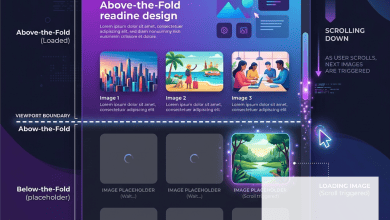
Cache preloading generates cached versions of pages before visitors request them, ensuring that all visitors receive cached responses rather than triggering cache generation on first visit. WP Rocket, LiteSpeed Cache, and WP Super Cache all provide cache preloading features. Preloading crawls the sitemap or link structure to identify pages that should be pre-cached. For high-traffic sites, preloading ensures consistent performance for all visitors including the first visitor after a cache clear event.
Caching Plugin Conflicts
Running multiple caching plugins simultaneously causes conflicts that can result in: white screens or 500 errors from conflicting cache file generation; double-cached content with inconsistent versions; increased server resource consumption from competing cache processes; and unpredictable cache behavior. Best practice is to use one comprehensive caching plugin rather than combining multiple partial solutions. When switching caching plugins, completely deactivate and remove the old plugin before activating the new one, clearing all cached files and database entries from the previous plugin.
Cache Warming After Deployment
After deploying code changes, theme updates, or plugin updates that require cache clearing, the cache is empty and all visitors temporarily receive uncached responses. Cache warming (manually or automatically triggering cache preloading after cache clear events) ensures that the cache is repopulated quickly after deployments. Some caching plugins provide automatic cache warming after clear events. For sites with custom deployment pipelines, API-based cache warming can be integrated into the deployment process to trigger preloading immediately after cache invalidation.
Measuring Caching Plugin Effectiveness
Evaluating caching plugin effectiveness requires measuring performance with caching enabled vs disabled. Key measurements include: TTFB comparison (cached pages should show dramatic improvement, often 10-50x faster); page load time comparison; server CPU and memory usage comparison; cache hit ratio (percentage of requests served from cache); and Core Web Vitals changes. Testing tools like GTmetrix, PageSpeed Insights, and WebPageTest provide before-and-after comparison capabilities. Server monitoring tools show the resource usage impact of caching on server infrastructure.
Security Considerations
Caching plugins must handle security-sensitive content appropriately. Pages containing user-specific data (account pages, order history, admin pages) must be excluded from page caching to prevent serving one user’s data to another user. Login pages and authentication workflows must not be cached. Nonce values used for CSRF protection must not be served from cache. Most caching plugins automatically detect and exclude WordPress admin pages, login pages, and common dynamic pages, but verification is essential for sites with custom authentication or user-specific content.
Common Configuration Mistakes
Common caching plugin mistakes include: enabling multiple caching plugins simultaneously (causing conflicts and potential site crashes); aggressive minification that breaks JavaScript or CSS functionality; caching pages that should remain dynamic (cart pages, checkout, user dashboards); not excluding logged-in users from page caching (serving incorrect cached content); and not clearing cache after content or design changes. Testing after enabling each caching feature prevents configuration issues from affecting site functionality.
Caching and WooCommerce
WooCommerce sites require careful caching configuration to avoid caching dynamic pages (cart, checkout, my-account) while caching static pages (product listings, category pages, informational pages). Most caching plugins automatically detect WooCommerce and exclude dynamic pages, but verification is essential. WP Rocket provides WooCommerce-specific settings. LiteSpeed Cache provides ESI (Edge Side Includes) for caching page fragments while excluding dynamic cart widgets. Proper WooCommerce caching configuration ensures performance optimization without breaking e-commerce functionality.
Managed Hosting and Caching Plugins
Many managed WordPress hosting providers (Kinsta, WP Engine, Flywheel) implement server-level caching and prohibit or discourage third-party caching plugins. These hosts provide optimized caching through their infrastructure that may conflict with plugin-based caching. On managed hosting platforms, using the host’s built-in caching is typically recommended, with optimization plugins (Perfmatters, Autoptimize) used for non-caching optimizations like JavaScript defer, CSS optimization, and lazy loading.
Multisite Caching
WordPress Multisite installations require caching plugins that support network-level configuration. Not all caching plugins are fully compatible with WordPress Multisite. Plugins with strong Multisite support include WP Rocket, W3 Total Cache, and LiteSpeed Cache. Multisite caching considerations include: network-wide vs per-site cache configuration; cache isolation between sites in the network to prevent cross-site cache contamination; and subdomain vs subdirectory installation differences that affect cache key generation and storage. Testing caching behavior across multiple sites in the network ensures consistent performance across the entire Multisite installation.
Performance Testing After Implementation
After configuring a caching plugin, performance testing validates the optimization’s effectiveness. Testing should compare: TTFB before and after caching (should decrease dramatically for cached pages); page load time improvements; Core Web Vitals changes; and cache hit ratio monitoring to ensure pages are being served from cache. Testing both cached (repeat visit) and uncached (first visit, cache cleared) scenarios provides complete performance visibility.
Summary
WordPress caching plugins are essential for achieving competitive page load performance, transforming dynamic WordPress page generation into near-instant cached page delivery. WP Rocket clearly leads in user experience and comprehensive optimization, W3 Total Cache provides the most granular free configuration options, LiteSpeed Cache delivers the best free feature set especially on LiteSpeed servers, and WP Super Cache provides reliable simplicity from Automattic. Effective and complete caching implementation combines page caching with browser caching, CDN integration, and optimization features (critical CSS, JavaScript defer, lazy loading) for truly comprehensive WordPress performance optimization that improves user experience and Core Web Vitals scores.
Plugin features, pricing, and compatibility discussed in this guide reflect information available at the time of writing. Plugin capabilities evolve continuously with updates. Okut Hosting is an independent review platform with no affiliate relationships with any company mentioned in this article.
For related guides, see our Core Web Vitals guide, our server response time guide, and our browser caching guide.