WP Engine has positioned itself as one of the most established platforms in the managed WordPress hosting segment since its founding in 2010. With over a decade of operation focused exclusively on WordPress, the company has built a hosting infrastructure and feature set specifically designed for WordPress workloads — from single-site blogs to large-scale enterprise WordPress deployments supporting millions of monthly visitors. The platform serves a diverse customer base ranging from individual developers and small agencies to Fortune 500 companies that run their digital presence on WordPress.
What distinguishes WP Engine from general-purpose hosting providers is its depth of WordPress-specific investment. Rather than offering WordPress as one option among many hosting products, WP Engine has channeled its engineering resources into building proprietary technologies, developer tools, and enterprise services that address the specific challenges of running WordPress at scale. This guide provides a detailed examination of WP Engine’s platform capabilities, feature set, and the architectural decisions that define the hosting experience.
Platform Architecture and Infrastructure
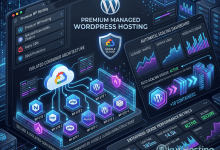
WP Engine operates on a multi-cloud infrastructure that spans Google Cloud Platform and Amazon Web Services. This hybrid approach provides geographic redundancy and allows WP Engine to optimize workload placement across different cloud regions and providers. The company maintains data centers across North America, Europe, Asia-Pacific, and Australia, enabling users to position their WordPress sites close to their primary audience for reduced latency.
The architecture employs containerized isolation for each WordPress installation, meaning that individual sites run in dedicated containers with allocated resources. This isolation prevents the noisy-neighbor effect common in traditional shared hosting, where one site’s traffic spike can degrade performance for neighboring sites. Container-based architecture also enables faster provisioning and more granular resource management compared to virtual machine-based hosting approaches.
WP Engine’s networking layer includes built-in DDoS protection and traffic management capabilities that operate at the infrastructure level. Incoming traffic passes through multiple filtering layers before reaching individual WordPress containers, with automated systems identifying and mitigating malicious traffic patterns. This infrastructure-level security operates transparently, protecting sites without requiring configuration or management by the site owner.
EverCache Technology
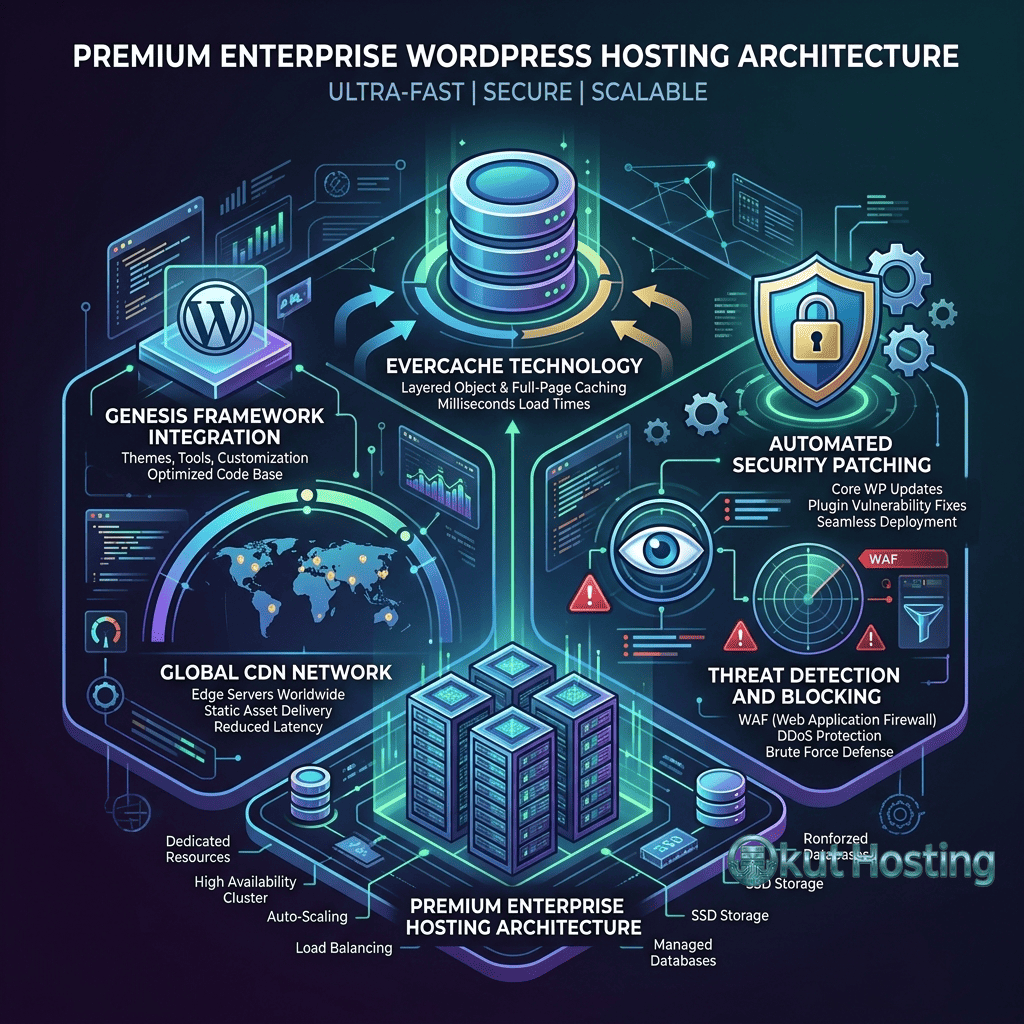
At the core of WP Engine’s performance strategy is EverCache, a proprietary caching technology designed specifically for WordPress. Unlike generic caching solutions that treat all web applications similarly, EverCache understands WordPress’s content structure and caching requirements, implementing intelligent rules for what to cache, when to invalidate cached content, and how to handle dynamic versus static elements.
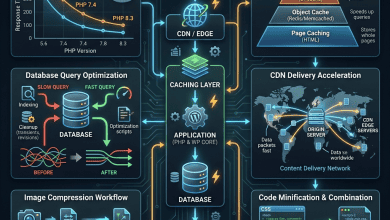
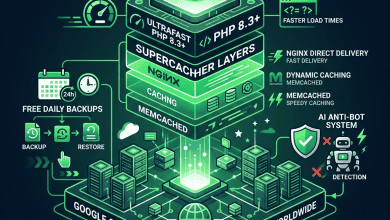
EverCache operates across multiple caching layers. The page cache stores fully rendered HTML pages in memory, serving them directly to visitors without invoking PHP or MySQL processing. Object caching stores frequently accessed database query results, reducing the load on the database for repetitive queries that WordPress generates during page construction. CDN caching distributes content across a global network of edge locations, reducing latency for geographically distributed audiences.
The intelligence in EverCache comes from its WordPress-specific cache invalidation logic. When a post is published, updated, or deleted, EverCache knows which cached pages need to be purged — not just the specific post page, but also archive pages, category pages, tag pages, and any other pages that display content from the modified post. This targeted invalidation ensures that visitors always see current content without unnecessarily flushing the entire cache, which would temporarily degrade performance.
For WooCommerce sites, EverCache implements specialized rules that exclude shopping cart, checkout, and account pages from the page cache while aggressively caching product pages, category listings, and other public content. This distinction is critical because caching checkout pages could cause customers to see stale cart contents or encounter payment processing errors, while failing to cache product pages wastes server resources on content that rarely changes.
Developer Workflow Tools
WP Engine has invested significantly in developer tooling, recognizing that many WordPress professionals manage sites through structured development workflows rather than making changes directly in production. The platform’s developer tools span local development, version control, staging, and deployment automation.
Local by WP Engine is a free desktop application for macOS, Windows, and Linux that provides a complete local WordPress development environment. Local creates isolated WordPress instances on the developer’s machine with configurable PHP versions, web server options (Nginx or Apache), and database engines (MySQL or MariaDB). Developers can create new WordPress sites, import existing sites, and develop themes and plugins locally before deploying changes to WP Engine servers. Local includes features like one-click SSL certificate provisioning for local development, live links for sharing local sites with clients or collaborators, and add-ons for functionality like image optimization and debugging tools.
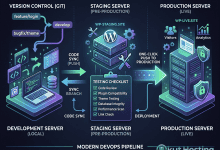
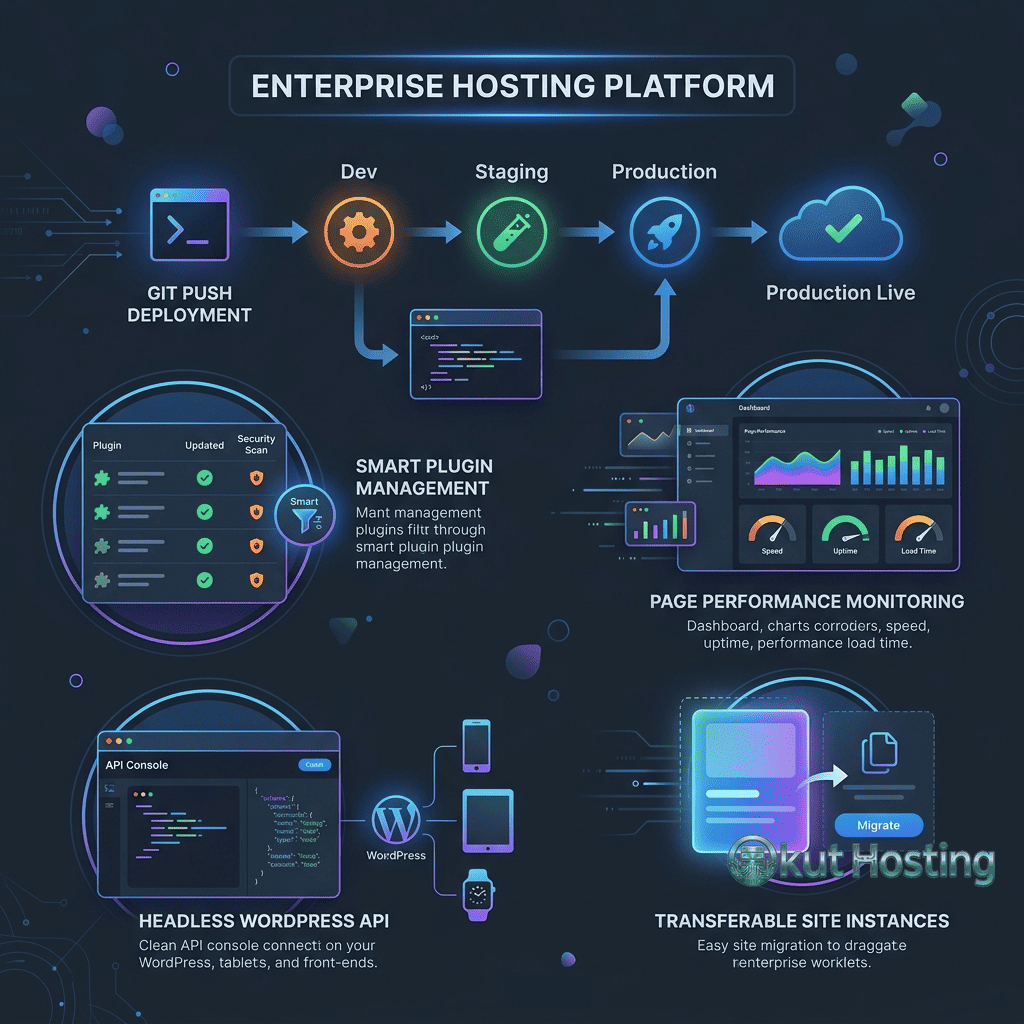
The environment system on WP Engine supports up to three environments per site on eligible plans: Development, Staging, and Production. This three-environment model supports professional development workflows where code changes are built in the Development environment, tested in Staging, and deployed to Production only after thorough review. Environment transfers — copying content, database, or both between environments — are handled through the WP Engine dashboard with clear controls to prevent accidental overwrites.
Git push deployment enables developers to deploy WordPress themes and plugins directly from Git repositories. By configuring a Git remote pointing to a WP Engine environment, developers can deploy code changes with standard Git push commands. This integration supports continuous deployment workflows where code pushed to a specific branch triggers automatic deployment, and it works with popular Git hosting services including GitHub, GitLab, and Bitbucket.
The WP Engine API provides RESTful endpoints for programmatic management of sites, environments, backups, and other platform features. Agencies and enterprise teams can integrate WP Engine management into their existing automation tools, build custom dashboards, or automate repetitive tasks like bulk site provisioning or environment management. API access is available on all plans, though rate limits vary by plan tier.
Security Architecture
WP Engine’s security approach implements protection at multiple layers: network-level filtering, server-level hardening, application-level scanning, and proactive vulnerability management. This defense-in-depth strategy means that multiple security mechanisms must be defeated before an attacker can reach a WordPress installation.
The network layer includes enterprise-grade firewalls, DDoS mitigation through traffic analysis and rate limiting, and geographic access controls for administrative endpoints. WP Engine’s security team monitors traffic patterns across the entire platform, identifying attack campaigns that target WordPress sites and deploying countermeasures before they reach individual installations.
At the application level, WP Engine performs automated malware scanning across all hosted sites, checking for known malicious code patterns, unauthorized file modifications, and suspicious behaviors. When threats are detected, WP Engine’s security team investigates and can quarantine affected files while notifying the site owner with remediation guidance. The managed patching service applies WordPress core security patches automatically, reducing the window of vulnerability between patch availability and deployment.
WP Engine maintains a list of disallowed WordPress plugins — plugins that have known security vulnerabilities, conflict with the platform’s infrastructure, or duplicate functionality already provided at the server level. While this restriction occasionally frustrates users who prefer specific plugins, it serves an important security purpose by preventing the installation of known-risky code. Common disallowed categories include caching plugins (redundant with EverCache), backup plugins (redundant with WP Engine’s backup system), and certain security plugins that conflict with platform-level protections.
Global Edge Security
WP Engine’s Global Edge Security service extends the platform’s security capabilities with a Cloudflare Enterprise-powered web application firewall, advanced DDoS protection, and managed rulesets that protect against OWASP Top 10 threats. Global Edge Security operates at the CDN edge, filtering malicious requests before they reach the origin server, which both improves security and reduces server load from attack traffic.
The service includes real-time threat intelligence that leverages Cloudflare’s global network visibility to identify emerging attack patterns and update WAF rules accordingly. For enterprise customers, Global Edge Security provides additional features including custom WAF rule creation, advanced rate limiting, and detailed security analytics. The service is available as an add-on to standard WP Engine plans, with pricing based on traffic volume and feature requirements.
Smart Plugin Manager
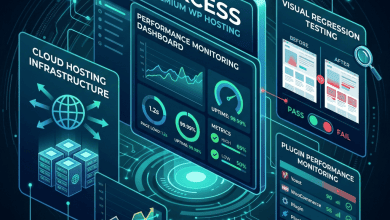
Plugin management is one of the most time-consuming aspects of WordPress maintenance, and WP Engine’s Smart Plugin Manager automates the process of updating plugins while verifying that updates do not break site functionality. The system performs visual regression testing — comparing screenshots of key pages before and after plugin updates to detect visual changes that might indicate compatibility issues.
When Smart Plugin Manager runs a plugin update cycle, it creates a backup restore point, applies the update in a testing environment, captures screenshots of configurable page URLs, compares the post-update screenshots against pre-update baselines using visual diff technology, and either commits the update if no visual regressions are detected or rolls back the update and alerts the site administrator if potential issues are found. This automated testing approach catches the most common class of plugin update problems — styling breaks, layout shifts, and missing elements — without requiring manual testing of every update.
Enterprise Features
WP Engine’s enterprise tier provides capabilities designed for organizations with complex WordPress deployments, compliance requirements, or high-availability needs. These features are not available on standard plans and require custom agreements tailored to the organization’s specific requirements.
Dedicated server clusters provide isolated infrastructure for organizations that require resource guarantees beyond what shared container environments offer. Custom SLA agreements define specific uptime commitments, response time guarantees, and escalation procedures. Dedicated account management provides named contacts who understand the organization’s infrastructure and can facilitate rapid issue resolution.
GeoTarget enables serving different content to visitors based on their geographic location, useful for organizations that need to display region-specific pricing, language, or content. This feature operates at the CDN level, making geographic decisions before requests reach the WordPress application, which provides better performance than plugin-based geolocation solutions.
Multisite support on enterprise plans accommodates WordPress multisite network deployments, with specialized infrastructure configuration for multisite-specific requirements like domain mapping, network-level plugin and theme management, and cross-site resource sharing.
Backup and Recovery
WP Engine performs automated daily backups of all WordPress installations, capturing the complete site state including database content, wp-content directory files, and WordPress configuration. Backup retention varies by plan tier, with standard plans retaining 30 days of daily backups and enterprise agreements supporting extended retention periods. Backup points are accessible through the User Portal for one-click restoration or download.
The backup system creates automatic checkpoints before certain operations — environment transfers, plugin updates through Smart Plugin Manager, and manual backup requests. This checkpoint system provides additional safety nets during operations that might introduce issues, enabling quick rollback if problems are detected after changes are deployed.
CDN and Performance
WP Engine includes a global CDN powered by Cloudflare on all plans, distributing cached content across hundreds of edge locations worldwide. The CDN handles static asset delivery — images, CSS, JavaScript, fonts — and can also cache full HTML pages for anonymous visitors, reducing origin server load and improving response times for global audiences.
Performance optimization extends beyond caching to include image optimization, which automatically compresses and serves images in next-generation formats like WebP when browser support is detected. Script optimization features minify and defer JavaScript loading to improve Core Web Vitals metrics, particularly Largest Contentful Paint and Cumulative Layout Shift scores that affect search engine rankings.
Pricing and Plan Structure
WP Engine structures its pricing across multiple tiers: Startup, Professional, Growth, Scale, and custom Enterprise agreements. Each tier defines the number of WordPress sites supported, monthly visit allocations, storage space, and bandwidth limits. Higher tiers unlock additional features including more staging environments, increased PHP performance, and access to premium add-ons like Smart Plugin Manager at included pricing rather than add-on pricing.
Plan pricing reflects the managed nature of the service — WP Engine plans cost more than basic shared hosting but include the caching infrastructure, security monitoring, developer tools, and WordPress-specific support that would require significant effort and expertise to replicate independently. Organizations evaluating WP Engine pricing should consider the total cost of ownership compared to alternatives, including the engineering time and third-party service costs that managed hosting eliminates.
Pricing and features are subject to change. Please verify current plan details and pricing on the official WP Engine website before making hosting decisions.
Customer Support and Migration
WP Engine provides 24/7 customer support through live chat and phone channels across all plan tiers. The support team specializes in WordPress-specific issues, which means support interactions typically involve engineers who understand WordPress architecture rather than general hosting support representatives reading from troubleshooting scripts. Phone support availability distinguishes WP Engine from several competitors that limit support to chat and ticketing systems, providing an additional communication channel for urgent issues that require real-time dialogue.
Enterprise customers receive enhanced support packages that include dedicated account managers, priority escalation paths, and proactive monitoring with alerting. These support enhancements are particularly valuable for organizations running revenue-critical WordPress deployments where hosting issues translate directly to business impact. Service level agreements on enterprise plans define specific response time commitments and resolution procedures that provide contractual accountability for support quality.
Site migration to WP Engine is facilitated through the WP Engine Automated Migration plugin, which handles the transfer of files, database content, and WordPress configuration with minimal manual intervention. The migration plugin is designed to work across common hosting environments and handles URL rewriting, serialized data updates, and other technical details that complicate manual WordPress migrations. For complex migrations involving multisite networks, custom server configurations, or very large databases, WP Engine’s support team provides migration assistance to ensure a smooth transition. All plans include a defined number of free migrations, reducing the cost barrier to switching hosting providers.
Limitations
- Plugin restrictions: The disallowed plugin list may prevent the use of preferred tools. Understanding these restrictions before migration avoids post-migration surprises.
- No root access: Users cannot access the underlying server operating system, limiting customization options for sites with non-standard requirements.
- Visit-based billing: Monthly visit limits can result in overage charges for high-traffic sites. Understanding how WP Engine counts visits and how overages are handled is important for cost prediction.
- No email hosting: WP Engine does not include email hosting services. Email must be provisioned through external services like Google Workspace or Microsoft 365.
Summary
WP Engine represents one of the most feature-complete managed WordPress hosting platforms available, with particular depth in developer tooling, security infrastructure, and enterprise capabilities. The platform’s focus exclusively on WordPress has enabled deep optimization that general-purpose hosting providers do not match, though this specialization comes with the corresponding limitations of any managed environment.
Managed WordPress hosting platforms such as WP Engine, Kinsta, Cloudways, and Pressable each approach WordPress hosting with different philosophies and feature priorities. Evaluating WP Engine in context requires understanding which platform capabilities align with specific requirements — development workflow needs, security compliance mandates, performance targets, and budget parameters. The platform’s extensive feature set serves demanding WordPress deployments well, while simpler sites may find comparable functionality at lower price points on alternative platforms.
Features, pricing, and availability discussed in this review reflect information available at the time of writing. Hosting services evolve continuously, and details may have changed since publication. Please verify current information directly on the official WP Engine website. Okut Hosting is an independent review platform with no affiliate relationships with any hosting company mentioned in this article.
For related coverage, see our Kinsta vs WP Engine comparison, our guide to WordPress staging environments, and our overview of managed vs shared WordPress hosting.