Managing a Virtual Private Server (VPS) requires software tools that simplify server administration, monitoring, security, and maintenance tasks. While VPS hosting provides full root access and complete control over the server environment, this control comes with the responsibility of managing the operating system, web server, databases, email, DNS, security, backups, and application deployments. Server administration software tools reduce the complexity of these tasks, enabling both experienced system administrators and less technical users to manage VPS infrastructure effectively and efficiently.
This guide examines the major categories of VPS management tools, covering web-based control panels, command-line tools, monitoring solutions, configuration management platforms, security tools, and backup solutions. The analysis provides neutral evaluation of available options to help VPS administrators select the tools that match their technical requirements, skill level, and operational budget.
Web-Based Control Panels
cPanel/WHM
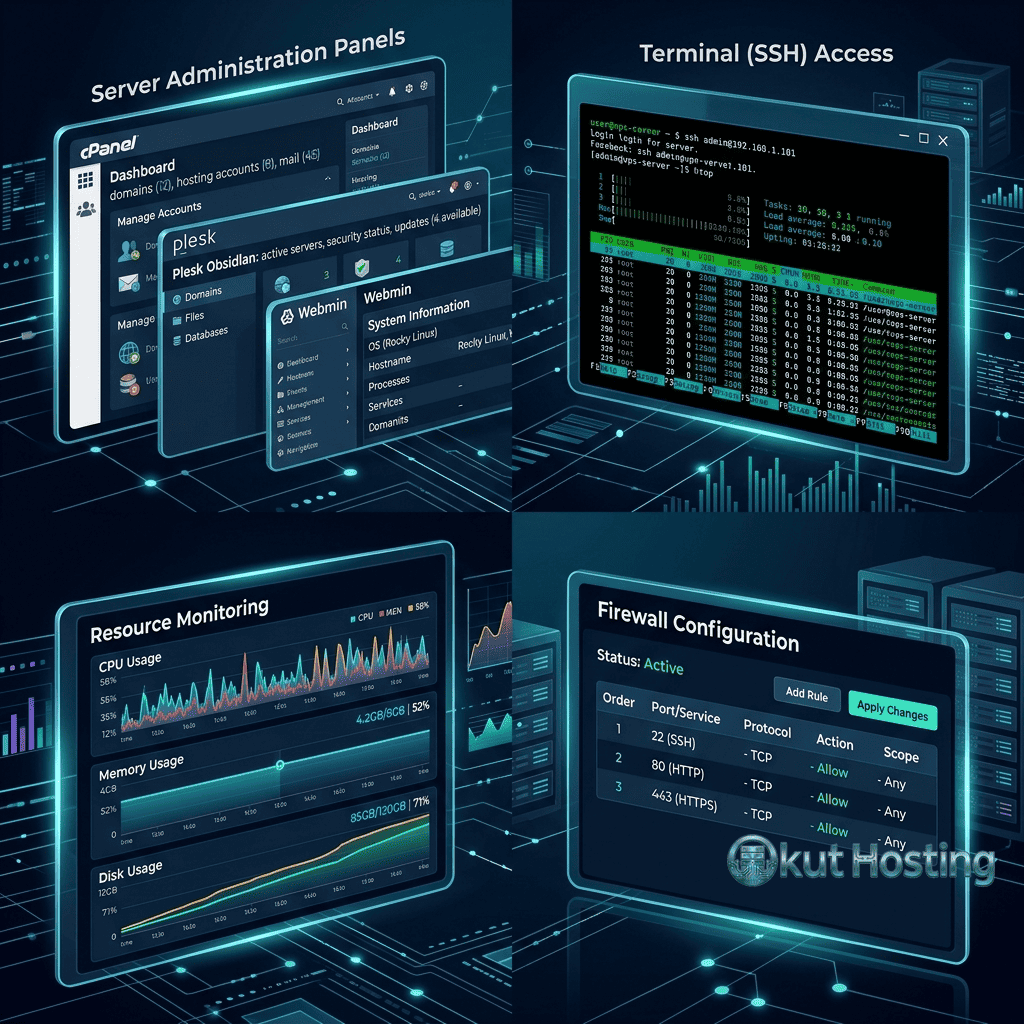
cPanel is the most widely used web hosting control panel, providing comprehensive server management through an intuitive web interface. WHM (Web Host Manager) provides server-level administration while cPanel provides account-level website management. Features include domain management, email administration, file management, database management (MySQL/MariaDB, PostgreSQL), DNS configuration, SSL certificate management, and backup scheduling. cPanel’s extensive feature set and familiarity make it the de facto standard for shared hosting environments and VPS deployments requiring graphical management. The primary consideration is licensing cost — cPanel requires monthly licensing fees that increase with the number of managed accounts.
Plesk
Plesk provides web-based server management with support for both Linux and Windows Server environments. Plesk includes domain management, email hosting, database administration, WordPress toolkit with automated updates and security scanning, Docker container management, and Git integration. The powerful WordPress toolkit differentiates Plesk from cPanel by providing specialized WordPress management features including security hardening, staging environments, and clone operations. Plesk licensing follows a tiered model with Web Admin, Web Pro, and Web Host editions providing increasing feature sets.
DirectAdmin
DirectAdmin provides lightweight server management with lower resource consumption and licensing costs compared to cPanel and Plesk. The control panel covers core hosting management functions including domain management, email, databases, DNS, and file management. DirectAdmin’s lower resource footprint makes it suitable for smaller VPS instances where cPanel’s resource requirements would consume a significant portion of available resources. The interface is functional but less polished than cPanel or Plesk.
Free and Open-Source Panels
Several free control panels provide basic hosting management without licensing costs. CyberPanel provides OpenLiteSpeed web server management with WordPress optimization, email hosting, and DNS management. HestiaCP (fork of VestaCP) provides a clean interface for domain, email, database, and DNS management. Webmin provides comprehensive server administration through a web interface covering system configuration, user management, and service management. CloudPanel provides Nginx-based hosting management with automated SSL and WordPress optimization. These free options eliminate licensing costs but may provide fewer features and less extensive support compared to commercial panels.
Command-Line Administration Tools
Command-line tools provide the most direct and powerful approach to VPS administration. SSH (Secure Shell) provides encrypted, secure remote access to the server command line. Essential command-line tools include: systemctl for service management; apt/yum/dnf for package management; nano/vim for file editing; htop for real-time resource monitoring; iptables/nftables/ufw for firewall management; certbot for automated SSL certificate management; and rsync for file synchronization and backup.
Command-line administration provides maximum control and flexibility but requires Linux system administration knowledge. For administrators comfortable with the command line, direct administration is more efficient and powerful than web-based panels, enabling powerful automation through scripts and providing access to every server configuration parameter without panel interface limitations.
Configuration Management Tools
Configuration management tools automate server provisioning, configuration, and maintenance across one or many servers. These tools ensure consistent server configurations, reduce manual administration errors, and enable reproducible infrastructure deployments.
Ansible
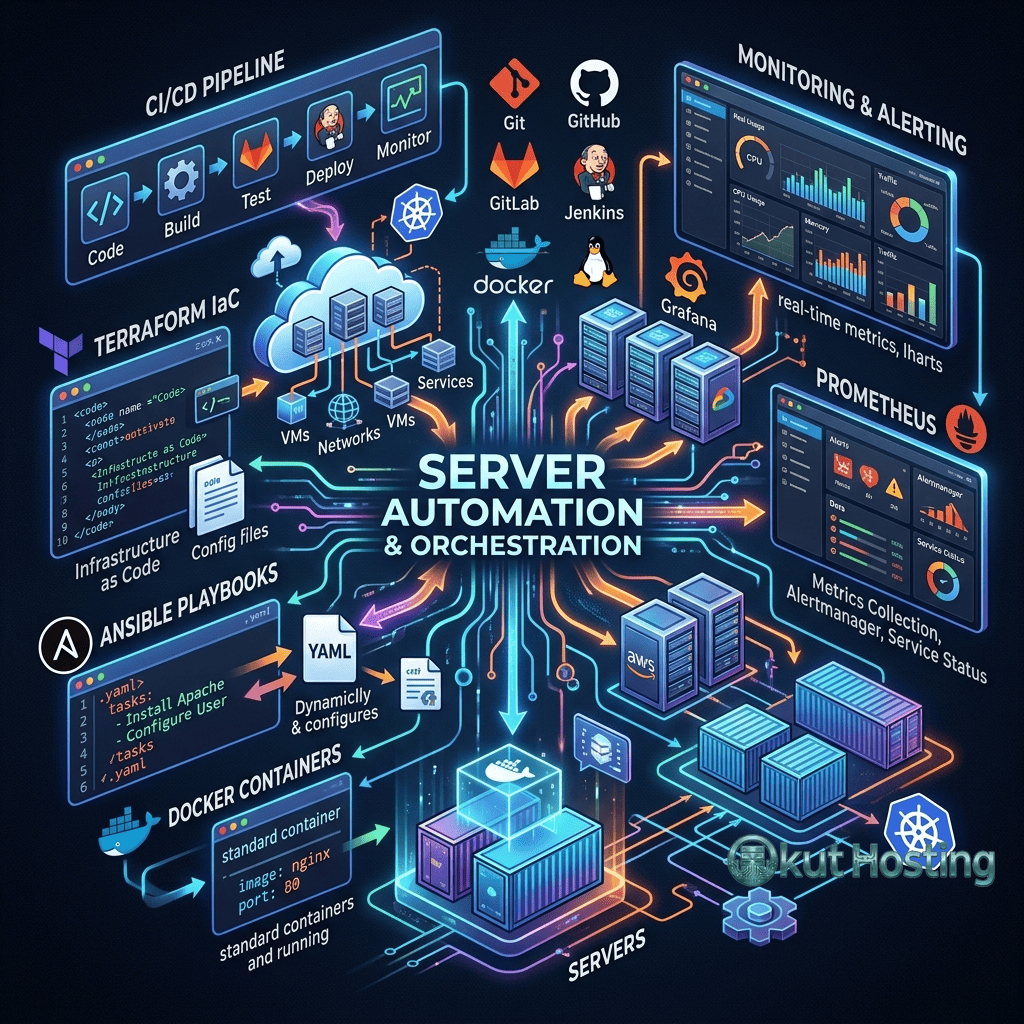
Ansible provides agentless configuration management using SSH connections and YAML-based playbooks. Playbooks define server configurations, package installations, service configurations, and deployment procedures in human-readable format. Ansible’s agentless architecture eliminates the need to install management software on target servers, simplifying adoption. Ansible is widely used for VPS configuration management, application deployment, and orchestration across multiple servers.
Terraform
Terraform provides Infrastructure as Code (IaC) management for cloud resources. Terraform configurations define cloud infrastructure — VPS instances, load balancers, DNS records, storage volumes — in declarative configuration files. Terraform providers for DigitalOcean, Linode, Vultr, AWS, Google Cloud, and Azure enable managing cloud infrastructure across providers using consistent tooling. Terraform focuses on infrastructure provisioning rather than server configuration, complementing Ansible’s configuration management capabilities.
Docker and Docker Compose
Docker enables containerized application deployment where applications run in isolated containers with their own dependencies, configurations, and runtime environments. Docker Compose defines multi-container application stacks in YAML configuration files, enabling deploying complete application environments (web server, database, cache, application) with a single command. Containerization simplifies application management, provides environment consistency between development and production, and enables efficient resource utilization through container density.
Kubernetes (K3s/MicroK8s)
For VPS environments, lightweight Kubernetes distributions like K3s and MicroK8s provide container orchestration without the resource overhead of full Kubernetes installations. K3s provides a production-ready Kubernetes distribution that runs efficiently on VPS instances with limited resources. MicroK8s provides single-node Kubernetes with add-on ecosystem for monitoring, storage, and networking. These lightweight distributions enable production Kubernetes workloads on VPS instances that would be insufficient for standard Kubernetes deployments.
Networking and Connectivity Tools
Network diagnostic tools help troubleshoot connectivity issues and optimize network performance. MTR (My Traceroute) combines traceroute and ping functionality to diagnose network routing issues. Nmap provides network scanning and security auditing. tcpdump provides packet capture and analysis for detailed network traffic inspection. Iperf provides network bandwidth measurement between servers. WireGuard and OpenVPN provide VPN connectivity for secure remote access and site-to-site networking between VPS instances. These networking tools are essential for diagnosing connectivity issues, verifying network security configurations, and establishing secure communications between distributed VPS deployments.
Monitoring Tools
Netdata
Netdata provides real-time, high-resolution server monitoring with automatic detection and visualization of system metrics. Netdata monitors CPU, memory, disk, network, processes, applications, and hundreds of additional metrics with per-second granularity. The web-based dashboard provides immediately actionable visibility into server performance. Netdata’s automatic metric detection and zero-configuration monitoring make it the most accessible monitoring solution for VPS administrators who need comprehensive visibility without complex monitoring stack setup.
Prometheus and Grafana
Prometheus provides time-series metric collection and storage, while Grafana provides visualization dashboards for Prometheus data. Together, they form a powerful monitoring stack used extensively in production environments. Prometheus exporters collect metrics from operating systems (Node Exporter), web servers (Nginx Exporter), databases (MySQL Exporter), and applications. Grafana dashboards visualize these metrics with customizable charts, alerts, and performance trend analysis. The Prometheus/Grafana stack provides enterprise-grade monitoring but requires more setup effort than simpler alternatives.
Uptime Monitoring
External uptime monitoring services verify server availability from multiple global locations. UptimeRobot, Pingdom, StatusCake, and Better Stack provide HTTP/HTTPS monitoring, ping monitoring, port monitoring, and keyword monitoring with alert notifications via email, SMS, Slack, and webhooks. Self-hosted alternatives like Uptime Kuma provide similar monitoring capabilities without external service subscriptions. Uptime monitoring provides the essential external perspective that server-level monitoring cannot provide — confirming that the server is accessible from the public internet.
Security Tools
Firewall Management
UFW (Uncomplicated Firewall) provides simplified iptables management for Ubuntu/Debian systems. Firewalld provides zone-based firewall management for CentOS/RHEL systems. CSF (ConfigServer Security & Firewall) provides comprehensive firewall management with login failure detection, IP blocking, and integration with cPanel/DirectAdmin. Cloud platform firewalls (DigitalOcean Cloud Firewall, Vultr Firewall, Linode Cloud Firewall) provide network-level access control before traffic reaches the VPS.
Intrusion Detection
Fail2Ban monitors log files for authentication failures and automatically blocks IP addresses that exhibit malicious behavior (brute-force SSH attempts, WordPress login attacks, email authentication failures). CrowdSec provides collaborative intrusion detection that shares threat intelligence across participating installations. OSSEC provides comprehensive host-based intrusion detection with automated log analysis, file integrity monitoring, and rootkit detection.
SSL/TLS Management
Let’s Encrypt provides free SSL/TLS certificates with automated issuance and renewal through Certbot. Certbot automates certificate provisioning and web server configuration for Nginx and Apache. ACME clients provide Let’s Encrypt integration for diverse environments. SSL certificate management ensures encrypted HTTPS connections for all hosted websites, which is essential for security, search engine ranking, and browser compatibility.
Security Auditing
Lynis provides automated security auditing for Linux servers, scanning system configurations, software versions, kernel parameters, and security settings against best practices. CIS Benchmarks provide standardized security configuration guidelines for operating systems, web servers, and databases. Regular security auditing identifies configuration weaknesses and compliance gaps before they can be exploited. Automated auditing tools complement manual security reviews by providing consistent, comprehensive security assessment.
Log Management
Centralized log management aggregates logs from web servers, application servers, databases, and system services into a unified analysis platform. GoAccess provides real-time web server log analysis with terminal and HTML report output, providing immediate visibility into website traffic patterns, visitor behavior, and error rates. ELK Stack (Elasticsearch, Logstash, Kibana) provides enterprise-grade log aggregation, search, and visualization. Loki with Grafana provides a lightweight log aggregation alternative that integrates with existing Grafana monitoring dashboards. Effective log management enables troubleshooting application issues, identifying security incidents, and understanding usage patterns across the VPS infrastructure.
DNS Management Tools
DNS management for VPS hosting involves configuring domain resolution to direct traffic to the correct server. Cloud platform DNS services (DigitalOcean DNS, Vultr DNS, Linode DNS Manager) provide integrated DNS management alongside hosting infrastructure. Cloudflare provides DNS hosting with DDoS protection, CDN caching, and SSL proxy capabilities. BIND and PowerDNS provide self-hosted authoritative DNS server software for organizations that need DNS hosting on their own infrastructure. DNS testing tools like dig, nslookup, and dnstracer help diagnose DNS resolution issues and verify configuration correctness.
Email Server Management
Email hosting on VPS requires mail server software and management tools. Postfix provides SMTP mail transfer agent functionality. Dovecot provides IMAP/POP3 mail delivery. Roundcube and Rainloop provide webmail interfaces. Mail-in-a-Box provides an all-in-one email server deployment with automated DNS, SPF, DKIM, and DMARC configuration. iRedMail provides a comprehensive mail server deployment script with web-based administration. For VPS administrators who need professional email hosting alongside web hosting without using third-party email providers, these tools provide the complete self-hosted email infrastructure stack.
Backup Solutions
Backup tools protect against catastrophic data loss from server failures, security incidents, accidental file deletion, and administrative errors. Restic provides encrypted, deduplicated backup to local storage, SFTP, and S3-compatible object storage. Borg provides similar encrypted, deduplicated backup with space-efficient storage. Duplicity provides encrypted incremental backup to various storage backends. Rclone provides file synchronization to cloud storage providers including S3, Google Cloud Storage, and Azure Blob Storage. WordPress-specific backup plugins (UpdraftPlus, BackWPup, All-in-One WP Migration) provide WordPress-level backup and restoration capabilities.
Database Management
phpMyAdmin provides web-based MySQL/MariaDB database management with query execution, table management, import/export, and user administration. Adminer provides a lightweight alternative to phpMyAdmin with support for MySQL, PostgreSQL, SQLite, and MongoDB. DBeaver provides desktop-based database management with comprehensive SQL IDE features. MySQLTuner provides automated MySQL configuration analysis and optimization recommendations. pt-query-digest (Percona Toolkit) provides slow query analysis for database performance optimization.
Web Server Management
Nginx configuration management involves editing configuration files in /etc/nginx/ for virtual hosts, SSL, reverse proxy, and caching configurations. Nginx Proxy Manager provides a web-based interface for Nginx reverse proxy management with automatic SSL certificate provisioning. Apache configuration through .htaccess files and virtual host configurations provides flexible web server management for Apache-based deployments. Caddy provides an alternative web server with automatic HTTPS and simplified configuration syntax.
WordPress Management Tools
WP-CLI provides command-line WordPress management enabling plugin installation, theme management, database operations, user management, and content management without web interface access. ManageWP, MainWP, and InfiniteWP provide centralized multi-site WordPress management dashboards for agencies and administrators managing multiple WordPress installations. These tools provide bulk updates, security monitoring, backup management, and performance monitoring across WordPress sites.
Performance Optimization Tools
Performance optimization tools help identify and resolve bottlenecks in VPS-hosted applications. Apache Benchmark (ab) and wrk provide HTTP load testing for measuring web server throughput and response times under load. New Relic and Datadog provide application performance monitoring (APM) with transaction tracing, error tracking, and performance analysis. Redis CLI and redis-benchmark provide detailed Redis cache performance testing and monitoring. MySQL slow query log analysis with pt-query-digest identifies database performance bottlenecks that impact application response times.
File Management and Transfer
File management on VPS involves uploading, downloading, editing, and organizing files on the remote server. SFTP clients (FileZilla, WinSCP, Cyberduck) provide graphical file transfer with drag-and-drop interface. Midnight Commander (mc) provides a file management interface within the terminal. Rclone provides versatile command-line file synchronization with numerous cloud storage providers. Rsync provides efficient file synchronization between servers with incremental transfer that only copies changed data. These file management tools complement web-based file managers included in control panels.
Automation and Scheduling
Cron jobs provide scheduled task execution on Linux VPS for automated maintenance including log rotation, database optimization, backup execution, and certificate renewal. Systemd timers provide an alternative scheduling mechanism with more detailed logging and dependency management. Ansible playbooks scheduled through cron or CI/CD pipelines enable automated server maintenance across multiple VPS instances. GitHub Actions and GitLab CI provide CI/CD automation for application deployment from code repositories to VPS servers.
Tool Selection Criteria
Selecting the right VPS management tools depends on several factors: technical skill level (graphical panels for beginners, CLI tools for experts); server resources (lightweight tools for small VPS, full-featured stacks for larger instances); management scale (single-server tools vs multi-server orchestration); budget (free open-source vs commercial licensed tools); and specific workload requirements (WordPress-specific tools, database management, email hosting). A well-chosen tool stack reduces administrative overhead while providing the visibility and control needed for reliable VPS operations.
Cost Considerations
VPS management tool costs vary significantly. Commercial control panels (cPanel, Plesk) require monthly licensing fees ranging from $15 to $50+ depending on the number of managed accounts. Open-source alternatives (CyberPanel, HestiaCP, Webmin) provide similar core functionality at zero licensing cost. Commercial monitoring services (Datadog, New Relic) charge per-host fees while open-source alternatives (Netdata, Prometheus/Grafana) provide comprehensive monitoring without subscription costs. When evaluating total VPS hosting costs, management tool licensing should be included alongside server infrastructure costs.
Summary
VPS management tools span a broad spectrum from comprehensive web-based control panels to specialized command-line utilities, each serving different administration needs and skill levels. The optimal management toolset depends on the administrator’s technical expertise, the number of servers managed, the types of workloads hosted, and the operational budget. For beginners, web-based control panels like cPanel, Plesk, or free alternatives provide accessible management. For experienced administrators, command-line tools with configuration management provide maximum control and automation. For all VPS deployments, comprehensive monitoring, robust security, and reliable backup tools are essential regardless of the primary management approach.
Software tools and capabilities discussed in this guide reflect information available at the time of writing. Please verify current details on the respective project websites. Okut Hosting is an independent review platform providing educational hosting content.
For related guides, see our cloud server scaling guide, our cloud backup strategies guide, and our managed vs unmanaged VPS comparison.