Flywheel occupies a distinctive niche in the managed WordPress hosting market by focusing specifically on designers, creative agencies, and freelancers who build WordPress sites for clients. While most managed hosting platforms optimize their features and interfaces for developers or site owners, Flywheel has built its platform around the workflows that define the creative web design process — from local development and client collaboration to site handoff and ongoing management. Now a subsidiary of WP Engine following its acquisition in 2019, Flywheel maintains its independent brand identity and distinct platform approach while benefiting from WP Engine’s infrastructure investment.
The creative professional audience shapes every aspect of the Flywheel experience, from the visual design of its management dashboard to the business tools built into the platform. Features like client billing transfer, collaborative demo sites, and white-label capabilities address pain points specific to freelancers and agencies who build websites for others rather than for themselves. This specialization creates a hosting experience that feels fundamentally different from general-purpose managed WordPress platforms, and understanding these differences is essential for evaluating whether Flywheel aligns with specific workflow needs.
Platform Architecture
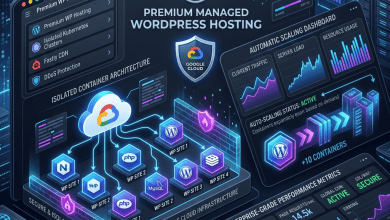
Flywheel operates on infrastructure shared with WP Engine, leveraging the same Google Cloud Platform and Amazon Web Services multi-cloud foundation. This infrastructure provides containerized isolation for each WordPress installation, dedicated resource allocation, and access to data centers across North America, Europe, and Asia-Pacific. The underlying infrastructure delivers enterprise-grade reliability and performance while Flywheel’s interface layer translates this infrastructure into creative-professional-friendly management tools.
The server stack includes Nginx as the web server, PHP-FPM for PHP processing, MySQL for database operations, and integrated caching at the server level. Flywheel implements full-page caching that stores rendered HTML and serves it directly to visitors without invoking PHP or database queries, delivering fast time-to-first-byte measurements for cached content. CDN integration distributes cached content across global edge locations, reducing latency for visitors accessing sites from locations distant from the origin server.
Each WordPress installation on Flywheel runs in an isolated container with allocated computing resources. This isolation prevents resource contention between sites — a common problem on shared hosting where one site’s traffic spike can degrade performance for others. The container architecture also simplifies site provisioning, staging, and migration, as each container encapsulates a complete WordPress environment that can be duplicated, moved, or scaled independently.
PHP version management is handled at the platform level, with Flywheel maintaining current PHP versions and providing upgrade paths when new PHP releases become available. The platform typically supports the latest stable PHP releases, enabling sites to benefit from the significant performance improvements that newer PHP versions deliver for WordPress workloads. PHP 8.x, for instance, processes WordPress requests measurably faster than PHP 7.x, making PHP version currency a meaningful performance factor.
Local Development Integration
One of Flywheel’s most significant contributions to the WordPress ecosystem is Local — a free desktop application for WordPress local development that has become one of the most popular WordPress development tools regardless of hosting provider. Local creates complete WordPress development environments on macOS, Windows, and Linux machines, with configurable server settings that mirror production hosting environments.
Local enables developers and designers to build complete WordPress sites on their local machines without an internet connection, test themes and plugins in isolated environments, and push finished sites directly to Flywheel hosting when ready for deployment. The local-to-cloud pipeline eliminates the friction of FTP-based deployment workflows and ensures that the site tested locally is identical to the site deployed to production.
Each Local site can be configured with specific PHP versions, web server options (Nginx or Apache), and MySQL versions, allowing developers to match their local environment to production configurations precisely. This configuration matching prevents the common problem of sites working differently in local development than in production — a frustration that consumes significant debugging time when development and production environments differ.
Local includes Live Links functionality that generates temporary public URLs for locally running WordPress sites, enabling designers to share in-progress work with clients for review without deploying to a hosting server. This capability streamlines the review process by allowing real-time collaboration on local sites, with changes visible immediately without deployment cycles. The feature is particularly valuable during the design revision phase, where rapid iteration benefits from immediate visibility.
Add-on support extends Local’s capabilities with tools for image optimization, link checking, instant reload (refreshing the browser automatically when files change), and cloud backup of local sites. The plugin architecture allows the community and Flywheel to continue expanding Local’s functionality over time.
Agency and Freelancer Features
Flywheel has built several features specifically for the agency and freelancer business model, where hosting providers serve as infrastructure partners in client website delivery.
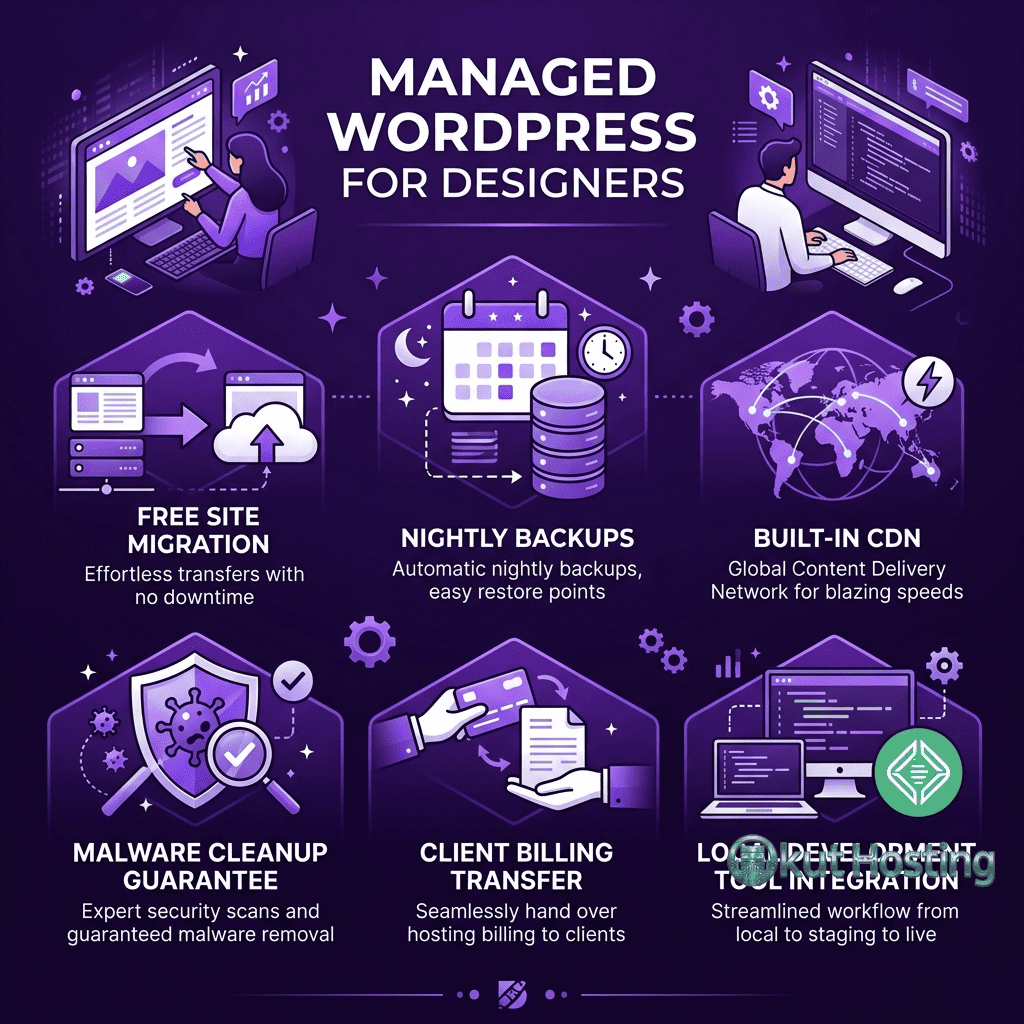
Billing transfer allows agencies to build a client site on their Flywheel account and then transfer the site — and its hosting billing responsibility — to the client when the project is complete. This workflow eliminates the common headache of agencies managing hosting bills on behalf of clients or navigating complex account handoff processes. The site remains on Flywheel’s infrastructure throughout the transfer, requiring no migration or downtime.
Collaborator access enables agencies to invite team members and clients to specific sites with defined permission levels. Designers, developers, content editors, and clients can each access the functionality they need without having access to account-level billing or management tools. This granular access control supports professional workflows where different stakeholders need different levels of site access.
White-label capabilities allow agencies to present the Flywheel-hosted experience under their own branding. When clients log into the hosting dashboard or receive communications about their hosted sites, the agency’s branding appears rather than Flywheel’s. This white-labeling supports agency business models where hosting is presented as part of a comprehensive web services package rather than as a third-party service.
Demo sites provide a way for agencies to create temporary WordPress installations for presenting design concepts to potential clients. Demo sites can be created quickly, populated with design mockups and sample content, and shared with clients through custom URLs. When a project proceeds to development, the demo site can be converted into a full hosting plan or discarded if the project does not move forward.
Site Management Dashboard
Flywheel’s management dashboard reflects its creative professional audience through clean visual design and workflow-oriented organization. Rather than organizing management around servers and technical configurations, the dashboard centers on sites — each site has its own management view with sections for domains, backups, staging, team access, and performance analytics.
The dashboard design is intentionally accessible to non-technical users, which aligns with the reality that many designers and agency managers who need to manage hosting are not systems administrators. Tasks like domain connection, SSL certificate activation, backup restoration, and staging environment creation are presented through clear interfaces that guide users through each process without requiring command-line interaction or server configuration knowledge.
Performance analytics in the dashboard provide visibility into site traffic, bandwidth consumption, and response times. These metrics help agencies monitor client site health and identify performance issues before they affect the end-user experience. The analytics data complements traditional web analytics platforms like Google Analytics by providing server-level metrics that are not available through browser-based analytics tools.
Staging and Development Workflow
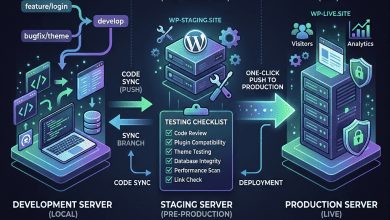
Staging environments on Flywheel allow users to create copies of production sites for testing changes — theme updates, plugin installations, content modifications, and configuration changes — before applying them to the live site. The staging-to-production deployment process handles database synchronization and file transfers, ensuring that tested changes are applied consistently.
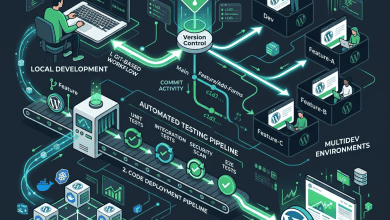
The staging workflow integrates with Local for a complete development pipeline: build locally in Local, deploy to a Flywheel staging environment for testing in a production-like cloud environment, and push to production once testing confirms that changes work correctly. This three-stage pipeline — local development, cloud staging, production deployment — provides safety nets at each stage that catch issues before they affect live sites and their visitors.
Performance Optimization
Flywheel’s performance optimization extends beyond basic caching to include several WordPress-specific enhancements. The platform’s server-level caching operates independently of WordPress plugins, storing full-page HTML in memory and serving cached pages directly from Nginx without invoking the PHP interpreter. This server-level approach delivers faster response times than plugin-based caching solutions because the caching layer intercepts requests before they reach the WordPress application stack.
Image handling on Flywheel includes optimization features that compress uploaded images without visible quality loss, reducing page weight and improving load times for image-heavy design portfolios and photography sites. Combined with CDN delivery of optimized images, these features help sites achieve favorable Core Web Vitals scores — the performance metrics that Google uses as ranking signals in search results. For design agencies whose sites showcase visual work, image optimization is particularly important for maintaining both visual quality and fast load times.
Server resources scale with plan tiers, providing more CPU processing power, memory, and concurrent PHP processes on higher plans. Sites that experience consistent growth can upgrade to larger plans without migration, and the vertical scaling process maintains site continuity without downtime. Understanding which plan tier matches a site’s traffic patterns and dynamic content requirements helps optimize the balance between hosting cost and performance headroom.
Security and Backups
Flywheel implements server-level security measures including managed firewalls, malware scanning, and proactive security patching. The platform monitors for known WordPress vulnerabilities and applies security patches automatically when critical issues are identified. DDoS protection and brute force login prevention operate at the infrastructure level, reducing the attack surface without requiring WordPress security plugins.
Free SSL certificates are included on all plans through Let’s Encrypt, with automatic provisioning and renewal. Nightly automated backups capture the complete site state and are retained for 30 days, providing restore points for recovering from failed updates, security incidents, or accidental content deletion. Backup restoration is accessible through the dashboard with one-click recovery to any available backup point.
The disallowed plugins list restricts plugins that conflict with Flywheel’s managed infrastructure — primarily caching plugins (redundant with server-level caching), certain security plugins, and backup plugins. These restrictions ensure platform stability and security but require users to rely on Flywheel’s built-in alternatives for these functions.
Customer Support
Flywheel provides 24/7 customer support through live chat, with support representatives trained on both the hosting platform and WordPress-specific issues. The support team can assist with domain configuration, SSL setup, staging workflows, billing transfers, and general WordPress troubleshooting. Support quality is a frequent point of positive feedback in independent reviews, with users noting the team’s familiarity with creative workflow scenarios that are common among Flywheel’s designer and agency customer base.
Documentation and educational resources complement direct support, with knowledge base articles covering common hosting tasks, WordPress development best practices, and platform-specific guides for features like Local, staging environments, and billing transfers. Video tutorials provide visual walkthroughs for users who prefer learning through demonstration rather than written documentation. The educational emphasis reflects Flywheel’s recognition that many designers are transitioning into WordPress hosting management from primarily creative backgrounds.
WooCommerce Capabilities
While Flywheel’s primary audience consists of designers and agencies building content-focused WordPress sites, the platform also supports WooCommerce stores with the server-level performance and security features that e-commerce requires. The managed caching system includes WooCommerce-aware rules that exclude dynamic pages — shopping carts, checkout processes, and account dashboards — from the page cache while caching product pages, category listings, and other public content. This selective caching approach ensures that online stores deliver fast browsing experiences without caching user-specific data that would cause cart errors or payment issues.
For agencies that build WooCommerce stores for clients, Flywheel’s billing transfer feature becomes particularly valuable. Agencies can build and configure a complete online store, test it in staging, and transfer the site along with its hosting billing to the client upon project completion. The staging environment capabilities are especially important for e-commerce sites, where changes to product configurations, payment gateways, or shipping calculations need thorough testing before deployment to prevent revenue-impacting errors.
Migration Tools
Flywheel simplifies WordPress migration through multiple approaches designed for different technical comfort levels. The platform offers free migration services where Flywheel’s team handles the entire transfer process — file migration, database export and import, URL updates, and post-migration testing. This hands-off migration option removes technical barriers for designers and agency managers who may not be comfortable performing manual WordPress migrations.
For users who prefer self-service migration, the Local development tool provides an import feature that can pull existing WordPress sites into a Local environment, where they can be modified and tested before pushing to Flywheel hosting. This workflow is particularly useful when migrations involve design changes or configuration updates alongside the hosting transition. A WordPress migration plugin is also available for direct server-to-server transfers that handle the technical details of file copying, database migration, and search-replace operations.
Pricing Structure
Flywheel structures pricing across single-site plans and bulk plans designed for agencies managing multiple sites. Single-site plans scale based on monthly visits, storage, and bandwidth, with pricing tiers that accommodate sites of varying sizes. Bulk plans offer per-site pricing discounts for agencies managing portfolios of client sites, with the per-site cost decreasing as the number of managed sites increases.
The Growth Suite add-on extends Flywheel’s value proposition for agencies by bundling invoicing, reporting, and client management tools that integrate with hosting management. Agencies can generate invoices that include hosting costs alongside other services, provide branded performance reports to clients, and manage the financial aspects of hosting alongside the technical aspects.
Pricing and features are subject to change. Please verify current plan details and pricing on the official Flywheel website before making hosting decisions.
Limitations
- Developer tool limitations: Flywheel provides less granular server control than developer-focused platforms. SSH access and advanced configuration options are more limited compared to platforms like Kinsta or Cloudways.
- Plugin restrictions: The managed environment restricts certain plugins, which may require workflow adjustments for teams accustomed to using specific caching or security tools.
- WP Engine overlap: Following the WP Engine acquisition, some feature overlap and differentiation questions exist between the two platforms. Understanding which platform better serves specific needs requires comparing both.
- No email hosting: Email services are not included and must be provisioned through external providers.
Summary
Flywheel has carved out a meaningful niche by building managed WordPress hosting specifically for the creative professional workflow. The platform’s billing transfer, white-label capabilities, collaborator access, and Local development tool address needs that most hosting providers do not consider, making Flywheel a natural fit for agencies and freelancers whose business model centers on building WordPress sites for clients.
Managed WordPress platforms such as Flywheel, WP Engine, Kinsta, and Cloudways each prioritize different aspects of the hosting experience. Flywheel’s creative workflow tools differentiate it from developer-focused platforms, while its shared infrastructure with WP Engine provides enterprise-grade reliability. Evaluating Flywheel requires assessing whether its agency-oriented feature set aligns with specific business workflows and whether the creative tools justify its pricing relative to alternatives that may offer more raw hosting features at comparable price points.
Features, pricing, and availability discussed in this review reflect information available at the time of writing. Hosting services evolve continuously, and details may have changed since publication. Please verify current information directly on the official Flywheel website. Okut Hosting is an independent review platform with no affiliate relationships with any hosting company mentioned in this article.
For related reviews, see our WP Engine platform guide, our Pressable WordPress hosting overview, and our WordPress staging environments guide.