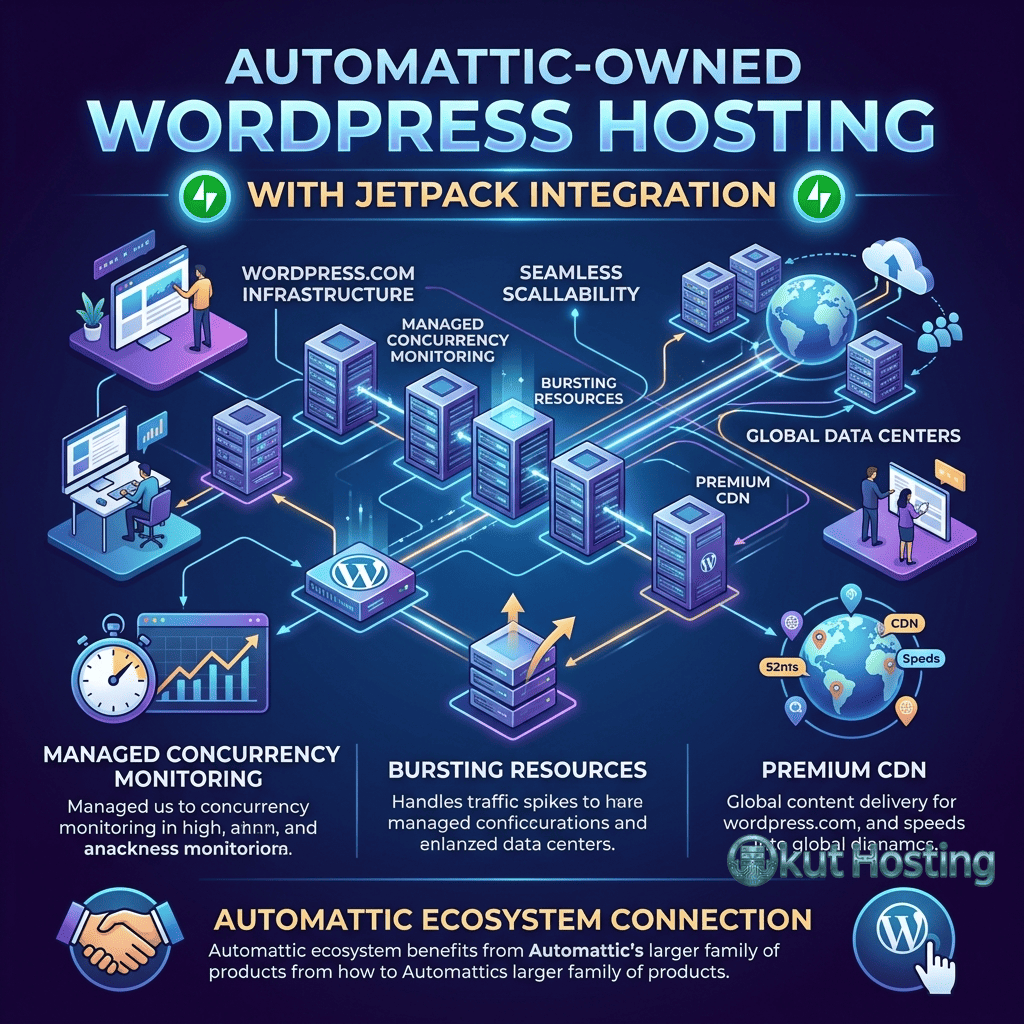
Pressable occupies a unique position in the managed WordPress hosting landscape as a wholly-owned subsidiary of Automattic — the company behind WordPress.com, WooCommerce, Jetpack, and many other products in the WordPress ecosystem. This ownership relationship means that Pressable benefits from direct access to the engineering team that develops WordPress core, Jetpack’s security and performance tools, and WooCommerce’s e-commerce platform. Few hosting providers can claim this level of proximity to the WordPress development process, and this proximity shapes the hosting experience Pressable offers in measurable ways.
The Automattic connection provides Pressable with advantages that independent hosting providers cannot easily replicate. When WordPress core updates are released, Pressable has advance visibility into the changes. When Jetpack introduces new features, Pressable can optimize its infrastructure for those features before they reach general availability. When WooCommerce evolves, Pressable’s hosting environment can be tuned for the new requirements. Understanding how this ownership relationship translates into tangible hosting benefits — and where it does not eliminate the trade-offs inherent in any managed hosting platform — is central to evaluating Pressable as a hosting option.
Infrastructure and Technology Foundation
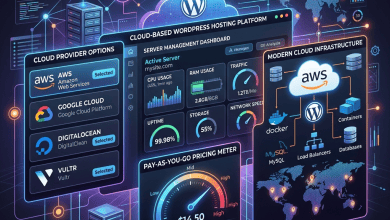
Pressable operates on a cloud-based infrastructure designed specifically for WordPress workloads. The platform uses containerized architecture to isolate individual WordPress installations, ensuring that each site has dedicated resources that are not affected by neighboring sites’ traffic patterns or resource consumption. This isolation addresses one of the fundamental limitations of shared hosting, where multiple sites compete for the same CPU, memory, and I/O resources.
The server stack is optimized around WordPress’s specific requirements, with Nginx serving as the web server, PHP-FPM handling PHP processing, and MySQL managing database operations. Server-level caching stores rendered HTML pages in memory, serving cached content directly without invoking PHP or the database for subsequent requests. This caching layer operates transparently, requiring no WordPress plugin configuration and avoiding the compatibility issues that caching plugins sometimes create with themes and other plugins.
Geographic distribution across multiple data center locations enables users to select server locations that minimize latency for their target audience. North American, European, and Asia-Pacific data center options provide coverage for the major web traffic regions. Content delivery network integration extends this geographic reach by caching static assets at edge locations worldwide, ensuring that images, CSS, JavaScript, and other static resources load quickly regardless of the visitor’s location relative to the origin server.
Infrastructure reliability is reinforced through redundant systems, automated failover mechanisms, and continuous monitoring that detects and responds to hardware or software failures before they affect site availability. Pressable’s uptime track record reflects the enterprise-grade reliability of its underlying cloud infrastructure, and the platform’s monitoring systems alert the operations team when any component of the hosting stack deviates from normal operating parameters. For business-critical WordPress sites, this infrastructure reliability provides the foundation for consistent availability that visitors and search engines expect.
The platform maintains current PHP versions and provides automated updates for PHP releases. Running the latest stable PHP version delivers measurable performance improvements for WordPress — each major PHP release has included significant speed gains for WordPress-specific workloads. Pressable handles PHP version management at the platform level, reducing the administrative burden on site owners while ensuring that security patches and performance improvements are deployed consistently across the hosting environment.
Jetpack Integration
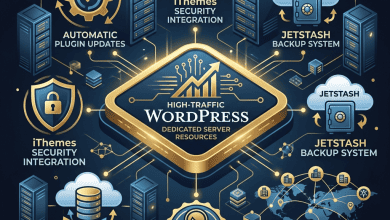
The most visible manifestation of Pressable’s Automattic ownership is the deep integration with Jetpack — Automattic’s comprehensive WordPress plugin that bundles security, performance, marketing, and analytics tools. Every Pressable hosting plan includes Jetpack Security at no additional cost, providing a suite of capabilities that would otherwise require a separate paid Jetpack subscription.
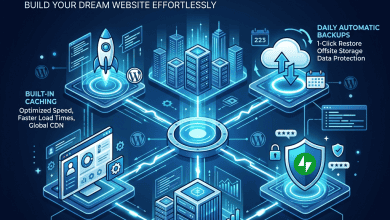
Jetpack Security on Pressable includes real-time automated backups with one-click restore functionality. Unlike the daily backup snapshots that most hosting providers offer, Jetpack’s real-time backups capture every change to the WordPress database and file system as it happens. This granularity means that restore points are available for the exact moment before a problem occurred, minimizing potential data loss. For WooCommerce stores where every transaction matters, real-time backup resolution ensures that order data, customer information, and inventory changes are captured continuously.
Automated malware scanning runs continuously, checking the WordPress installation for known malicious code patterns, unauthorized file modifications, and suspicious behaviors. When threats are detected, one-click fixes are available for many common malware types, allowing site owners to remediate security issues without technical expertise. The malware scanning database is maintained by Automattic’s security team, which monitors the WordPress ecosystem for emerging threats and updates detection rules accordingly.
Brute force attack protection monitors login attempts and automatically blocks IP addresses that exhibit brute force patterns — repeated login attempts with different credentials. This protection operates at the server level through Jetpack’s integration with Pressable’s infrastructure, blocking attack traffic before it consumes server resources. Activity logs provide a detailed audit trail of all changes to the WordPress installation, including post edits, plugin installations, user role changes, and login events, supporting both security monitoring and troubleshooting workflows.

Site Management and Dashboard
Pressable provides site management through its dedicated control panel, which organizes hosting management around individual WordPress sites. Each site’s management view includes sections for domains, SSL certificates, caching controls, SFTP access, database access, and collaboration settings. The interface design prioritizes clarity and accessibility, presenting common management tasks without the complexity of traditional server administration panels.
Collaborator management enables site owners to grant access to team members, developers, and clients with appropriate permission levels. Different roles can access different management functions, ensuring that collaborators can perform their specific tasks without accessing sensitive account-level settings like billing or other sites on the account. This collaborative model supports agencies, development teams, and businesses where multiple people need different levels of hosting access.
The dashboard includes performance metrics that provide visibility into site health, including response times, traffic patterns, and resource utilization. These server-level metrics complement browser-based analytics platforms by showing infrastructure-level data that Google Analytics and similar tools do not capture. Understanding server response times and resource usage helps identify performance bottlenecks that may not be apparent from front-end metrics alone.
WooCommerce Hosting
Pressable’s connection to Automattic extends to WooCommerce, which Automattic also owns. This shared ownership creates an alignment between the hosting environment and the e-commerce platform that independent hosting providers achieve through configuration rather than integrated development. Pressable’s server stack includes WooCommerce-aware caching rules that intelligently distinguish between cacheable pages like product listings and dynamic pages like shopping carts and checkout flows.
WooCommerce stores on Pressable benefit from Jetpack’s real-time backup system, which captures every order, inventory change, and customer interaction as it happens. The granularity of these backups is particularly valuable for e-commerce, where losing even a few hours of transaction data can mean lost orders and customer service complications. The restore functionality allows operators to roll back to any point in time without losing subsequent orders that may have been processed correctly.
Performance optimization for WooCommerce includes tuned database configurations that accommodate the complex query patterns WooCommerce generates for product catalogs, variable products, and order processing. PHP memory allocation is configured for the higher memory requirements of WooCommerce compared to standard WordPress content sites, reducing the likelihood of memory exhaustion errors during complex operations like bulk product imports or report generation.
Developer Features
Pressable provides development tools that support professional WordPress workflows. SFTP access enables direct file management for theme and plugin development. SSH access on applicable plans provides command-line access for WP-CLI operations, deployment scripts, and advanced troubleshooting. Git integration supports code deployment workflows where developers push changes from version control repositories to the hosting environment.
Staging environments allow developers to test changes in an isolated copy of the production site before deploying to production. The staging-to-production workflow handles database synchronization and file transfers, ensuring that changes tested in staging are applied consistently to the live site. This capability was once exclusive to premium managed hosting platforms but has become a standard expectation for professional WordPress hosting.
The Pressable API enables programmatic management of hosting resources, supporting automation of site provisioning, environment management, and operational tasks. Agencies managing multiple client sites can integrate Pressable management into their existing tools and workflows through API-driven automation, reducing the manual effort required for routine hosting management tasks.
Performance Architecture
Pressable’s performance optimization strategy combines server-level caching with CDN delivery and PHP optimization to achieve response times that compete with premium managed WordPress hosts. The page caching layer stores fully rendered HTML in server memory, bypassing PHP and MySQL processing for cached requests. Cache invalidation is WordPress-aware, automatically purging relevant cached pages when content is created, updated, or deleted through the WordPress admin interface.
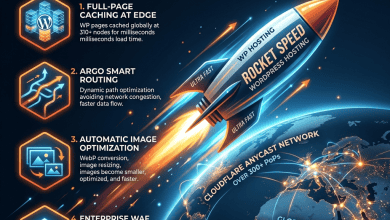
The CDN layer distributes cached content across a global network of edge locations, reducing latency for geographically distributed audiences. Static assets including images, stylesheets, JavaScript files, and fonts are served from the nearest edge location, while dynamic content is processed at the origin server. This architecture ensures fast static content delivery worldwide while maintaining the dynamic processing capabilities needed for WordPress’s content management functions.
PHP worker allocation determines how many concurrent dynamic requests each site can process simultaneously. When a visitor requests a page that is not in the cache, a PHP worker processes the request by executing WordPress’s PHP code and querying the database. Higher-tier plans provide more PHP workers, enabling better handling of concurrent dynamic traffic. For WooCommerce stores and membership sites that generate significant uncached traffic, PHP worker capacity is a key performance factor that should influence plan selection.
Multisite and Agency Deployments
Pressable supports WordPress multisite network deployments, enabling organizations to manage multiple related sites under a single WordPress installation. Multisite configurations on Pressable benefit from the platform’s containerized architecture, which provides consistent resources for the entire network. Domain mapping for individual sites within the multisite network is supported, allowing each sub-site to operate under its own custom domain while sharing the same WordPress installation, themes, and plugins.
For agencies managing separate client sites rather than multisite networks, Pressable’s account structure supports multiple independent WordPress installations under a single billing account. Each installation operates in its own container with dedicated resources, independent staging environments, and separate collaborator access controls. This separation ensures that one client’s site configuration cannot affect another client’s site, while centralized billing simplifies the administrative overhead of managing multiple hosting accounts.
Pricing and Plan Structure
Pressable structures its pricing based on the number of WordPress installations and monthly visit allocations, with plans scaling from individual sites to agency and enterprise deployments. Each plan includes Jetpack Security, SSL certificates, CDN integration, and access to Pressable’s support team. The inclusion of Jetpack Security in plan pricing represents significant value, as the equivalent Jetpack subscription purchased independently would add substantial cost to the hosting budget.
Agency and enterprise plans provide volume pricing for organizations managing multiple WordPress sites, with per-site costs decreasing at higher site counts. Custom enterprise agreements accommodate organizations with specific requirements for resource allocation, compliance, dedicated support, and service level commitments. The pricing model rewards consolidation, making Pressable increasingly cost-effective as the number of managed sites grows.
Pricing and features are subject to change. Please verify current plan details and pricing on the official Pressable website before making hosting decisions.
Support and Expertise
Pressable provides WordPress-specialized support through multiple channels including live chat and a ticketing system. The support team’s connection to the Automattic ecosystem means that complex WordPress issues can potentially be escalated to teams with deep knowledge of WordPress core, Jetpack, and WooCommerce internals. This escalation path is a practical advantage of the Automattic ownership structure, providing access to expertise that independent hosting providers would need to develop internally.
Self-service resources include a knowledge base covering common hosting tasks, WordPress configuration, Jetpack integration, and troubleshooting guides. Documentation is maintained alongside platform updates, ensuring that guides reflect current features and interfaces. For agencies and developers, API documentation supports the integration and automation workflows that reduce manual hosting management effort.
Migration Process
Pressable facilitates WordPress migration through both automated and assisted approaches. The platform provides a migration plugin that handles file transfer, database migration, and URL search-replace operations for straightforward WordPress installations. For sites with complex configurations, custom plugins, or large databases, Pressable’s support team offers migration assistance to ensure a clean transition without data loss or functionality issues.
The migration process includes DNS configuration guidance and SSL certificate provisioning on the Pressable infrastructure, ensuring that migrated sites are fully functional with encrypted connections before DNS records are updated to point traffic to the new hosting environment. Testing migrated sites on temporary URLs before DNS cutover provides an additional safety layer, confirming that all functionality works correctly on the new infrastructure before visitors are directed to it.
Limitations
- Jetpack dependency: The deep Jetpack integration means that Pressable’s value proposition is partially tied to Jetpack’s feature set. Users who prefer alternative security or backup solutions may find redundancy or conflicts with the bundled Jetpack functionality.
- Plugin restrictions: Like all managed WordPress platforms, Pressable restricts certain plugins that conflict with its infrastructure — primarily caching, backup, and some security plugins that duplicate platform-level functionality.
- No email hosting: Email services are not included and must be provisioned through external providers like Google Workspace or Microsoft 365.
- Market visibility: Pressable has lower brand recognition compared to competitors like WP Engine and Kinsta, which means less community-generated content, tutorials, and third-party integrations specifically targeting the Pressable platform.
Summary
Pressable leverages its Automattic ownership to deliver a WordPress hosting experience with unique advantages — particularly the included Jetpack Security suite, the intimate connection to WordPress core development, and the WooCommerce-optimized infrastructure that flows from shared corporate parentage. These advantages are most valuable for sites that already use or would benefit from Jetpack’s capabilities and for WooCommerce stores that need tightly integrated hosting and e-commerce platform optimization.
The Automattic ecosystem alignment means that Pressable evolves in coordination with the broader WordPress platform rather than reacting to WordPress changes after they occur. This proactive alignment extends to security patching, where Pressable can implement protections before vulnerabilities are publicly disclosed, and to performance optimization, where infrastructure changes can be tested against upcoming WordPress releases before they reach production. For organizations that view WordPress as a long-term strategic platform, hosting with a provider embedded in the WordPress development ecosystem provides a degree of future-proofing that independent providers cannot easily match.
Managed WordPress hosting platforms including Pressable, WP Engine, Kinsta, Flywheel, and Cloudways each bring different strengths to the market. Pressable’s differentiator is its Automattic connection and the Jetpack integration that makes this connection tangible. Evaluating Pressable requires weighing these unique advantages against the platform’s specific limitations and comparing the total value proposition — including the bundled Jetpack Security — against alternatives that may offer different feature combinations at comparable price points.
Features, pricing, and availability discussed in this review reflect information available at the time of writing. Hosting services evolve continuously, and details may have changed since publication. Please verify current information directly on the official Pressable website. Okut Hosting is an independent review platform with no affiliate relationships with any hosting company mentioned in this article.
For related reviews, see our WP Engine platform guide, our Flywheel managed hosting review, and our comparison of managed vs shared WordPress hosting.