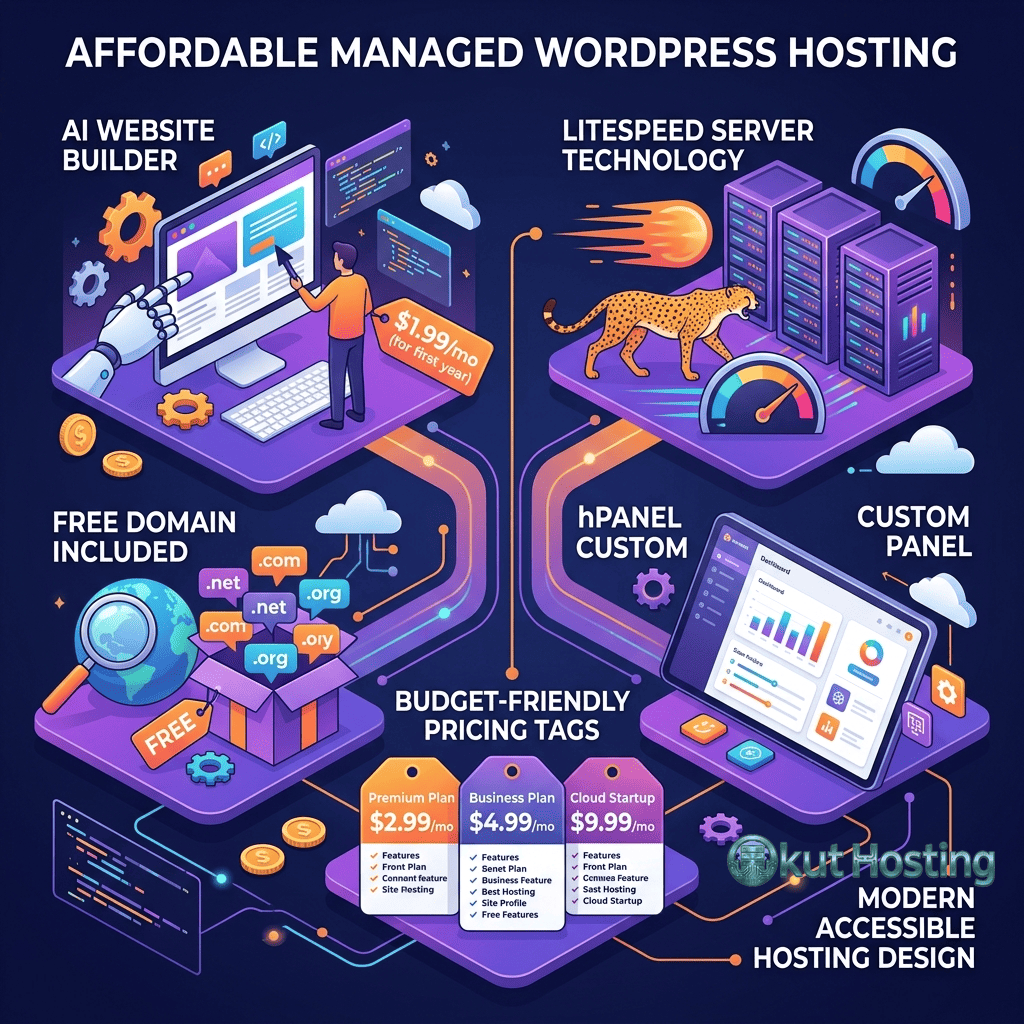
Hostinger has emerged as one of the fastest-growing hosting providers in the web hosting market, building a customer base of over 29 million users across 178 countries. The company has achieved this growth primarily through aggressive pricing that undercuts most competitors while delivering a hosting experience that extends beyond what typical budget hosting providers offer. Hostinger’s WordPress hosting plans, in particular, have attracted attention for combining low entry-level pricing with features like LiteSpeed web server technology, proprietary AI tools, and managed WordPress capabilities that are typically associated with more expensive hosting tiers.
What makes Hostinger’s approach noteworthy is the deliberate investment in performance technology and user experience tools at price points where most competitors offer only basic shared hosting configurations. The LiteSpeed server stack, the proprietary hPanel control panel, and integrated AI-powered tools like the Hostinger AI Website Builder represent engineering decisions that cost money to implement and maintain — yet Hostinger has found ways to deliver these features while maintaining some of the lowest pricing in the industry. This review examines whether Hostinger’s WordPress hosting lives up to the promise of affordable managed WordPress hosting, analyzing the technology, features, and trade-offs in detail.
LiteSpeed Server Technology
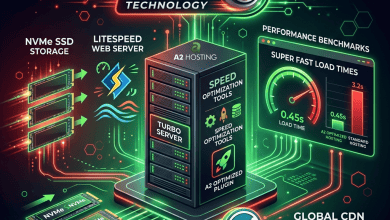
The foundation of Hostinger’s performance story is its adoption of LiteSpeed Web Server as the primary web server across its WordPress hosting infrastructure. LiteSpeed represents a meaningful departure from the Apache and Nginx configurations that dominate the shared hosting landscape. Developed as a drop-in Apache replacement, LiteSpeed handles PHP processing, static file serving, and HTTP/3 connections more efficiently than Apache, with benchmarks consistently showing superior requests-per-second throughput under WordPress workloads.
LiteSpeed’s integrated caching engine — LiteSpeed Cache (LSCache) — operates at the server level rather than as a WordPress plugin layer, though it also provides a companion WordPress plugin for cache management. This server-level integration means that caching operates more efficiently than plugin-only solutions because the web server itself handles cache storage, retrieval, and invalidation without invoking PHP for cached requests. The LiteSpeed Cache plugin for WordPress provides an interface for configuring cache rules, page optimization, image optimization, and database cleanup directly from the WordPress dashboard.
The LiteSpeed Cache plugin includes features that extend well beyond basic page caching. Image optimization through QUIC.cloud converts images to WebP format and serves appropriately sized images based on the visitor’s device. CSS and JavaScript minification reduces file sizes, while critical CSS generation prioritizes the loading of above-the-fold styles to improve perceived performance. Database optimization tools clean up post revisions, expired transients, and orphaned metadata that accumulate in WordPress databases over time and can degrade query performance.
HTTP/3 support, enabled natively by LiteSpeed, provides next-generation protocol performance through QUIC transport. HTTP/3 delivers faster connection establishment, improved performance on unreliable networks (particularly mobile connections), and multiplexed data transfer that eliminates the head-of-line blocking issues present in HTTP/2. For WordPress sites serving significant mobile traffic, HTTP/3 support can provide measurable improvements in page load times.
WordPress Plan Tiers
Hostinger structures its WordPress hosting across multiple plan tiers: Premium WordPress, Business WordPress, and Cloud Startup. Each tier provides different resource allocations, performance capabilities, and feature sets, with meaningful differences between them that affect the WordPress hosting experience.
The Premium WordPress plan supports a defined number of websites with SSD storage, unmetered bandwidth, free SSL certificates, and a free domain registration for the first year. This plan runs on the LiteSpeed stack with basic caching capabilities and provides email hosting for professional email addresses. The Premium tier targets new websites and small personal projects with moderate traffic expectations.
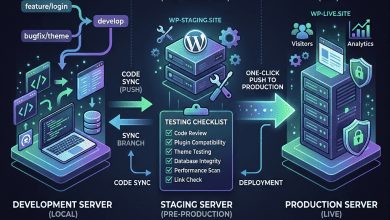
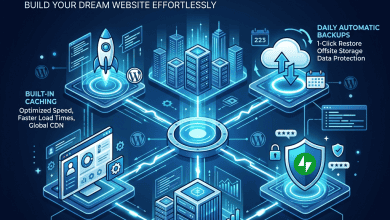
The Business WordPress plan increases resource allocations and adds features that significantly enhance the hosting experience. Daily automated backups with one-click restore protect against data loss. Additional computing resources — more CPU allocation and memory — provide better performance under traffic loads. The Business tier also includes a free CDN that distributes cached content globally, improving page load times for visitors outside the origin server’s geographic region. WordPress staging environments are available on this tier, enabling testing of changes before production deployment.
Cloud Startup represents Hostinger’s premium tier, running on cloud infrastructure with dedicated resources rather than shared server pools. Cloud plans provide allocated CPU cores, guaranteed RAM, and higher I/O priority compared to shared plans. The cloud infrastructure includes automated failover capabilities, daily backups, and dedicated IP addresses. For WordPress sites that need consistent performance and resource guarantees, the Cloud tier provides isolation that shared plans cannot match.
hPanel Control Panel
Hostinger has developed its own proprietary control panel — hPanel — rather than licensing cPanel or Plesk. This decision has both advantages and trade-offs. The primary advantage is that hPanel is designed specifically for Hostinger’s infrastructure, enabling tight integration between the control panel interface and the underlying server configuration. Tasks like WordPress installation, domain management, email setup, and SSL certificate provisioning are streamlined through an interface that reflects how users actually interact with hosting rather than exposing raw server administration tools.
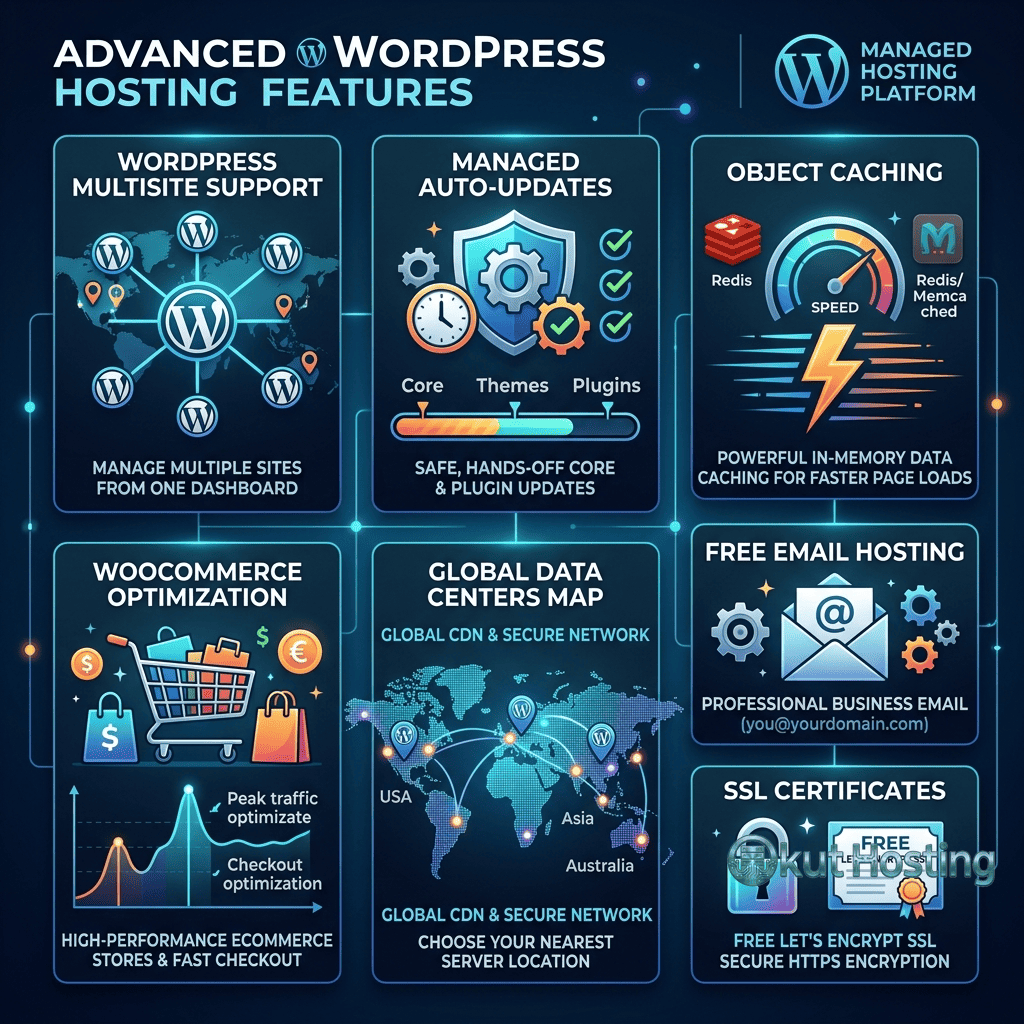
hPanel includes a WordPress-specific management section that provides one-click WordPress installation, automatic updates management, staging environment controls, and LiteSpeed Cache configuration. The WordPress management interface allows users to manage WordPress installations without accessing the WordPress dashboard, enabling tasks like password resets, PHP version changes, and plugin management from the hosting control panel level.
The interface design emphasizes visual clarity and progressive disclosure — basic tasks are immediately accessible, while advanced configuration options are available through deeper menu navigation. This approach makes hPanel accessible to beginners while still providing the tools that experienced users need. However, users familiar with cPanel may need to adjust to hPanel’s different organization and terminology, and some advanced features available in cPanel may not have direct equivalents in hPanel.
AI-Powered Tools
Hostinger has integrated AI-powered tools across its hosting platform, positioning artificial intelligence as a value differentiator rather than a premium add-on. The AI Website Builder uses generative AI to create initial WordPress site designs based on user descriptions of their desired website, generating page layouts, color schemes, and content suggestions that serve as starting points for customization. While AI-generated designs require refinement, they provide a faster starting point than building from a blank theme.
AI-powered content generation assists with creating initial drafts for website pages, blog posts, and product descriptions. The content generation tool integrates directly into the WordPress editor, allowing users to generate text within their content creation workflow. As with all AI-generated content, the output requires human review, editing, and verification to ensure accuracy, originality, and alignment with the site’s voice and purpose. For WordPress users who struggle with initial content creation, these tools lower the barrier to publishing their first content.
Performance and Global Reach
Hostinger operates data centers across multiple regions including the United States, Europe, Asia, and South America. The geographic distribution of data centers enables users to select server locations close to their primary audience, minimizing network latency for the majority of visitors. During account setup or through the control panel, users can select or change their data center location based on where their audience is concentrated.
CDN integration on Business and higher plans extends geographic reach beyond the origin server location. Hostinger’s CDN caches static assets at edge locations worldwide, serving images, CSS, JavaScript, and other static content from the nearest edge location to each visitor. This CDN integration, combined with LiteSpeed’s efficient static file serving and the LiteSpeed Cache plugin’s optimization features, creates a performance stack that delivers competitive page load times across the shared hosting segment.
Object caching through LiteSpeed’s built-in LSAPI (LiteSpeed API) reduces database query overhead by storing frequently accessed data in memory. This server-level object caching operates more efficiently than plugin-based alternatives because it is integrated directly into the web server’s processing pipeline. For WordPress sites with complex database queries — WooCommerce stores, membership sites, and sites with extensive custom post types — object caching provides measurable performance improvements by reducing the time spent on repetitive database operations.
Security Features
Hostinger implements security measures that operate at both the server and application levels. Free SSL certificates through Let’s Encrypt are included on all plans, with automatic provisioning and renewal. Server-level malware scanning detects known malicious code patterns, and Hostinger’s security team monitors the platform for emerging threats. DDoS protection and traffic filtering operate at the network level, mitigating large-scale attacks before they affect individual hosting accounts.
Automated backups provide recovery points for restoring sites after failed updates, security incidents, or accidental changes. Backup frequency and retention vary by plan tier, with Business and Cloud plans providing daily backups and longer retention periods. Manual backup creation is available for creating specific restore points before significant changes.
WooCommerce Support
WordPress e-commerce through WooCommerce operates well on Hostinger’s LiteSpeed infrastructure. LiteSpeed Cache includes WooCommerce-specific optimization rules that cache product pages and category listings while correctly excluding dynamic pages like shopping carts, checkout processes, and customer account dashboards. This intelligent caching ensures that product browsing is fast while transaction-sensitive pages always reflect current cart contents and order status.
Hostinger’s WooCommerce-oriented plans include pre-installed WooCommerce with configuration guidance, payment gateway setup assistance, and shipping configuration support. The platform supports major payment gateways including PayPal, Stripe, and other regional payment processors. For small to medium online stores, Hostinger’s combination of LiteSpeed performance and affordable pricing provides a cost-effective foundation for WordPress e-commerce.
Support and Resources
Hostinger provides 24/7 customer support through live chat, with support available in multiple languages reflecting the company’s global customer base. The support team assists with hosting configuration, WordPress troubleshooting, domain management, and email setup. Support response times and quality are generally competitive within the budget hosting segment, though complex technical issues may require escalation beyond first-tier support.
The Hostinger knowledge base and tutorials provide extensive self-service resources covering WordPress installation, configuration, performance optimization, and common troubleshooting scenarios. Video tutorials and step-by-step guides are available for visual learners, and the content is regularly updated to reflect current platform features and WordPress versions.
Email and Domain Management
Hostinger includes email hosting on all WordPress plans, providing professional email addresses using the registered domain name. Email accounts support standard protocols including IMAP, POP3, and SMTP, with webmail access available through hPanel. Email storage and the number of email accounts vary by plan tier, with higher plans providing more generous allocations. Spam filtering is included to reduce unwanted email, and email forwarding and autoresponder capabilities support common business email workflows.
Domain management through hPanel integrates registration, DNS configuration, and SSL certificate management into a unified interface. Free domain registration for the first year is included on annual and multi-year plans, providing a bundled solution for users who need both hosting and domain registration. For users with existing domains registered elsewhere, Hostinger provides clear nameserver configuration instructions and supports domain transfer for users who want to consolidate domain management under their Hostinger account. WHOIS privacy protection is available to prevent personal registration information from appearing in public domain databases.
Migration Tools
Hostinger provides a WordPress migration plugin that automates the process of transferring existing WordPress sites to the Hostinger platform. The plugin handles file transfer, database migration, and URL search-replace operations required when moving a WordPress site between hosting environments. For straightforward WordPress installations, the migration plugin completes the transfer with minimal manual intervention, making hosting switches accessible to users without technical migration experience.
For sites with complex configurations or custom server-level settings, Hostinger’s support team provides migration assistance to ensure a complete and functional transfer. The migration process includes testing on temporary URLs before DNS cutover, allowing users to verify that the migrated site functions correctly on Hostinger’s infrastructure before directing live traffic to the new server.
Pricing Model
Hostinger’s pricing employs the promotional pricing model common across the hosting industry, with deeply discounted rates on initial multi-year terms and regular pricing on renewal. The introductory pricing is among the lowest in the industry, making Hostinger an accessible starting point for budget-conscious WordPress users. However, renewal pricing represents a significant increase, and financial planning should account for regular renewal rates rather than promotional pricing.
Multi-year commitments unlock the lowest per-month rates but require larger upfront payments. Monthly billing is available at higher per-month rates for users who prefer flexibility over long-term commitment. Free domain registration for the first year is included on most plans, with standard domain renewal pricing applying in subsequent years.
Pricing and features are subject to change. Please verify current plan details and pricing on the official Hostinger website before making hosting decisions.
Limitations
- Shared hosting constraints: Entry-level plans operate on shared infrastructure where resources are distributed among multiple accounts. Peak-time performance may vary based on overall server utilization, and resource-intensive operations like database imports or bulk content updates may be throttled during high-usage periods across the shared environment.
- Renewal pricing gap: The difference between promotional and renewal pricing is among the largest in the industry. Understanding renewal costs is essential for budget planning.
- Custom control panel: hPanel, while user-friendly, differs from industry-standard cPanel. Users with cPanel experience may need adjustment time, and some advanced features may not have direct equivalents.
- Phone support unavailability: Hostinger does not offer phone-based support. Users who prefer voice communication for support interactions will find this a limitation.
Summary
Hostinger has differentiated itself in the WordPress hosting market by combining budget-friendly pricing with genuine performance technology investments. The LiteSpeed server stack, integrated AI tools, and custom hPanel control panel represent engineering choices that deliver value beyond what most budget hosting providers offer. For WordPress users who need affordable hosting with legitimate performance optimization, Hostinger’s Business and Cloud tiers provide capable platforms at competitive price points.
Budget WordPress hosting providers like Hostinger, Bluehost, HostGator, and DreamHost compete primarily on price and included features, with performance capabilities varying based on the underlying technology investments. Hostinger’s LiteSpeed adoption places it at a performance advantage within the budget segment, though the shared hosting limitations of entry-level plans and the significant renewal pricing increases are factors that should inform hosting decisions. Evaluating Hostinger’s full value requires looking beyond introductory pricing to assess the ongoing costs, performance characteristics, and feature availability that define the long-term hosting experience.
For organizations considering Hostinger alongside other WordPress hosting options, the decision framework should include factors beyond initial pricing: long-term renewal costs, the LiteSpeed performance advantage relative to Apache-based competitors, the maturity and feature completeness of hPanel compared to cPanel environments, and whether the AI-powered tools provide genuine value for the specific use case or represent features that add complexity without meaningful benefit.
Features, pricing, and availability discussed in this review reflect information available at the time of writing. Hosting services evolve continuously, and details may have changed since publication. Please verify current information directly on the official Hostinger website. Okut Hosting is an independent review platform with no affiliate relationships with any hosting company mentioned in this article.
For related reviews, see our Bluehost WordPress hosting overview, our comparison of managed vs shared WordPress hosting, and our guide to WordPress hosting performance factors.