DreamHost has been operating in the web hosting industry since 1996, making it one of the longest-standing independently owned hosting companies in the market. Over nearly three decades of operation, DreamHost has built a reputation around several core principles: privacy advocacy, open-source commitment, and transparent business practices. The company is one of only three hosting providers officially recommended on WordPress.org, alongside Bluehost and SiteGround — a distinction that reflects DreamHost’s long-standing investment in the WordPress ecosystem and its contributions to the WordPress open-source project.
DreamPress is DreamHost’s managed WordPress hosting product, positioned above its shared hosting plans and designed specifically for WordPress sites that need dedicated resources, enhanced performance, and managed infrastructure. Unlike DreamHost’s shared hosting where WordPress runs alongside other accounts on shared servers, DreamPress operates on VPS-based infrastructure with isolated resources, server-level caching, and WordPress-specific optimizations. This review examines DreamPress’s architecture, feature set, and positioning within the managed WordPress hosting landscape.
VPS-Based Architecture
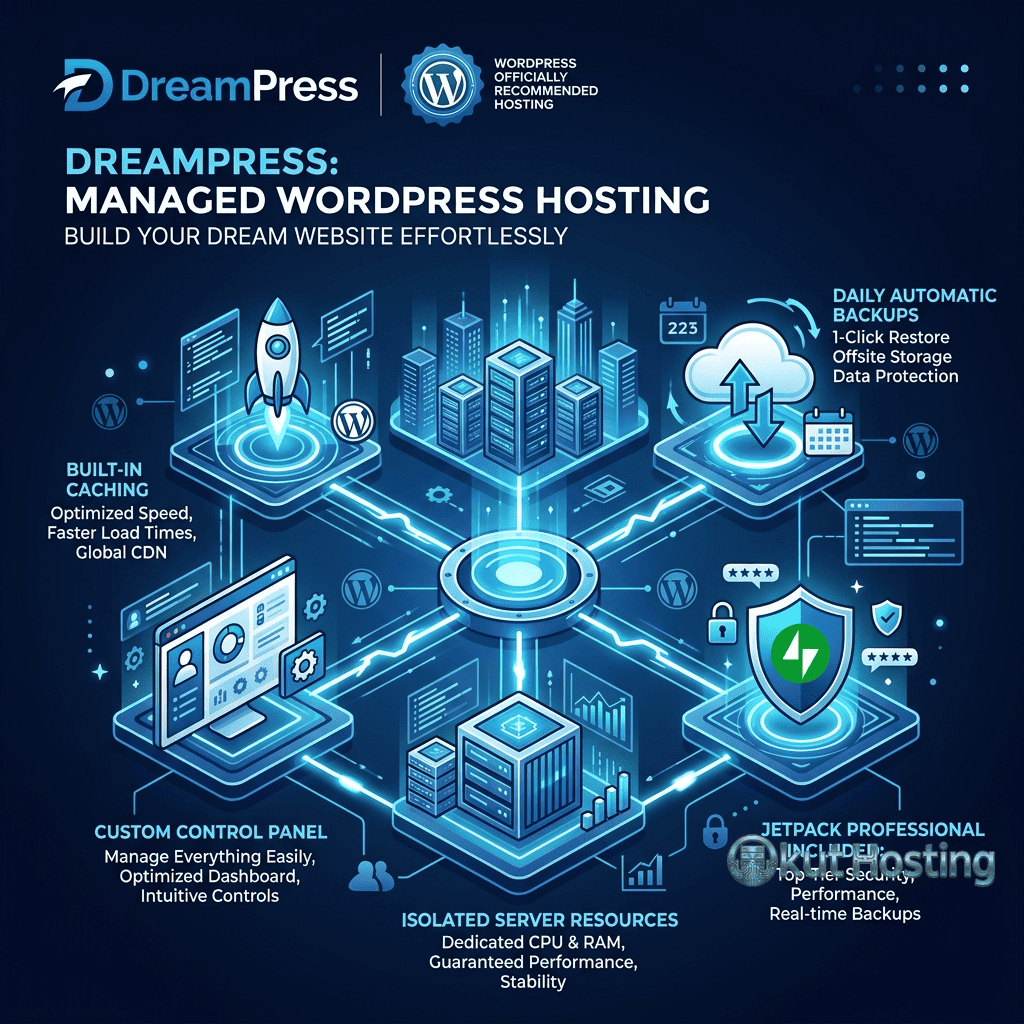
DreamPress runs on VPS (Virtual Private Server) infrastructure rather than shared servers, which fundamentally changes the performance characteristics compared to shared WordPress hosting. Each DreamPress site operates on a virtual server with allocated CPU, RAM, and storage resources that are not shared with other hosting accounts. This resource isolation means that traffic spikes on other sites do not affect DreamPress performance — a significant advantage over shared hosting environments where resource contention can cause unpredictable performance degradation.
The VPS infrastructure runs on SSD storage, providing fast disk I/O for database operations and file serving. DreamHost uses Nginx as the web server on DreamPress, configured specifically for WordPress workloads. Nginx handles static content delivery efficiently and passes dynamic requests to PHP-FPM for processing. The combination of VPS isolation, SSD storage, and Nginx optimization creates a performance foundation that exceeds what shared hosting environments deliver for WordPress workloads.
DreamPress includes built-in server-level caching through Varnish, a reverse proxy cache that stores fully rendered HTML pages in server memory. When a visitor requests a cached page, Varnish serves the stored HTML directly without invoking PHP or MySQL, reducing server response times to single-digit milliseconds for cached content. Varnish is pre-configured for WordPress, with cache invalidation rules that automatically purge cached content when posts are published, updated, or deleted through the WordPress admin interface.
Memcached object caching is also integrated into the DreamPress stack, storing frequently accessed database query results in memory. WordPress generates numerous database queries during page construction — site settings, menu structures, widget configurations, and plugin options are queried on nearly every page load. Memcached stores these repetitive query results in memory, reducing database load and accelerating page generation for both cached and uncached requests.
WordPress.org Recommendation and Open-Source Commitment
DreamHost’s WordPress.org recommendation carries significance in the WordPress ecosystem because it represents an endorsement from the organization that governs WordPress development. The recommendation criteria include hosting performance, customer support quality, WordPress feature integration, and a demonstrated commitment to the WordPress community. Maintaining this recommendation over many years reflects consistent investment in WordPress-specific hosting quality.
DreamHost’s open-source commitment extends beyond hosting WordPress sites. The company has contributed to WordPress core development, sponsored WordPress events and WordCamp conferences, and maintained a public stance on digital privacy and user rights. This community engagement creates a relationship with the WordPress ecosystem that goes deeper than simply offering WordPress as a hosting product. For site owners who value supporting companies that contribute to the open-source projects they depend on, DreamHost’s track record provides tangible evidence of that commitment.
The company’s privacy advocacy is reflected in its hosting practices. DreamHost offers free WHOIS domain privacy on all domain registrations, includes SSL certificates on all hosting plans, and has publicly advocated for user privacy rights in legal proceedings. This privacy-first approach aligns with increasing awareness of digital privacy issues and may be a differentiating factor for site owners who prioritize privacy in their hosting provider selection.
Jetpack Integration
DreamPress plans include Jetpack Professional at no additional cost — a premium Jetpack subscription that would otherwise require a separate paid subscription. Jetpack Professional on DreamPress provides automated daily backups with one-click restore, real-time malware scanning with automated threat resolution, spam protection for comments and contact forms, downtime monitoring with automated alerts, and access to Jetpack’s premium theme collection.
The backup system captures daily snapshots of the complete WordPress installation, including the database, wp-content directory, and configuration files. Backup archives are stored off-server, providing protection even if the hosting server itself experiences issues. One-click restoration through the Jetpack dashboard enables quick recovery from failed updates, security incidents, or accidental content changes without requiring technical database or file management skills.
Malware scanning operates continuously, checking WordPress files against databases of known malicious code patterns. When threats are detected, Jetpack provides automated fixes for common malware types and manual remediation guidance for more complex infections. The integration between Jetpack’s security scanning and DreamHost’s server infrastructure enables efficient threat detection and response without requiring third-party security plugins.
DreamPress Plan Tiers
DreamPress is available in three tiers: DreamPress, DreamPress Plus, and DreamPress Pro. Each tier provides progressively larger resource allocations, additional features, and higher traffic capacity, enabling site owners to select the tier that matches their current requirements and upgrade as their sites grow.
The base DreamPress tier supports a single WordPress site with defined amounts of SSD storage, RAM allocation, and a monthly visitor capacity. This tier includes the core DreamPress features — VPS infrastructure, server-level caching, Jetpack Professional, free SSL, and automated daily backups. The base tier suits personal blogs, small business sites, and portfolio sites with moderate traffic levels.
DreamPress Plus doubles the resource allocation of the base tier, providing more storage, additional RAM, and higher traffic capacity. The Plus tier also includes unlimited CDN access through Jetpack, which caches static content at edge locations worldwide and provides image optimization through Jetpack’s Photon service. The additional resources and CDN integration make DreamPress Plus suitable for growing business sites, content-heavy blogs, and sites with international audiences that benefit from CDN delivery.
DreamPress Pro provides the highest resource allocation within the DreamPress lineup, with dedicated resources designed for high-traffic WordPress sites. The Pro tier includes priority support with faster response times, enhanced resource isolation, and support for sites with significant traffic volumes. E-commerce sites running WooCommerce, high-traffic blogs, and business sites with demanding performance requirements are the target audience for the Pro tier.
Staging Environments
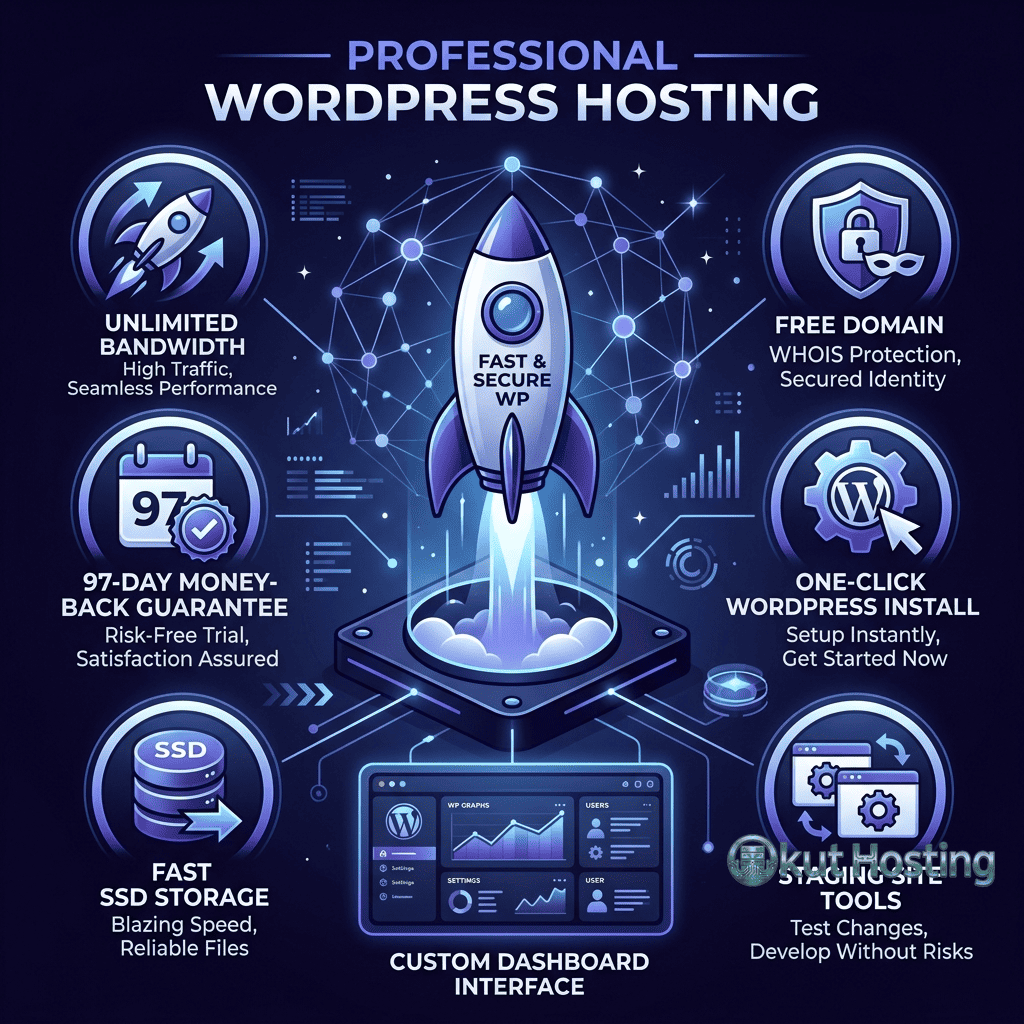
DreamPress includes one-click staging environment creation on all tiers, enabling users to create copies of their production sites for testing changes before deployment. The staging environment is a complete copy of the production site — files, database, and configuration — running on separate infrastructure accessible through a temporary URL.
The staging workflow allows developers and site administrators to install theme updates, test new plugins, modify site configurations, and preview design changes in an environment that mirrors production without risking the live site. When changes are verified in staging, they can be deployed to production through the DreamHost panel. This staging capability was once exclusive to premium managed hosting platforms but has become a standard expectation for professional WordPress hosting, and DreamPress’s inclusion of staging on all tiers adds value across its pricing range.
Control Panel and Site Management
DreamHost uses a custom-built control panel for hosting management rather than licensing cPanel or Plesk. The DreamHost panel provides domain management, DNS configuration, email account setup, file management, database access, and WordPress-specific management tools. The WordPress management section allows users to manage WordPress installations, configure auto-updates, access staging environments, and manage Jetpack settings from the hosting control panel.
The custom panel interface reflects DreamHost’s design philosophy of presenting hosting management tasks in accessible, clearly organized sections rather than the densely packed icon grids typical of cPanel. For users accustomed to cPanel, the transition requires learning a new interface layout, though the underlying functionality is comparable. The panel includes SFTP access configuration, SSH access management, and phpMyAdmin database management for users who need direct access to files and databases.
Automatic WordPress core updates are enabled by default on DreamPress, keeping WordPress current with security patches and feature releases. Minor updates (security and maintenance releases) are applied automatically, while major version updates can be configured for automatic deployment or manual review. Automatic updates reduce the window of vulnerability between patch availability and deployment, which is particularly important for security-critical patches.
Email Hosting
DreamHost includes email hosting on all DreamPress plans, providing professional email addresses using the registered domain name. Email accounts support standard IMAP and POP3 protocols, with webmail access through the DreamHost panel. Email storage is generous compared to many hosting providers, and spam filtering operates at the server level to reduce unwanted email delivery.
The inclusion of email hosting distinguishes DreamHost from several managed WordPress competitors — WP Engine, Kinsta, Flywheel, and Cloudways do not include email hosting, requiring users to set up separate email services through providers like Google Workspace or Microsoft 365. For small businesses and individuals who want to manage website hosting and professional email through a single provider, DreamHost’s bundled email hosting provides practical value and simplifies account management.
Domain Registration and Privacy
DreamHost operates its own domain registrar, enabling users to register and manage domains directly through the hosting control panel. Free domain registration for the first year is included with annual DreamPress plans. DreamHost’s domain management includes DNS configuration, subdomain creation, domain transfer tools, and domain lock settings to prevent unauthorized transfers.
Free WHOIS privacy protection is included on all DreamHost domain registrations — a feature that many registrars charge additional fees for. WHOIS privacy replaces personal registration information in public domain databases with proxy information, preventing the exposure of names, addresses, phone numbers, and email addresses. DreamHost’s inclusion of free privacy protection on all domains aligns with the company’s broader privacy advocacy and provides a tangible benefit that competitors often monetize as an upsell.
Performance Optimization
DreamPress’s performance architecture combines VPS isolation, Varnish caching, Memcached object caching, and PHP optimization to deliver response times that compete with dedicated managed WordPress platforms. Server response times for cached content typically fall in the sub-100 millisecond range, while uncached dynamic content performance benefits from the dedicated PHP-FPM workers and SSD-backed MySQL database.
PHP version management on DreamPress supports current stable PHP releases, with configuration options accessible through the control panel. Running the latest PHP version provides significant performance improvements — PHP 8.x delivers measurably faster WordPress processing compared to PHP 7.x. DreamHost typically supports new PHP versions within weeks of their stable release, enabling sites to benefit from the latest performance and security improvements.
CDN integration through Jetpack’s content delivery network distributes static assets across a global edge network. Images served through Jetpack’s Photon service are automatically optimized and resized for the requesting device, reducing bandwidth consumption and improving load times for image-heavy sites. The CDN integration operates transparently after activation, requiring no ongoing configuration or management.
Support and Resources
DreamHost provides customer support through live chat, email ticketing, and a callback request system. Support is available 24/7 for chat, with email support typically responding within hours. The support team handles hosting configuration, WordPress troubleshooting, domain management, and email setup issues. DreamPress Pro includes priority support with expedited response times and access to senior support representatives.
DreamHost’s knowledge base is extensive, with articles covering WordPress hosting, development, troubleshooting, and optimization topics. The company also maintains an active community forum where users can share solutions and seek assistance from other DreamHost customers. DreamHost’s support documentation reflects its long operating history, with accumulated knowledge across a wide range of hosting scenarios.
Migration and Money-Back Guarantee
DreamHost offers free WordPress migration services for users moving from other hosting providers. The migration team handles file transfer, database migration, DNS configuration, and post-migration testing to ensure a smooth transition. For users who prefer self-service migration, DreamHost provides documentation and supports popular WordPress migration plugins. The migration process includes testing on temporary DreamHost URLs before DNS cutover, allowing users to verify site functionality on the new infrastructure before directing live traffic.
DreamHost offers a 97-day money-back guarantee on shared hosting and DreamPress plans — one of the longest satisfaction guarantees in the hosting industry. The standard industry guarantee ranges from 30 to 45 days, making DreamHost’s 97-day policy a notable differentiator for users who want more time to evaluate the hosting experience before committing. This extended guarantee provides a low-risk way to test DreamPress performance with real traffic patterns before making a long-term hosting decision.
The combination of free migration services, the extended money-back guarantee, and DreamPress’s managed infrastructure creates a low-friction onboarding experience. Site owners can migrate existing WordPress sites to DreamPress, evaluate performance under real-world conditions for over three months, and make an informed hosting decision based on actual experience rather than marketing claims. This approach reflects DreamHost’s confidence in its hosting quality and aligns with the transparent business practices that characterize the company’s market positioning.
Limitations
- Single-site plans: Each DreamPress plan supports a single WordPress installation. Users managing multiple sites need separate DreamPress plans for each, which can become cost-prohibitive compared to platforms that support multiple sites per plan.
- No phone support: DreamHost does not offer traditional phone support. The callback request system provides an alternative, but users who prefer real-time phone conversations may find this limiting.
- Custom control panel: The DreamHost panel differs from industry-standard cPanel. Users with cPanel experience may need adjustment time, and some automated migration tools that expect cPanel environments may not work seamlessly.
- Limited data centers: DreamHost’s data center options are concentrated in the United States. Sites targeting audiences in Europe, Asia, or other regions rely on CDN integration to offset the geographic distance to the origin server.
- Plugin restrictions: Some caching and security plugins are restricted on DreamPress to prevent conflicts with the managed infrastructure’s built-in caching and security systems.
Summary
DreamPress delivers managed WordPress hosting that combines DreamHost’s nearly three decades of hosting expertise with VPS-based infrastructure, integrated Jetpack Professional, and a privacy-focused approach that distinguishes it from competitors. The WordPress.org recommendation and open-source commitment provide credibility that newer hosting providers must earn over time, while the included Jetpack Professional subscription, email hosting, and free domain privacy add tangible value to the hosting package.
Managed WordPress hosting platforms including DreamPress, WP Engine, Kinsta, SiteGround, and Pressable each approach the managed hosting challenge with different technical foundations and feature priorities. DreamPress’s VPS-based architecture with Varnish caching delivers competitive performance, while the bundled services — Jetpack Professional, email hosting, domain registration with free privacy — create a comprehensive hosting package at price points below many premium managed WordPress alternatives. Evaluating DreamPress alongside competing platforms requires considering the total value proposition, including bundled services that would require separate purchases on other platforms.
Features, pricing, and availability discussed in this review reflect information available at the time of writing. Hosting services evolve continuously, and details may have changed since publication. Please verify current information directly on the official DreamHost website. Okut Hosting is an independent review platform with no affiliate relationships with any hosting company mentioned in this article.
For related reviews, see our SiteGround WordPress hosting overview, our Pressable managed WordPress review, and our guide to managed vs shared WordPress hosting differences.